


Instagram Stories can introduce products, share behind-the-scenes moments, offer quick tutorials and encourage audience interaction. Creating polished Stories consistently can be time-consuming, however. The right Instagram Story editing apps help creators and businesses save design time, edit vertical video and maintain a more consistent visual identity.
This guide compares five apps to consider: Canva, Unfold, InShot, Hype-Type and GoDaddy’s app, which incorporated features from GoDaddy Studio. Product names, features and availability have changed over time, and some apps may not be available on both iOS and Android. Check current platform availability before choosing a tool.
What to Look for When Choosing an Instagram Story App?
Types of Content to be Created
If your needs are static promotions, layout templates and the ability to change brand colors may be more important than video editing. Conversely, for video stories, consider clip trimming, text, music, transitions, and duration settings. Choose an app based on your workflow, not just the number of features on your marketing list.
Ease of Use and Device Availability
Check whether the app is available for Android, iPhone, or desktop browsers. Content teams working from multiple devices should test whether assets can be opened and resumed across platforms. Don’t assume all iOS features are identically available on Android, as versions and packages may differ.
Templates, Branding, Licenses, and Fees
Free apps typically provide basic functionality, but premium templates, watermark removal, additional fonts, or brand kits may require a subscription. Before using music, photos, or built-in assets for commercial promotion, read the licensing terms. Being free for personal use doesn’t automatically mean all assets are free to use for business advertising.
Instagram Story Formats and Safe Areas
Vertical format 9:16 Commonly used for Instagram Stories, the design size is 1080 × 1920 pixels as a practical guideline. Leave space at the top and bottom to ensure important text isn’t obscured by the platform’s interface. The creative specification sheet for Meta ad placement also highlights safe areas for text elements and logos. Implementation details should be reviewed based on placement type and interface changes.
5 Instagram Story Apps for iOS and Android
1. Canva — Perfect for Promotional and Branding Templates
Canva provides a variety of customizable Instagram Story templates. Users can change color combinations, fonts, photos, and layouts without having to create a design from scratch. For MSMEs, this feature is useful for creating promotional announcements, event schedules, product catalogs, or educational stories that maintain a consistent visual style.
Most Useful Features
Vertical templates, design elements, collaboration, and the ability to use both desktop and mobile apps make Canva quite flexible. Teams can create recurring visual patterns, making daily content production easier. However, not all design elements are included in the free plan, and asset licensing needs to be considered when creating commercial materials.
Canva’s Advantages and Limitations
The advantages are a beginner-friendly workflow and a wide range of design options. The downside is that overly generic templates can make content from different accounts look similar if not customized. For more distinctive results, change the composition, use original photos, and create visual identity guidelines. You can also read Bloggerpi’s review of Canva as a design application.
Who Should Choose Canva?
Online store owners, social media administrators, educators, or creators who need a lot of static content with a clean look. If your primary job is creating complex video clips, Canva can be combined with a dedicated video editor.
2. Unfold — The Choice for Minimalist and Consistent Stories
Unfold Squarespace’s app focuses on visual templates, filters, effects, and content packaging for social platforms. According to Squarespace’s documentation, the app is available for Apple and Android devices, offering free features as well as subscription options for additional templates and tools.
Standout Features and Style
Unfold offers layouts suitable for travel photos, portfolios, lifestyle products, or brand storytelling with an editorial feel. Additional features, such as managing your Bio Site or planning your feed layout, can help creators build a more consistent profile identity.
Advantages and Limitations of Unfold
The advantage is the ease of creating clean, uncluttered Stories. However, specific template or effect options depend on your subscription level. Additionally, some features mentioned in the documentation may be platform-specific. Be sure to check availability on your device before subscribing.
When is Unfold Better than Canva?
Unfold appeals if you prioritize an editorial style with minimal customization. Canva is more flexible for various promotional materials and element combinations. Both can produce excellent designs; choose based on your creative needs and team workflow.
3. InShot — Perfect for Editing Story Videos
InShot is a mobile photo and video editor available for iOS and Android. Features listed in the app’s official listing include clip trimming, adding text, music, effects, and a number of AI-powered tools. For creators who regularly create Story videos, the ability to edit directly from your phone helps speed up the production process.
Workflows That Can Be Used
Start by selecting the most relevant vertical footage, removing unnecessary sections, adding easy-to-read text, and then checking that the music or narration is clear. Once finished, review the video without sound to ensure the core message is still understandable through the visuals and supporting text.
Advantages and Limitations of InShot
InShot’s advantage is the ease of editing clips from your smartphone. However, some advanced effects or settings may require in-app purchases. Because Stories are often viewed for a short time, excessive use of transitions can distract from the main message. For context on other video tool options, see Android video editing application on Bloggerpi.
The Most Suitable User
Vloggers, culinary creators, businesses that document their activities, or account managers who frequently use short videos. If your content consists primarily of static posters, a template-based editor may be more efficient.
4. Hype-Type — for Animated Text in Stories, Especially iPhone
Hype-Type is known as an application for creating moving typography on photos or videos. Verifiable listing at Apple App Store still lists motion typography features and in-app purchases. However, the listing states the app is intended for iPhone. Since availability for an Android equivalent isn’t confirmed by official sources, don’t consider Hype-Type a cross-platform option without checking your app store.
Features That Make a Difference
The focus is on text animation, typographic style choices, and the placement of text as the main visual element. This can be helpful for Stories containing quotes, short announcements, or campaign messages. Check the readability of animations on small screens and avoid text that moves too quickly.
Advantages and Limitations of Hype-Type
Its main advantage is its specialized approach to moving text. However, its limitations include platform dependency and less extensive capabilities than full-fledged video editors. Additional purchases may also apply. If you only need static text, you don’t need this particular application.
Alternatives if you don’t use an iPhone
Android users can take advantage of the text and animation features in Canva or the InShot video editor, depending on their needs. Compare options based on ease of use and export capabilities, not just similarity in feature names.
5. GoDaddy App — Successor to GoDaddy Studio and Over
In older articles, a design app called Over was often recommended for creating social media content. The name and ecosystem have changed. GoDaddy then adopted the name GoDaddy Studio, and on February 2026 announced the merger of Studio features into GoDaddy AppSo, it’s more appropriate to direct readers to the GoDaddy app at this point, rather than considering Over as a separate app that still retains the identity of the old product.
What Can You Do with the GoDaddy App?
GoDaddy is integrating content creation capabilities with business tools like site and domain management. The creative features previously known as Studio are now part of the app experience. This product direction could be attractive to business owners who want to manage design assets and some website activities from a mobile device.
Advantages and Things to Consider
The advantage lies in the design integration with the GoDaddy business ecosystem. However, for creators who only need a simple Story editor, the many additional functions may not always be necessary. Check the availability of design features, Content Creator plans, and device compatibility before choosing.
Who is Suitable to Use It?
Small business owners who already use GoDaddy services or need design tools that are aligned with their business activities. For creators who work across multiple platforms, Canva or a dedicated video app may be a better fit.
Instagram Story App Comparison Table
| Application | Main Focus | Confirmed Platforms |
|---|---|---|
| Canva | Story templates, branding and layouts | Web, iOS, Android |
| Unfold | Editorial templates, photos, Bio Site | iOS, Android |
| InShot | Edit vertical photos and videos | iOS, Android |
| Hype-Type | Animated typography and text | iPhone (official Apple listing) |
| GoDaddy App | Integrated content design and business tools | iOS, Android |
Availability and pricing may vary by country, device, and plan. This table is a summary of functionality, not an absolute quality ranking.
Tips for Choosing an Application According to Content Needs
For MSMEs That Need Fast Promotion
Start with a template-based app like Canva. Create several templates for promotions, testimonials, product information, and Q&A sessions. Use a consistent font and color palette; don’t completely change your visual style with every post.
For Video Creators and Behind-the-Scenes
Prioritize apps that make it easy to trim clips, adjust sound, and edit text. InShot could be one option. Test the export on your native device to ensure video quality and text placement are consistent.
For Brands with a Minimalist Visual Style
Unfold can help create a layout that feels editorial. Avoid templates that are too similar to other accounts’ content by using your own photos or visual elements. Develop a direction based on brand identity.
For Team Content Management
In addition to selecting editors, you also need to set schedules, approve content, store assets, and allocate tasks. This process can be assisted by social media content calendar as well as content calendar example.
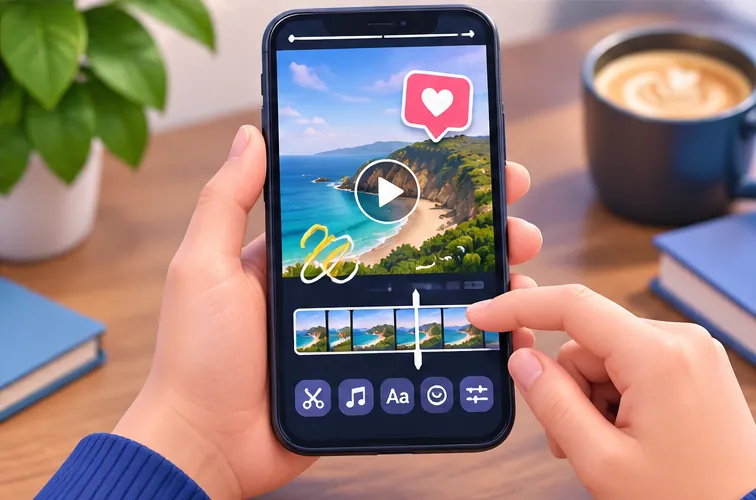
How to Make More Interesting Instagram Stories
1. Determine One Main Message
Don’t cram too many ideas into one frame. Use a headline that directly explains the benefit or topic, then provide supporting visuals. If the content is complex, divide it into a series of Stories with a clear sequence.
2. Maintain Safe Area and Readability
Avoid placing important details at the very top or bottom. Make text large enough with adequate contrast, and test it on a real device. Promotional content should be understandable without the user having to zoom in.
3. Use Interaction Features When Relevant
Polls, questions, and links can help your audience engage, but don’t add stickers just to clutter your screen. Match interactive elements to your content’s purpose and your readers’ needs.
4. Evaluate Results Using Insight
Review reach, impressions, responses, and actions relevant to the account’s objectives. High view counts don’t automatically mean the Story is converting. Guide how to read Instagram Insights helps determine what information needs attention.
5. Change the Format Based on Audience Response
If educational Stories are saved or responded to more often than promotional Stories, use this as input for future planning. Combine your observations with your strategy. social media management so that design activities are connected to business goals.
Common Mistakes When Editing Instagram Stories
Too Many Animations and Different Fonts
Excessive visual elements can make information difficult to understand. Use animation to direct attention, not simply add movement.
Using Music or Photos without Checking the License
Ensure that third-party content is permitted for your intended use, especially when the Story is part of a paid campaign.
Ignoring Visual Consistency
Popular templates can be used across multiple accounts. Incorporate original elements like product photos, custom illustrations, or brand-specific color schemes to keep your content from looking generic.
Just Chasing Appearance without Evaluation
A compelling story doesn’t necessarily meet your marketing objectives. Establish simple metrics early on and periodically compare the response of different formats. You can also read the explanation Instagram features and benefits to understand the context of its use.
Frequently Asked Questions
Are all five apps available on Android and iOS?
Not all. Canva, Unfold, InShot, and GoDaddy App support both ecosystems, while Hype-Type’s verified official listing shows an iPhone app. Regional availability should still be checked in the respective app stores.
Is there an Instagram Story app that is truly free?
Some applications offer free functionality, but may restrict certain templates, premium features, exports, or assets. Check the latest terms and conditions before relying on a single feature for business purposes.
Is Over still the same app?
Over has evolved into a part of the GoDaddy Studio ecosystem. As of February 2026, GoDaddy Studio features from the mobile app have been moved to the GoDaddy App, according to an official announcement.
What is the best Story size to use?
A 9:16 vertical design with a resolution of 1080 × 1920 pixels is a common starting point. Leave room for interface elements and check the latest specifications for the placement format used.
Conclusion
The right Instagram Story app depends on your content needs. Canva excels for templates and branding, Unfold for editorial styling, InShot for video, Hype-Type for text animation on supported devices, and GoDaddy App for designs connected to business tools. Choose based on ease of use, platform, licensing, and content goals—not just the number of templates or claims of the best app.
Reference
- Canva — Instagram Story Templates.
- Squarespace — Unfold Mobile App.
- Apple App Store — InShot Video Editor.
- Apple App Store — Hype-Type.
- GoDaddy — GoDaddy Studio Is Now the GoDaddy App (2026).
- Kroger Precision Marketing — Meta Stories Creative Specs (2025).
