

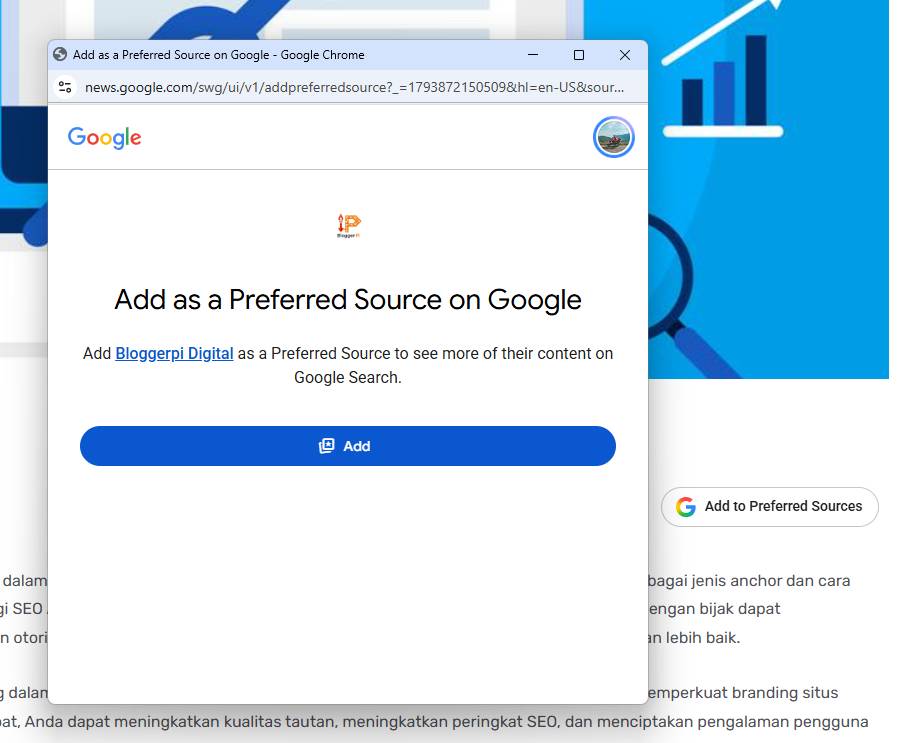
Preferred Source in Google is a free WordPress plugin by Bloggerpi Digital that displays a “Add as a preferred source on Google” action on selected posts or pages. It gives loyal readers an easy way to choose your website as a preferred publisher in supported Google Search experiences, without manually editing every article.
Version 1.0.1 is distributed as an installable ZIP, compatible with WordPress 6.2+ and PHP 7.4+, under the GPL-2.0-or-later license. It is intended for publishers, news sites, blogs, and WordPress content websites.
What Does the Plugin Do?
- Automatic placement: display the preferred-source action on blog posts, pages, or both. The default configuration targets single blog posts rather than archive or category lists.
- Flexible positioning: place the button before content, after content, or in both locations.
- Two display modes: use Google’s official interactive button or a lightweight direct HTML link to the Google preferred-source settings.
- Responsive appearance: align the button left, center, or right on desktop while keeping mobile layouts readable.
- Lightweight implementation: no additional JavaScript framework, tracking service, or custom database is required. The direct-link mode works without JavaScript.
- Centralized WordPress settings: manage placement, post types, button appearance, and link labels from Settings → Preferred Source in Google.
Google Preferred Sources: What Website Owners Should Know
Preferred Sources is a personalization feature. Users can express a preference for certain eligible sites, which may affect how relevant articles appear in some Google Search surfaces, such as Top Stories. Installing this plugin does not guarantee rankings, Google eligibility, traffic, AI Overviews placement, or that a visitor will add your website. The reader must make that choice.
How to Install and Configure
- Download the ZIP using the button below, then open WordPress Plugins → Add New → Upload Plugin.
- Upload the ZIP without extracting it, install the plugin, and activate it.
- Open Settings → Preferred Source in Google.
- Select the display mode, post types, alignment, and before/after-content position.
- Save the settings and check a public post on desktop and mobile.
Download Preferred Source in Google v1.0.1
The download is free. This release improves handling of the official Google button and fallback link, so they are not displayed together unnecessarily. It also refines the mobile and desktop spacing.
Frequently Asked Questions
Will adding the button automatically make readers follow my site?
No. Visitors need to choose your website in Google’s preferred-source interface.
Can the button appear only in blog posts?
Yes. The plugin offers separate controls for posts and pages and supports different positions.
Does it slow down my WordPress website?
The direct-link mode uses a standard hyperlink. The official mode uses Google’s publisher script only on pages configured to display the button. Actual performance depends on the website.
Is this an official Google plugin?
No. It is a Bloggerpi Digital WordPress plugin that helps implement Google’s supported preferred-source action.
Plugin Screenshots

See the Bloggerpi Digital solutions directory for more SEO and digital marketing services.
