

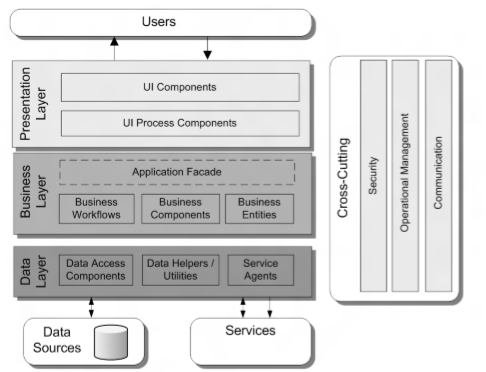
I used to only know that frameworks existed in the world of web coding, like PHP. Well, it turns out they exist in the world of desktop coding too. Coincidentally, I recently used this framework to create a Windows Store app for Windows 8 and 8.1. It’s called Prism WIN RT (Prism Windows Runtime).
Prism itself has actually been around for a long time. I first learned about it… Prism was when working on a Silverlight application at my old office. Building applications with Prism makes it easier to design and build flexible, easy-to-maintain applications that run on Windows Runtime, Windows Presentation Foundation (WPF) desktop, Silverlight, or Windows Phone 7. Prism also simplifies application evolution from small to large scale.
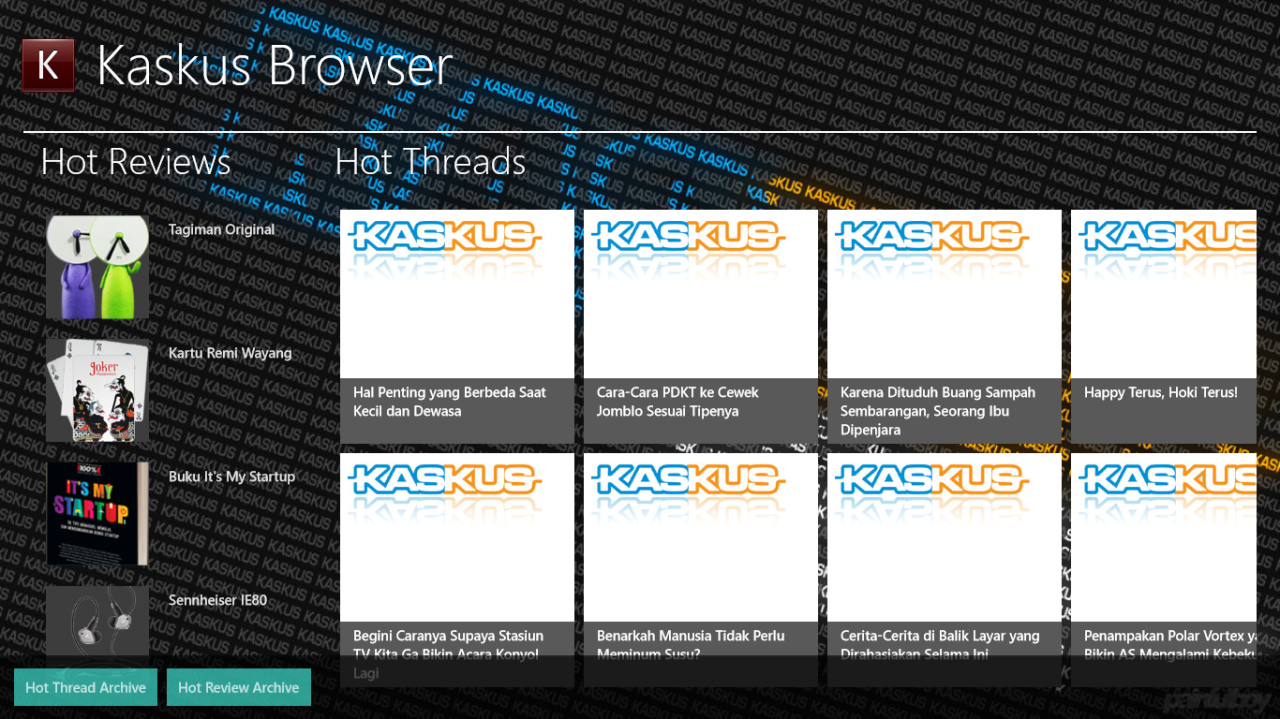 |
| Kaskus Browser, an application that I created using the Prism Windows framework |
Meanwhile, Prism WIN RT is more specifically designed for developing applications for Windows 8 and 8.1. I consider Prism a framework, which makes it easier to create applications. Prism WIN RT provides several functions and features that can make applications more structured and easier to maintain in the long term.
The developer states that Prism WIN RT is intended to provide guidance to Windows 8 application developers who use C#, Extensible Application Markup Language (XAML), Windows Runtime, and modern design patterns such as MVVM for example. The main part of Prism WIN RT is the library Microsoft.Practices.Prism.StoreApps, and Microsoft.Practices.Prism.PubSubEvents. The two libraries that are part of the Prism framework provide several features that are frequently used in developing Windows Store applications for Windows 8 and 8.1.
What features are available in Prism WIN RT?
Windows features
- Suspend, terminate, and resume
- Snap
- Live Tile
- Search
- Navigation
- Settings
- World-ready support
- Accessibility
Capabilities for business applications
- Local data management
- Interaction with Web API services
- Validation
- Authentication using FormsAuth and authorization
Design patterns used
- MVVM and unit testing
- UI composition through ViewModels
- Delegate commands
- Loose publisher/subscriber coupling with EventAggregator
Prism for Windows Runtime library
- MVVM page navigation and lifecycle management
- Validation
- EventAggregator in a portable class library
- Search
- Settings
- Flyouts
Well, there are so many useful features. Especially when combined with the MVVM design pattern, creating Windows Store apps for Windows 8 will be much easier, easier to maintain, and fun to tinker with :D. I’ve just created an app called Kaskus Browser using the Prism WIN RT framework. Anyone want to try playing around with it or even create a Windows Store app too?
Recommended Further Reading
- Developing a Windows Store business app using C#, XAML, and Prism for the Windows Runtime
- Patterns & Practices: Prism for the Windows Runtime
- Patterns & Practices: Prism
- MVVM Quick Start
