

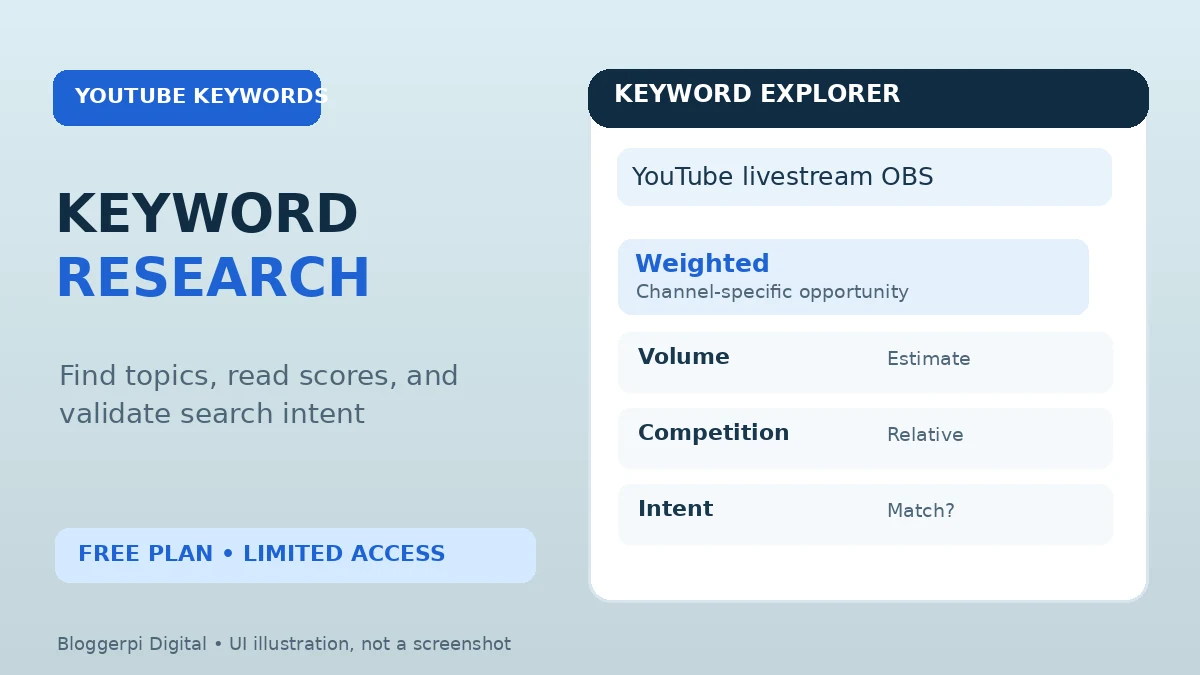
Keyword research on YouTube with TubeBuddy Free is most valuable when it helps you understand what viewers want to watch. A promising-looking score is not enough. You need to examine the search intent behind a phrase, the quality of existing results, whether your channel can answer the question, and which details your free plan actually provides. TubeBuddy’s Keyword Explorer can help creators investigate topics and assess relative competition, but it is not an official YouTube search-volume database and does not guarantee a ranking. This guide combines TubeBuddy’s product documentation with YouTube’s search guidance, uses small-business examples, and explains an effective workflow even when advanced tools are not unlocked.
What TubeBuddy Keyword Explorer does
TubeBuddy is a creator toolkit that includes workflow features, video optimization tools, research utilities, and channel-related insights. Keyword Explorer is designed to help users evaluate possible video topics and related search phrases through indicators such as search interest and competitive context. Its interface and the exact data visible to an account may change as the service evolves. Do not assume that a screenshot from several years ago represents the controls or subscription limits you see today.
A tool does not replace understanding your audience or watching the search results yourself. Learn the fundamentals in our explanation of YouTube SEO and the complementary guide to YouTube keyword research using Studio and Trends. A useful keyword should inspire a useful video: one that solves a real viewer task rather than one that merely includes a popular phrase in the metadata.

What can you access with TubeBuddy’s free plan in 2026?
TubeBuddy’s official Free page describes basic tools for video optimization and keyword discovery, with limitations on advanced research and other capabilities. Feature availability, search quotas, personalized measurements, and trial behavior can differ by account, subscription, or product update. Therefore, do not assume full Keyword Explorer analytics, rank tracking, or premium thumbnail testing is unlimited on Free. Review the current plan page and the actual interface available to your account before making a production decision.
Even if advanced information is unavailable, research does not need to stop. You can examine YouTube autocomplete suggestions, compare the search results, review recent viewer comments, and use available analytics within your own YouTube Studio. Consult our overview of free YouTube SEO tools and the limitations of YouTube SEO tool options. Buying a plan should follow a workflow requirement, not a promise that access to more metrics will automatically create popular videos.
Step 1: install the official TubeBuddy extension
Begin at TubeBuddy’s official Free plan page or follow its official browser extension link. Confirm that you have selected the intended publisher, not an unofficial mirror or look-alike extension. When connecting a Google account, read the requested permissions and use an approved account-management policy for shared business channels. Do not share your Google password with someone claiming to be a TubeBuddy support representative.
If your channel does not appear in TubeBuddy, check whether the browser extension is running, you are signed in to YouTube, and the selected Google or brand account matches the channel you want to manage. Some controls can be limited by the current subscription. For basic channel organization, see our YouTube channel setup guide before concentrating on advanced search metrics.
Step 2: start with a seed keyword instead of random searches
A seed keyword is a broad description of the content you want to create. Imagine a small stationery brand planning tutorials about journaling. The seed might be “bullet journal”, but more specific questions could include “simple bullet journal setup”, “weekly planner ideas for students”, and “how to track expenses in a journal”. The right variation depends on the actual topic and intended audience, not a guess about a universally popular phrase.
Open Keyword Explorer from the available TubeBuddy menu within its supported YouTube experience. Enter a seed keyword, review the summary that your plan allows, and note any related searches, relative volume, competition, and relevant existing videos. If one metric is paywalled, mark it as unavailable rather than recording a fabricated zero. Keep a research sheet with the phrase, topic, viewer intent, supporting evidence, and your next editorial action.
Step 3: understand weighted and unweighted scores
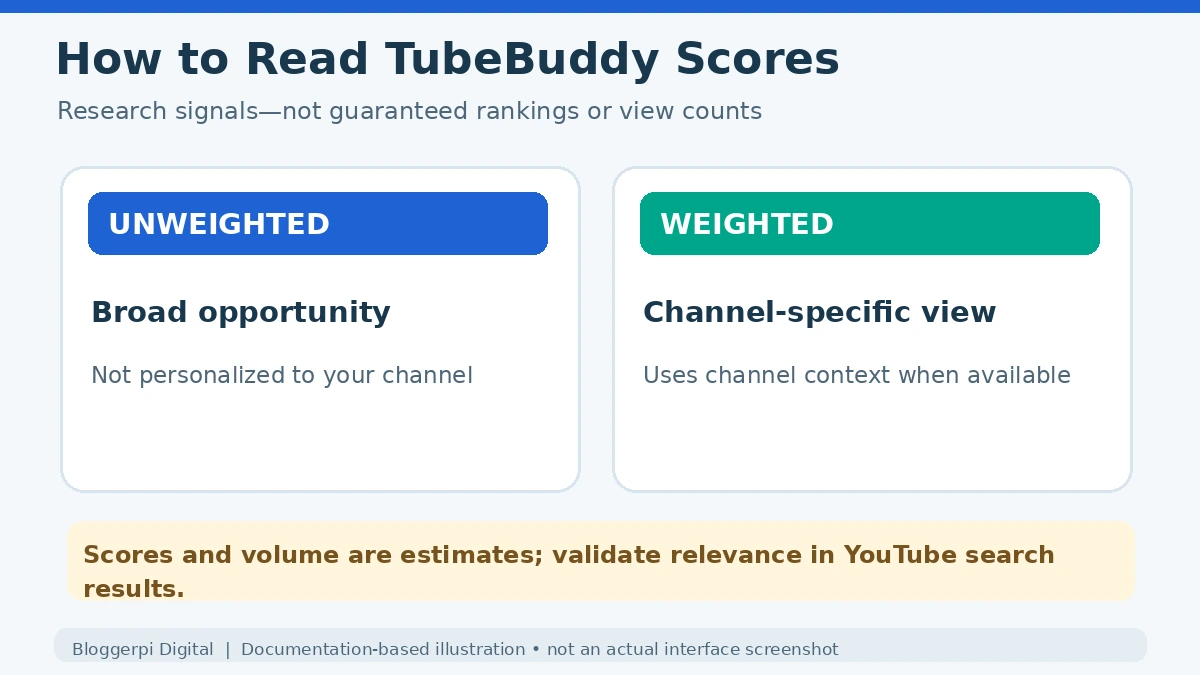
Unweighted Score is a broader assessment of a phrase without personalizing the opportunity to your channel’s own performance. Weighted Score considers channel-specific context where the relevant data and feature are available. That means two channels may receive different guidance for the same keyword. TubeBuddy can revise its scoring process, so use the latest support information when interpreting details instead of reproducing a formula from an outdated blog post.
Do not treat a score as the probability of appearing in a specific position. A score of 70/100 does not mean a 70% chance of ranking in the top ten. It is a proprietary research indicator, not an official YouTube ranking signal. YouTube search also considers how well the title, description, tags, and actual video content match the query, as well as other quality and user-response signals. Our beginner YouTube SEO tutorial explains why useful content comes before a plugin score.
Step 4: interpret volume, competition, and optimization strength
Search volume is an estimate, not a verified census
TubeBuddy describes search-volume indicators relative to its data and methodology; this is not the same as directly observing every search made on YouTube. A broad phrase may attract more attention but correspond to several different user intentions. A narrower phrase can be more useful if you can demonstrate the exact task. Evaluate the phrase alongside autocomplete, trends, your audience’s questions, and the types of search results currently returned.
Competition depends on what already ranks
Inspect whether search results are dominated by authoritative channels with excellent explanations, or whether existing videos are outdated and leave important steps unanswered. Do not automatically assume a low-competition label means easy growth: a narrow query can also have limited real demand. An original demonstration, clear local context, and accurate steps are often more valuable differentiators than optimizing every field in the upload form.
Optimization strength does not justify keyword stuffing
The optimization measure can indicate how thoroughly existing results use a phrase in their titles and related metadata. It may help reveal whether an audience task is described explicitly by competitors. It does not mean you should paste the exact same wording into every field. YouTube notes that tags can be particularly useful for common misspellings, while clear titles, relevant video content, and good viewer experience remain essential.
Step 5: validate TubeBuddy ideas against actual YouTube results
Search YouTube for the candidate phrase and inspect the first page of results. Identify the format viewers seem to want: a short demonstration, a lengthy tutorial, an honest product review, an interview, or a screen recording. For example, someone searching “how to photograph products with a phone” may be looking for a practical lighting setup. A 30-minute opinion discussion might satisfy a very different intent, no matter how well its title repeats the keyword.
Look for gaps the existing results do not fill. Are the examples from different markets or outdated versions of the software? Do viewers ask the same unanswered question in comments? Can you improve the presentation with better audio, clearer labels, or a specific demonstration? Avoid copying competitor thumbnails or scripts. Use research to identify unmet needs, then create an original piece of content that genuinely addresses them.
Step 6: a practical keyword research example for small businesses
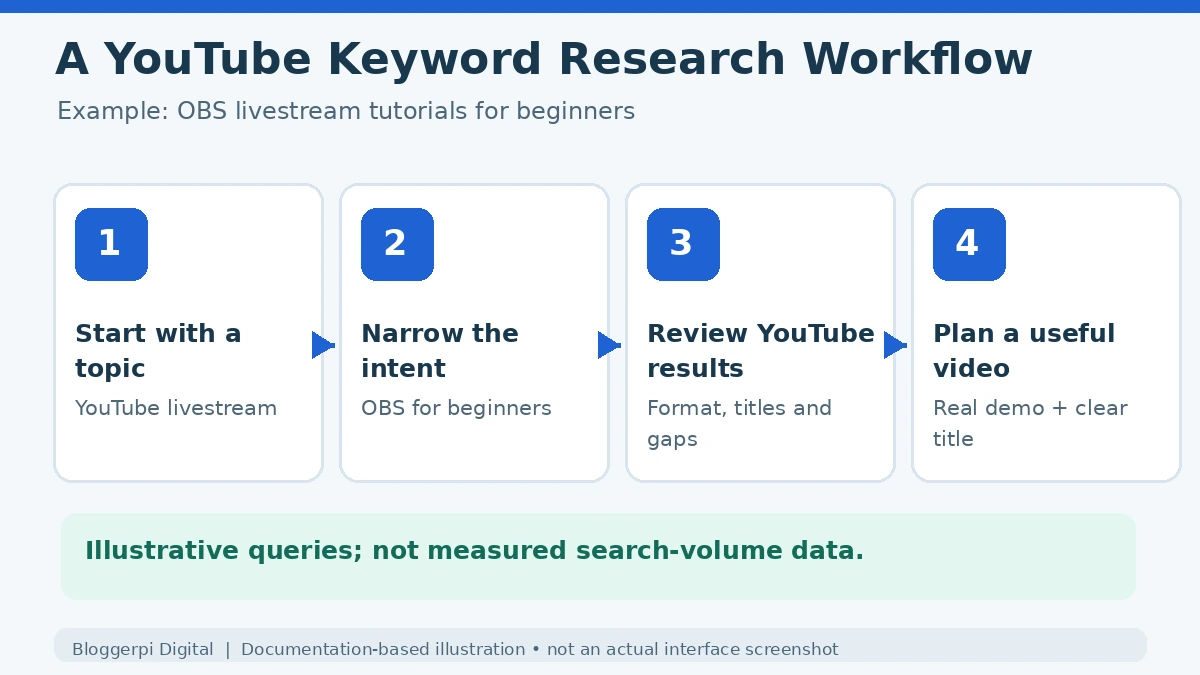
Suppose a small online shop sells notebooks and stationery. It considers “journaling tutorial”, then expands the topic into “bullet journal for beginners”, “simple weekly planner layout”, and “track expenses in a notebook”. Compare the available TubeBuddy signals, but also open the YouTube results to observe whether users expect a hands-on demonstration, a list of supplies, or a downloadable template. Select a phrase only when the team can produce a genuinely useful answer.
Consider a technology education channel researching OBS. The broad term “OBS” has many possible meanings and audiences; “how to livestream a screen with OBS” better describes one specific task. Plan an actual screen demonstration that explains the capture source, audio setup, and Live Control Room, then choose a title that corresponds to the material. These phrases are editorial examples; they do not represent measured traffic, validated score data, or guaranteed ranking opportunities.
Step 7: keep a usable keyword list when free access is limited
Maintain a spreadsheet with columns for seed phrase, variation, intended viewer, search intent, current result format, TubeBuddy metrics when accessible, and a proposed video idea. Rather than searching aimlessly, collect several ideas, group overlapping phrases, and evaluate a small shortlist in detail. If the free plan limits research activity, use its accessible indicators selectively while continuing manual review through YouTube search and Studio.
Organize the findings into a production backlog. A content planner can balance keyword demand with available production resources and business goals, while a social media content calendar helps prevent duplicate videos that all answer the same question. A keyword list becomes useful only when each selected idea has a clear content format, owner, realistic deadline, and criterion for measuring whether the result met audience needs.
Step 8: turn a phrase into an honest title and thumbnail
A title should describe the real outcome shown by the video. “Product Photography with a Phone: Simple Indoor Lighting Setup” is clearer than “Secret Trick Guaranteed to Go Viral”. Use the core phrase naturally when it fits and add qualifiers such as “for beginners” only when the tutorial is actually appropriate for beginners. Do not promise to solve a problem the video barely mentions or show visual elements unrelated to its contents.
Video descriptions can summarize the lesson, credit useful references, and point to a sensible next step. A thumbnail should be readable on mobile and truthful about the video. Tags should not become a substitute for relevance. For additional guidance, see how to use YouTube video tags responsibly and practical YouTube search optimization techniques.
Step 9: judge the results after publishing
Use YouTube Analytics to assess search traffic where available, impressions click-through rate, viewer retention, average view duration, and the sources that brought people to the video. If the click-through rate is low, check whether the thumbnail and title create a clear expectation. If many viewers leave immediately, investigate the opening and the match between the promised answer and the actual content. Avoid changing everything after a single day because a video may need time to reach its audience.
For business channels, also assess outcomes that matter beyond views. A niche tutorial attracting a few qualified customer inquiries can be more valuable than a broadly entertaining clip with no relevant action. Review our YouTube lead-generation guidance and analysis of YouTube’s role in marketing when choosing performance indicators for campaigns.
When upgrading to a paid TubeBuddy plan makes sense
Consider paid access when you have specific operational needs such as deeper research, additional competitive information, or production features that save measurable staff time. Read the official plan comparison at the moment of purchase, including how its limits apply to your particular account. Do not assume that weighted scoring, keyword tracking, or advanced thumbnail experiments are included without limits at every tier. Prices and trial behavior can vary by plan and date.
Ask whether the current bottleneck is actually the missing metric. If videos have poor sound, weak openings, or no audience fit, an upgrade may be less useful than improving production and editorial strategy. Compare the trade-offs against other YouTube keyword research approaches before spending money based on a sales promise.
Mistakes creators make with YouTube keyword scores
A common mistake is presenting TubeBuddy’s volume estimate as an official YouTube search count. Another is chasing high-volume general terms with no clear content plan. Other problems include copying competitor titles, treating a score as proof of future views, stuffing tags, ignoring search intent, and using one personalized search result as a universal ranking report. These mistakes turn keyword research into numerical theater instead of useful audience discovery.
Failing to keep a keyword backlog is also costly because good ideas disappear between production cycles. Use YouTube Studio to understand what actually happens after upload, and choose suitable video editing tools to improve the quality of your explanations. If a free-plan limitation blocks access, record the limitation honestly rather than inventing data.
A six-point pre-upload checklist
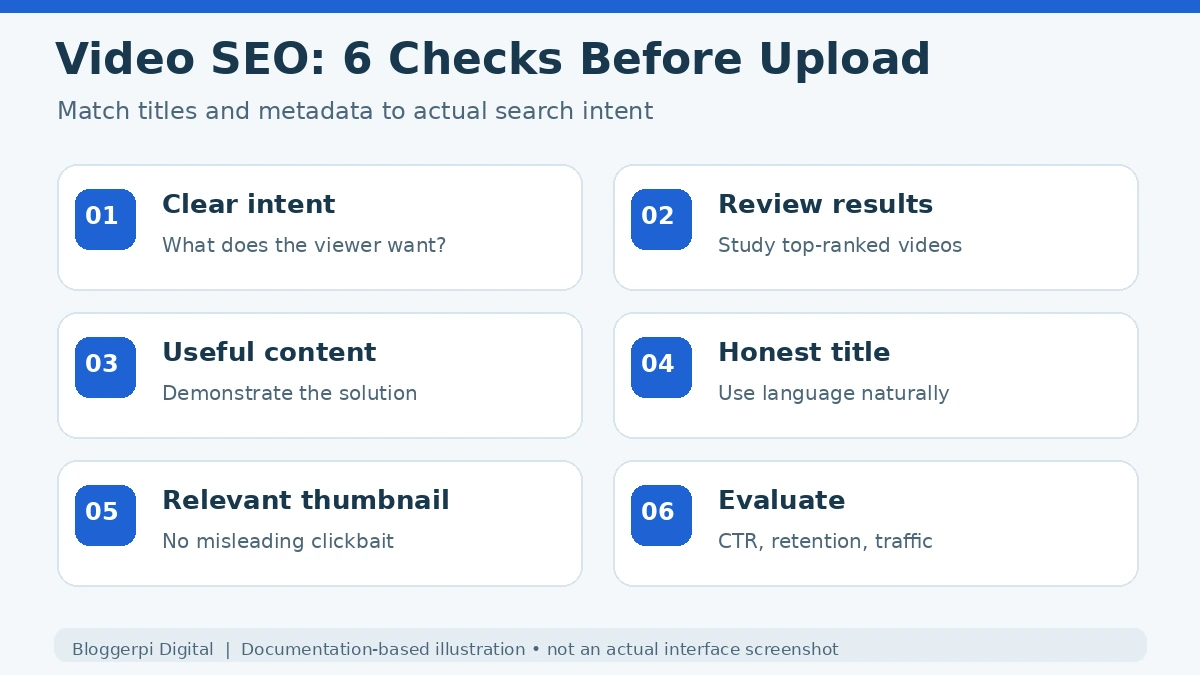
- The target topic solves a real problem for viewers.
- Search intent has been checked against current YouTube results.
- The video offers original value beyond existing results.
- Title and thumbnail describe the actual content.
- Description and necessary attribution have been prepared.
- Copyright and permissions have been reviewed.
- Success metrics are defined before release.
Frequently asked questions
Is TubeBuddy available for free?
Yes. TubeBuddy offers a Free plan, but particular research features and limits can change. Check the current terms and the options shown in your account.
Is a weighted keyword score always included for free?
Do not assume it is. Access may depend on licensing, account details, and product changes. Use the metrics you can actually access and validate ideas through search.
Does a high score guarantee ranking?
No. TubeBuddy’s score is a proprietary relative indicator, not a promise of search placement or views.
Is YouTube keyword research the same as Google SEO?
Not exactly. Search intent, result formats, and audience behavior can differ. Validate video topics in YouTube search and your own channel data.
Do video tags still matter?
They can help in some situations, particularly with misspellings, but they do not replace relevant titles, useful videos, or good viewer experiences.
Official sources and product documentation
- TubeBuddy — Free plan
- TubeBuddy — Keyword Explorer
- TubeBuddy — Keyword Explorer updates
- TubeBuddy — Keyword Explorer scores explained
- TubeBuddy — How keyword scores are calculated
- YouTube Help — How YouTube search works
- YouTube Help — Search and discovery FAQ
- YouTube Help — Research content and trends
Bottom line: use TubeBuddy Free to explore topics rather than surrendering editorial judgment to a single score. Combine accessible signals with real YouTube search results, channel capabilities, and post-publication analytics. Good research leads to better videos when it identifies questions you can answer accurately and usefully, without inventing search-volume figures or promising rankings.
