

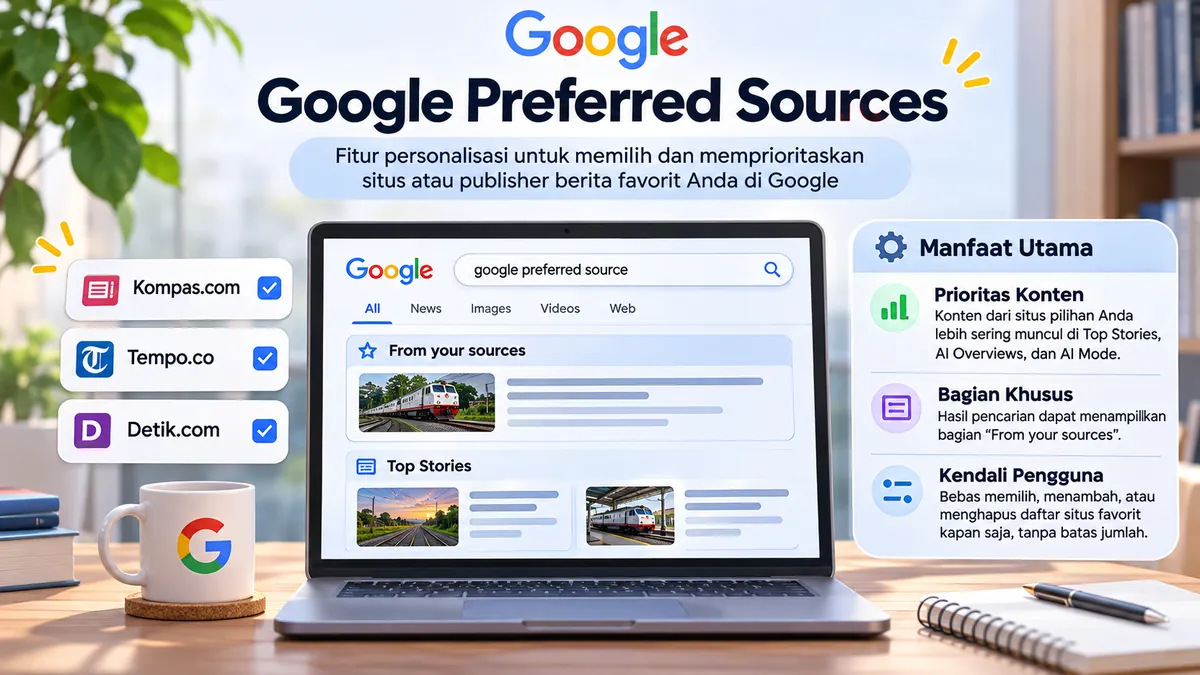
Google Preferred Sources is a Google Search personalization feature that lets people select favorite websites and news publishers so their content can be easier to find in relevant search experiences. Readers can follow sources they trust, while publishers can strengthen relationships with their audience.
Choosing a website as a Preferred Source does not automatically increase its organic rankings for everyone. The selection applies to users who make that choice, especially in Top Stories. Google has also described connections with source preferences in certain AI Search experiences as they become available. Preferred Sources is not a switch that automatically controls Google Discover. This guide explains the feature, how readers can use it, publisher considerations, WordPress implementation and realistic ways to evaluate its SEO impact.
What Are Google Preferred Sources?
Google Preferred Sources is a personalization option that gives users control over which sites or publishers they want to see more often when Google displays relevant news and content. Google rolled it out broadly in the United States and India in August 2025. Language support was subsequently expanded globally in April 2026, and integration into the AI search experience began rolling out in May 2026.
Simply put, if you regularly read a technology, sports, business, or local news website, you can add it as a favorite source. When that website publishes new material relevant to your search, you’re more likely to see its articles in a specific area of Google Search. However, the content must still be relevant; selecting a site doesn’t mean every article will always be displayed.
This is different from following a social media account. You’re not subscribing to notifications, following a specific feed, or giving Google permission to always rank one website first. Preferences help Google personalize the presentation of sources in the context of searches.

Functions and Benefits of Google Preferred Sources
Content from favorite sources is more likely to appear in Top Stories
Top Stories Top News is the section of search results typically displayed for queries related to current events. When you’ve selected a favorite source, new, relevant articles from that source may appear more frequently in this section. Google’s system still considers topic relevance, quality, and freshness of the content.
For example, suppose you select a transportation portal as your preferred source. When searching for news about train service changes, schedule updates, or travel disruptions, articles from that portal are more likely to appear if Google deems their content relevant to the search. If there are no matching articles, this feature will not force the site to appear.
Special section “From your sources”
In addition to Top Stories, Google can display sections From your sources or “From your source.” This section helps distinguish articles from publishers the user has intentionally selected, without eliminating results from other sites. Users can still explore diverse perspectives and aren’t limited to their favorites.
The appearance of the search component is dynamic. Therefore, not every search will show this section. To understand why different queries produce different results, learn about the concept of search intent.
Source tagging in AI Overviews and AI Mode
Google in May 2026 announced the expansion of Preferred Sources to AI Overviews And AI ModeIn this experience, links from selected sources can be marked with a “preferred” badge or label. In practice, availability depends on the AI features available in the user’s country, language, and account.
It’s important to distinguish between content is marked as a favorite source And guaranteed content used in AI answersGoogle explains that tagging is an opportunity, not an obligation, to include every selected publisher in every answer. Content relevance and feature availability remain important.
Users can manage a list of favorite sites.
You can select multiple sources at once, change your preferences, or deselect them at any time. Google states there’s no maximum number of sources you can select. This means users can combine national media, specialist blogs, local sources, and publications with different perspectives as needed.
How Does Google Preferred Sources Work?
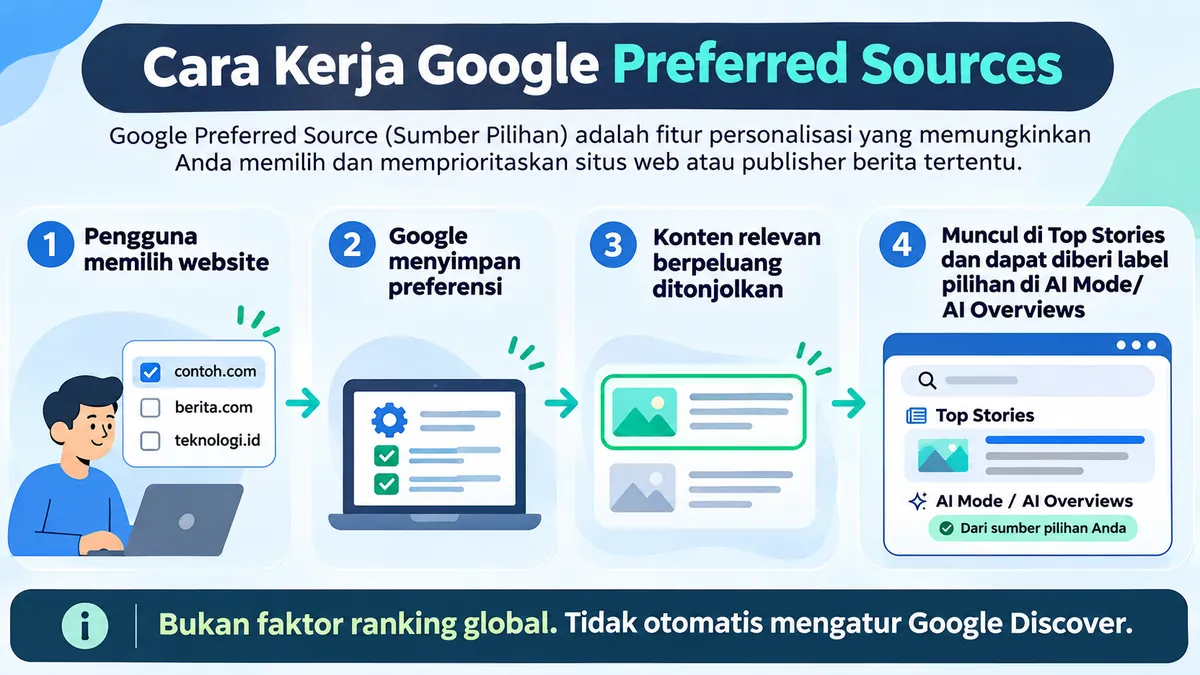
The process begins with user choice, not a publisher’s request to Google for a promotion. In general, the mechanism can be understood through the following four steps.
1. The user sets trusted sources.
Users open the Source preferences tool or the star icon in the Top Stories section, then check the available domains or subdomains. When saved while signed in to a Google Account, those preferences can translate to the user’s experience on other browsers using that account.
2. Google associates preferences with search experience
Preferences help Google recognize which sites users prefer to see. This step doesn’t remove the basic search mechanism. Before a page can be found, Google generally needs to access and process it through the search engine. crawling And indexing according to applicable requirements.
3. New, relevant content gets a greater chance of being featured.
The selected site must have articles that match the search query. A publisher that isn’t updated regularly may not even be available for selection in the preferences tool. For publishers, this is a reason to maintain an editorial calendar and quality information, rather than simply displaying a promotional button.
4. Users see personalized source labels or arrangements.
When conditions are met, articles may appear more frequently in Top Stories, appear in the From your sources section, or be tagged in AI Search. Results may vary between users, as source preferences are personalized signals and not a new global ranking system.
How to Enable Google Preferred Sources
Here are two official methods you can use. The menu names may change with Google interface updates, but the process remains focused on selecting the sites you want to prioritize.
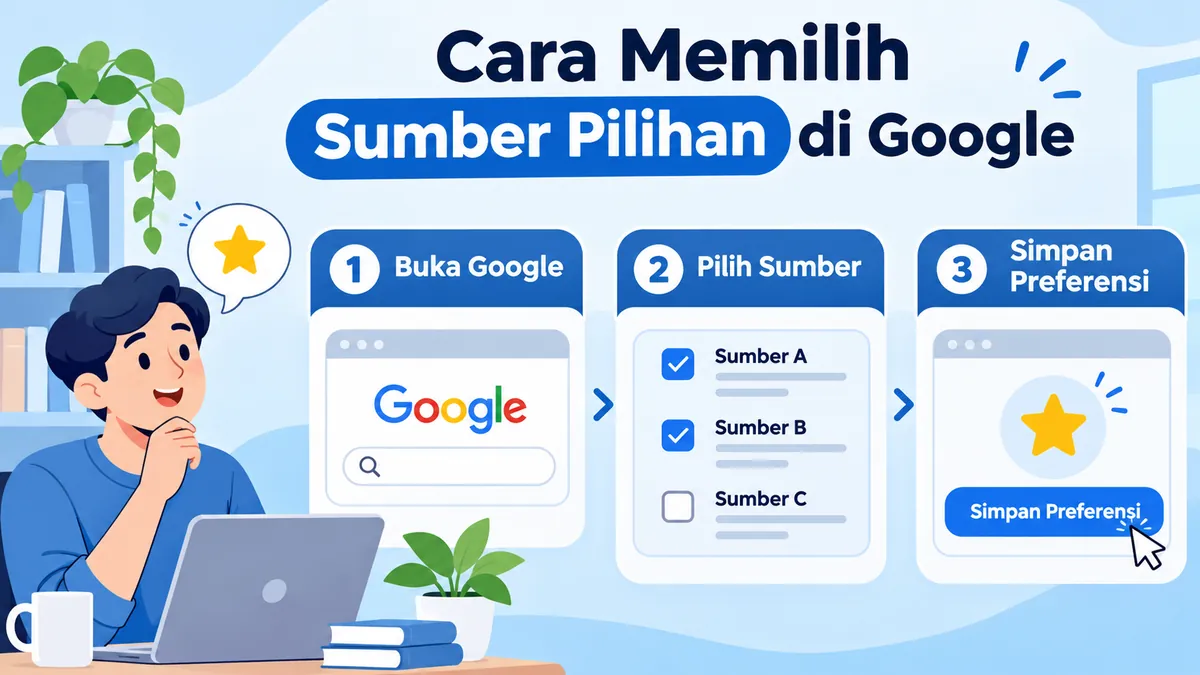
Through the Google Search personalization menu
- Open Google Search or Google apps on supported devices.
- Sign in to your Google Account if you want your settings saved across browsers.
- Select your profile photo or initials in the top right corner.
- Open Search personalization, then select Selected sources or Source preferences.
- Type the domain name of the publisher you want to follow, for example
bloggerpi.com. - Check the appropriate sites; preferences will be saved through a Google-provided flow.
If a site isn’t found, don’t immediately assume it’s blocked. Google explains that sites that aren’t updated often may not be available yet, and there are domain- or subdomain-level requirements that need to be met.
Via the star icon in Top Stories
- Look for news topics that have just happened so that the section Top Stories appear.
- Find the star or source control icon next to the Top Stories title.
- Click or tap the icon, then search for your favorite publisher.
- Check the sources you want to add.
- Choose Reload results or Reload results so you can see customized results.
How to delete or change the source list
Reopen the preferences tool, uncheck any sites you no longer want to prioritize, and then refresh the results when prompted. You can also add additional sources without deleting existing ones. If Google doesn’t display the options you want, try again from an account or device that uses the feature.
Does Google Preferred Sources Affect SEO?
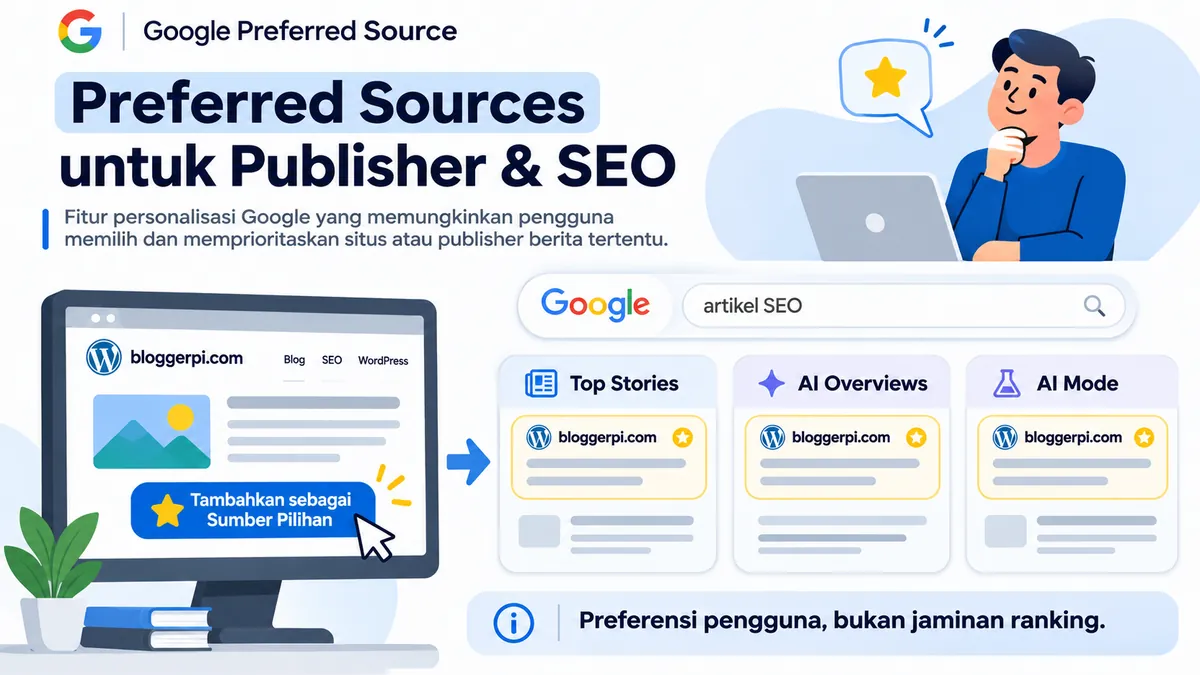
This feature is relevant to content marketing strategies, but its impact must be interpreted carefully. There’s a big difference between influencing a specific user experience and completely changing organic rankings.
Preferred Sources is not a global ranking factor
One user chooses site A, while another user chooses site B. The search results they see may contain different source emphases. That’s personalization: it’s not proof that site A or B gets a ranking boost for all searches and for all people.
The principle differs from one search engine to another. factors that influence search rankingsTherefore, don’t promise clients that adding the Preferred Sources button will automatically boost your rankings from one to three positions in Google. This feature may increase visibility in supported areas, but Google doesn’t guarantee traffic, placement, or conversions.
Opportunity to build a more loyal audience
The greatest strategic value lies in long-term relationships with readers. Someone who finds your site useful might be willing to add it to their favorites list. When new articles are relevant to their interests, readers are more likely to find the site again. This has the potential to foster repeat visits and brand recognition, although actual results need to be measured.
For publishers, this opportunity should be viewed alongside the other traffic sources described in types of website trafficGoogle reported in April 2026 that people who mark a site as a Preferred Source are, on average, twice as likely to click on that site. This figure from Google is an observation the company has made public, there is no guarantee that every website will get a twofold increase in clicks.
The Difference Between Google Preferred Sources and Google Discover
Google Discover displays content recommendations based on user interests without having to type a query. Meanwhile, Preferred Sources provides explicit source selection for supported search experiences. Google is also developing Discover personalization, but that’s a separate process from Preferred Sources selection.
Thus, saving contoh.com as a Preferred Source does not mean all content contoh.com automatically appear in the Discover feed. If you manage a site and target these channels, please also read the specific guidelines Google Discover and its benefits for SEO so that the two mechanisms are not mixed up.
Website Requirements to be Selected as a Preferred Source
Use domain or subdomain identity
According to Google Search Central documentation, domain level sites such as https://www.contoh.com/ and subdomains such as https://berita.contoh.com/ meet the supportable patterns. In contrast, subdirectories such as https://www.contoh.com/blog/ It’s not a separate source entity that can be selected through the tool.
This doesn’t mean every domain is automatically available. Site owners should check whether their name appears in Google’s Source preferences tool. You can try the URL Preferred Sources tool for Bloggerpi.com For example, an official deeplink. Its appearance and eligibility are determined by Google.
Publish fresh and useful content
Google notes that sources that aren’t updated regularly may not be searchable. For niche sites, the most sensible approach is to publish updates that are relevant to the audience’s needs, include primary sources, correct any changed information, and clearly identify the author or editorial director.
This kind of content foundation also helps build SEO-friendly articles without sacrificing readers’ needs. Posting numerous shallow articles just to appear active is not a recommended strategy.
Ensure that the technical condition of the site does not hinder visibility.
Ensure important pages can be crawled and indexed, and do not use the wrong ones. noindex, have a reasonable canonical, and be mobile-friendly. This is a general technical SEO check, not the new set of Preferred Sources-specific requirements. Practical references can be found in the discussion technical SEO.
Please note the AI Search experience requirements
Google Search Central explains that for a source to appear as a Preferred Source in AI Mode or AI Overview, the site must be included in Search’s generative AI features, as referenced in its documentation. This shouldn’t be confused with having a dedicated sign-up menu or a Preferred Sources follower report in Search Console—Google doesn’t specify this in its official publisher guidelines.
How to Add a Google Preferred Sources Button to Your Website
Website owners cannot activate preferences on behalf of all visitors. All they can do is provide a button or link to enable them. visitors themselves You can select the site through Google. Google offers several approaches, from simple deeplinks to JavaScript buttons.
Method 1: Official Google Deeplink
The easiest method is to link to the preferences tool using the domain parameter. For example, for Bloggerpi.com:
https://www.google.com/preferences/source?q=bloggerpi.comYou can place a call-to-action text like the following in your articles, sidebar, or about us page:
<a href="https://www.google.com/preferences/source?q=bloggerpi.com" target="_blank" rel="noopener noreferrer">Tambahkan Bloggerpi sebagai Sumber Pilihan Google</a>The link will direct readers to a Google interface to confirm the selected source. Clicking on the promotional link does not equate to the user successfully adding the site. Do not refer to this button as an auto-follow system.
Method 2: Official JavaScript button
Google recommends a standard JavaScript implementation that displays Google-style buttons and returns the reader to the original page after the selection process. Briefly, the documentation uses the following two elements:
<script async src="https://news.google.com/swg/js/v1/publisher.js"></script>
<div google-add-preferred-source-btn></div>
Script placement is recommended in the section <head> theme, while the elements <div> positioned in the desired button position. Google also documents light or dark theme settings and language options. Don’t insert raw JavaScript into the content editor if WordPress or your site’s security policies will filter it; install it through a trusted theme or plugin mechanism.
Method 3: Implementation in WordPress
For WordPress-based sites, there are several safe and simple options. You can place deeplinks in the Button block, Custom HTML, sidebar, or at the end of articles. If you need a consistent custom button across all articles, use a plugin or child theme code that manages its placement properly.
Ideally, CTAs should appear after the reader has gained valuable information, for example, near the conclusion, rather than as an aggressive pop-up before the article is read. From a technical perspective, ensure that buttons don’t cover text or ads on small screens, have accessible labels, and don’t cause disruptive layout shifts. These presentation principles align with on-page SEO optimization which prioritizes the quality of the visitor experience.
You can also use plugins Preferred Source in Google for WordPress available on Bloggerpi as an option for implementing CTAs in post content. Check the plugin documentation and test it on an active theme before implementing it widely.
Want to display the Google Preferred Sources button in WordPress?
Use plugins Preferred Source in Google From Bloggerpi, you can add a call to action to Google’s preferred source within your WordPress content without having to write any code from scratch. See the features, installation guide, and plugin files on the download page.
Download Plugin Preferred Source in Google
Notes: Plugins make it easier to place widgets or CTAs. Visitors still need to select sites independently through Google.
Preferred Sources Optimization Strategy for Publishers and SEO
Buttons alone aren’t enough. People will only add websites they find valuable to follow. Therefore, a Preferred Sources strategy needs to combine editorial quality, audience distribution, and realistic measurement.
1. Create content that gives readers a reason to come back.
Focus articles on topics that align with the publisher’s identity. For example, a travel site can offer updated destination guides, a transportation portal can provide clear service information, and a digital marketing blog can summarize platform changes and their impact. Readers need to understand the benefits of choosing your site rather than simply memorizing a single URL.
Start with real-world research, update with changing data, include examples, and avoid sensational headlines that aren’t supported by the content. If you need editorial guidance, consult how to create SEO-friendly articles and use a consistent editorial process.
2. Place CTAs contextually
Calls to add a site as a Preferred Source make the most sense in articles that demonstrate your expertise, publisher profile sections, or newsletters where readers want to stay up-to-date on emerging topics. Use benefit phrases like “Follow the latest SEO article updates from this source on Google,” not “Click to get our website ranked number one.”
If CTAs are placed throughout the article, test the spacing between buttons, headings, images, and ad components. Ensure navigation and readability remain comfortable on both desktop and mobile devices. Avoid placing multiple identical buttons close together, as this can make the page feel overly promotional.
3. Test the display on different devices and accounts
Check desktop, mobile, light/dark mode, and different Google accounts if available. Check that the button is clickable, opens to the correct destination, and doesn’t get cut off on small screens. If using a JavaScript button, also test the script’s failure to load and ensure there’s a fallback option in the form of a regular deep link.
4. Monitor the impact with realistic indicators
In Google Search Console, monitor overall search performance, especially news pages or new articles that could potentially appear for relevant queries. In Google Analytics, observe returning sessions, the pages that attract the most repeat visitors, and post-click behavior. Basic reports can be designed with the following guidelines: SEO reporting for beginners.
Important: Button click metrics on the website is not proof that the user successfully selected the domain, and increased impressions should not be directly attributed to Preferred Sources. According to the publisher documentation referenced, there is no specific report that guarantees you’ll see the number of users who have designated a site as a Preferred Source. If creating an analytics event for a CTA, label it “Preferred Sources CTA click,” not “successful subscription.”
5. Keep prioritizing SEO foundations
Optimizing page structure, speed, query relevance, navigation, internal linking, and content quality is still necessary. You can develop a technical plan through steps to improve website SEO performancePreferred Sources are best viewed as a complement to a publisher-reader relationship strategy, not a replacement for overall SEO practices.
If the goal is long-term growth, combine useful content with a strategy. increase blog and website traffic, promoting your own channels, and evaluating the quality of your visits. Changes in traffic sources from one period to another should be compared to current news seasons, content changes, and ongoing promotional campaigns.
Common Mistakes and Myths About Google Preferred Sources
Myth: All articles will automatically be in first position.
Fact: There’s no guarantee of a number one ranking. Google simply says that selected sources are more likely to be featured or highlighted in supported experiences when their content is relevant.
Myth: Website owners can register all visitors at once.
Fact: Users choose their favorite sources. The links and buttons on the website simply simplify the process; they should not be considered automatic subscriptions.
Myth: Preferred Sources is the same as Google Discover
Fact: Preferred Sources relates to the user’s explicit choices for the Google Search experience, while Discover has its own recommendation system and interest settings.
Myth: Blog subfolders can be selected as their own publishers.
Fact: Google refers to eligibility at the domain and subdomain level, not subdirectories. Folders /blog/ not treated as an independent source entity.
Myth: Clicking a button equals successfully adding a source.
Fact: Deeplinks open Google flows, while the final action is determined by the user. Button analytics only capture interactions that are observable on the website.
Frequently Asked Questions about Google Preferred Sources
Is Google Preferred Sources free?
Yes. Google’s documentation for users and publishers does not require a subscription fee to select favorite sources. The feature is accessed through the Google Search settings available.
Is Preferred Sources available in Indonesia?
According to a Google update on April 30, 2026, this feature is available globally for Top Stories in languages supported by Google Search. The appearance of AI Overviews and AI Mode remains dependent on the availability of AI features in the user’s location and language.
Do I have to have a Google account?
Users can access the available tools, but signing in to a Google Account helps maintain consistent preferences across different browsers. Flow availability may vary by device and account settings.
Can all websites be a source of choice?
Not automatic. Google supports domains and subdomains that appear in the preferences tool. Sites that are not regularly updated may not be available, and publishers should check directly by searching for the domain.
Is there a limit to the number of websites that can be added?
Google states that users can select as many sources as they like. Users can also change or delete them at any time.
Does this feature directly improve SEO rankings?
This feature is user-selected personalization, not a guarantee of improved global rankings. The potential benefits include contextual visibility and stronger audience relationships when readers choose your site.
How do we know how many people choose our website?
The referenced Google publisher guidelines don’t provide a specific report that reveals domain voter numbers. You can measure CTA clicks from your website and changes in performance indicators, but you shouldn’t equate these with follower counts or direct attribution.
Is it possible to add your own site as a Preferred Source?
You can try searching for domains through Google’s official preferences tool. If the domain is available, you can select it within your user account. However, this only changes the experience for the account that selects it, not guaranteeing that the site will appear for others.
Conclusion
Google Preferred Sources gives readers a simple way to bookmark websites they trust and want to see more frequently on Google. By 2026, this will extend beyond Top Stories to include source tagging in AI Overviews and AI Mode, as available. The “From your sources” section makes favorite sources more easily recognizable in relevant search results.
For website owners, the best approach isn’t chasing new ranking tricks, but rather building a publication worth choosing: publish quality content, keep it current, ensure a sound SEO foundation, and place Preferred Sources calls appropriately. If readers find your site helpful, they have a strong reason to make your site one of their preferred sources.
Want to follow SEO, WordPress, and digital marketing articles from Bloggerpi? You can added Bloggerpi.com as a Google Featured Source via official Google tools, if the domain is available in your account settings.
Reference
- Google Search Central — A Curated Source Guide for Web Publishers (technical documentation, including requirements and button examples; updated September 2026).
- Google Search Help — Featured Resources (user steps to set and delete preferences).
- Google Blog — How to select your preferred sources in Top Stories (August 12, 2025).
- Google Blog — Preferred Sources is now available in all languages (April 30, 2026).
- Google Blog — Preferred Sources in AI Search (May 27, 2026).
- Google Blog — Personalize Search, Discover and News (August 20, 2026; explains that Discover personalization is a separate update).
