

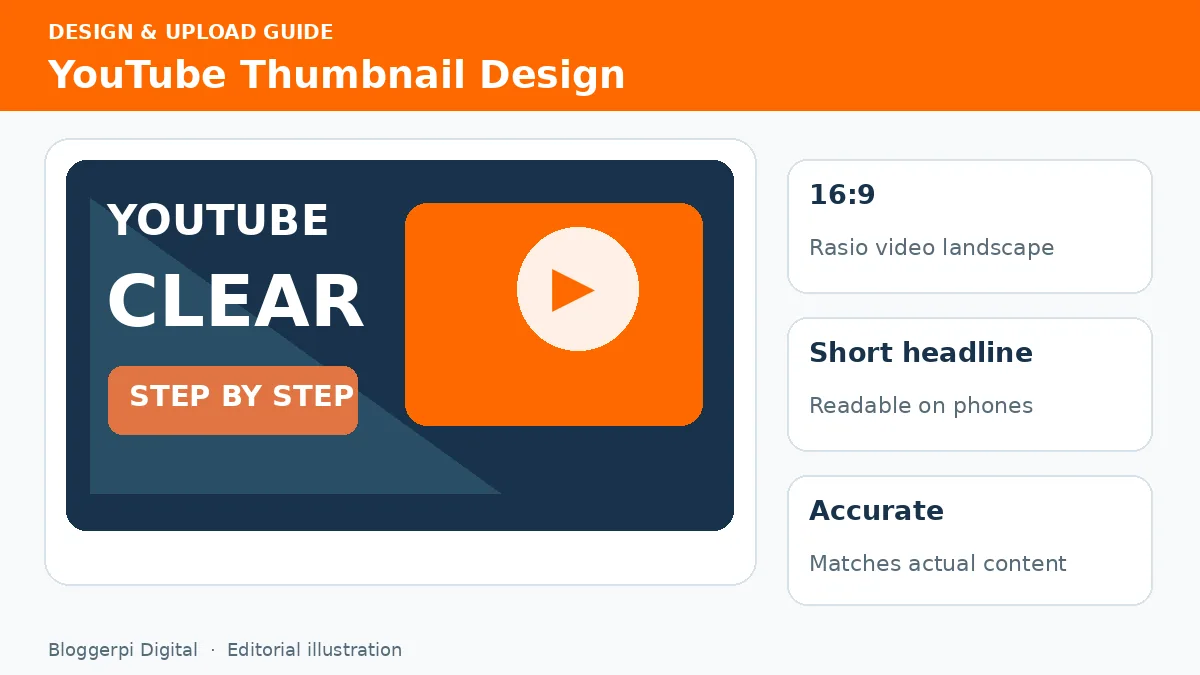
Making a YouTube thumbnail on a PC starts with understanding what the video actually delivers. A thumbnail is the small preview image that helps viewers recognize a topic before selecting a video in search, recommendations, a playlist, or a channel feed. Useful thumbnails combine one clear visual subject, a readable message, and an honest connection to the content. This guide covers practical design steps using desktop or browser-based editors, updated YouTube upload recommendations as of November 2026, setting the thumbnail in YouTube Studio, Shorts-specific differences, and evaluating the results without promising a particular click-through rate.
How a thumbnail works with the video title
A thumbnail gives viewers visual context for the promise made by the title. It should complement the title, not repeat every word in a cramped box. For a tutorial explaining how to create a sales report, an accurate diagram or a real view of the spreadsheet may be more helpful than an unrelated photograph. For a product review, show the item actually reviewed. If the thumbnail shows something the audience never sees in the content, the expectation gap can damage trust.
Clicks are not the whole story. The viewer needs to feel the video answered the question that attracted them. Think about thumbnail design as one component of YouTube SEO and practical video optimization. If your title, image, and opening segment tell different stories, editing the thumbnail alone will not make the video more useful. Aim for relevance and clarity rather than a universal formula for attracting attention.

Current YouTube thumbnail resolution and file limits
The YouTube Help documentation checked in November 2026 recommends a high-resolution thumbnail of 3840 × 2160 pixels, a minimum width of 640 pixels, and a 16:9 aspect ratio for general video thumbnails. Many creators still work at 1280 × 720 because it is a practical 16:9 canvas, especially on modest computers, but it is not the only current official recommendation. A higher-resolution master can be valuable when the source artwork is sharp and the editor supports it.
YouTube also lists device-dependent file-size limits: desktop uploads can accept up to 50 MB for video thumbnails, while mobile uploads have a 2 MB limit for video thumbnails according to the current help page. These are ceilings, not targets. JPG, GIF, and PNG are examples of the supported image formats mentioned in the documentation. Check your account and product interface before relying on these rules for a large production workflow, as platform requirements may change.
Prepare the subject, branding, and image permissions
Gather a real product photograph, a relevant frame from the video, an original diagram, or an illustration you have permission to use. Avoid copying competitors’ artwork or taking an image from search results without checking usage rights. For a software lesson, the image should depict the relevant task or a clearly labeled conceptual workflow. Do not invent numbers, interface controls, or before-and-after outcomes. For a business channel, the thumbnail should feel consistent with its visual identity while staying specific to each topic.
Before opening an image editor, write a simple creative brief: intended viewer, question the video answers, one visual subject, and the main supporting phrase. Consult our YouTube channel setup guide to define the audience and visual identity. You can use a desktop editor or a free browser-based tool; our guide to free and legal editing tools covers related production options without requiring a paid software subscription.
Step 1: create a 16:9 canvas on your computer
Open a graphic editor you are comfortable with and create a new 16:9 document. A 1280 × 720 working canvas is a lightweight option, whereas a larger master can preserve more detail when the source assets are suitable. Add a single subject area and a separate area for a short headline. Use enough whitespace that the composition can survive being reduced to the size of a video suggestion on a phone.
Keep an editable project file rather than only the exported JPG. This allows you to correct the copy or reposition elements later without degrading the same compressed image repeatedly. A series of video tutorials can share color and typography rules, but do not make every topic visually identical. Someone should be able to distinguish a screen-recording lesson from a product comparison without reading the whole title. The video editing software guide can help align thumbnail planning with the larger production workflow.
Step 2: establish one visual focal point
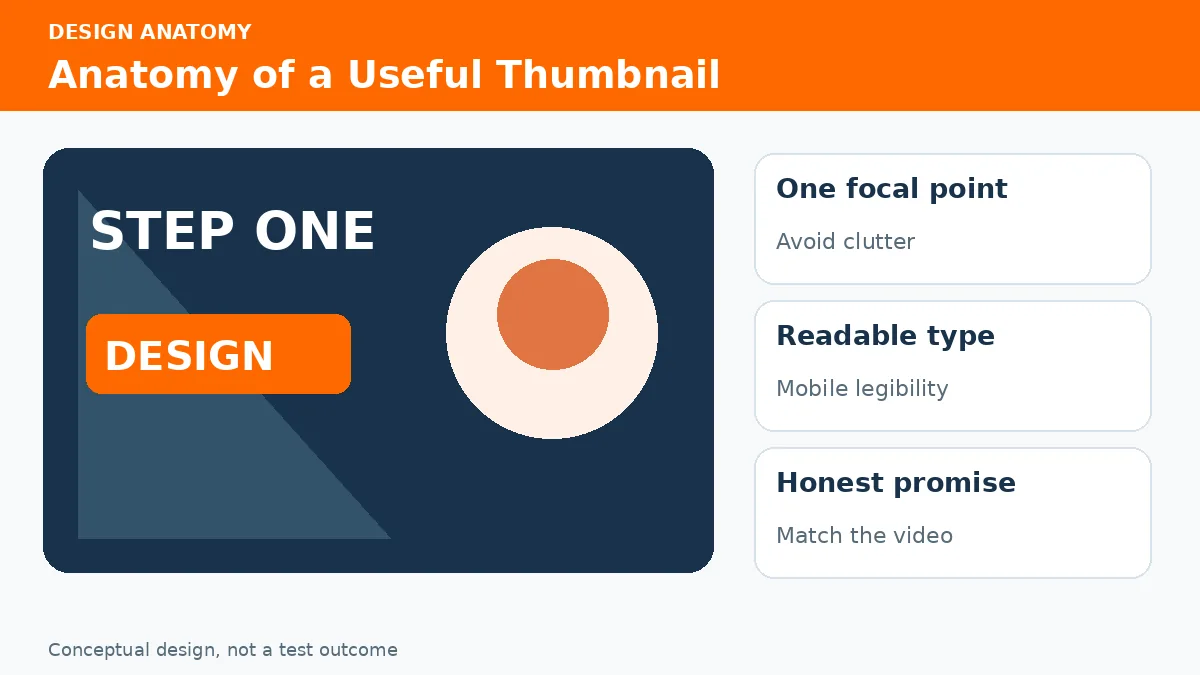
Choose the element that should be noticed first. For a camera review, it may be the camera body. For an analytics tutorial, it could be the chart the viewer will build. For an interview, it might be the actual participants. Do not surround the subject with so many icons, arrows, circles, and decorative effects that the viewer cannot recognize it when the thumbnail is small. Use strong figure-ground contrast and clear spacing to create an understandable reading order.
A clean design is often preferable for educational content because readers expect practical information. Match the color palette to the channel identity and use it consistently, but let topical imagery remain prominent. A practical product or brand identity strategy builds familiarity without confusing the audience about what the current video covers. Check the design in a small preview throughout the process instead of waiting until export.
Step 3: write a short, truthful headline
The words on the thumbnail should add meaning to the video title rather than copy it verbatim. A video titled “Build a Basic GA4 Report” could use “READ GA4 DATA” in the image, if that is what the lesson shows. Focus on two to five useful words when possible, increase the font size, and avoid putting the most important copy close to an edge that could be cropped or covered by YouTube interface elements.
Avoid unsupported performance claims such as “Guaranteed Viral” or fabricated sales increases. These may attract curiosity, but they are poor substitutes for relevant explanations. A clear description of the task can be more effective for an audience that wants to learn. Select one or two compatible typefaces and maintain sufficient contrast between text and background so the phrase can be read on a small screen.
Step 4: export a clean JPG or PNG
Save the editable source document, then export a version in an image format supported by YouTube. PNG can preserve the crisp edges of simple graphics and large text, while JPG is often a practical choice for photographic thumbnails. Compare the visual result rather than assuming one format is always superior. Check the file size against the limits relevant to the device through which you will upload.
Open the exported file independently of the editor. Look for blurry lettering, misaligned subjects, color shifts, and content cut off around the edges. If you plan to produce many videos, establish a lightweight export checklist and keep the source artwork organized. Do not use a third-party image without appropriate licensing or permission, especially for commercial or sponsored videos.
Step 5: upload a custom thumbnail in YouTube Studio
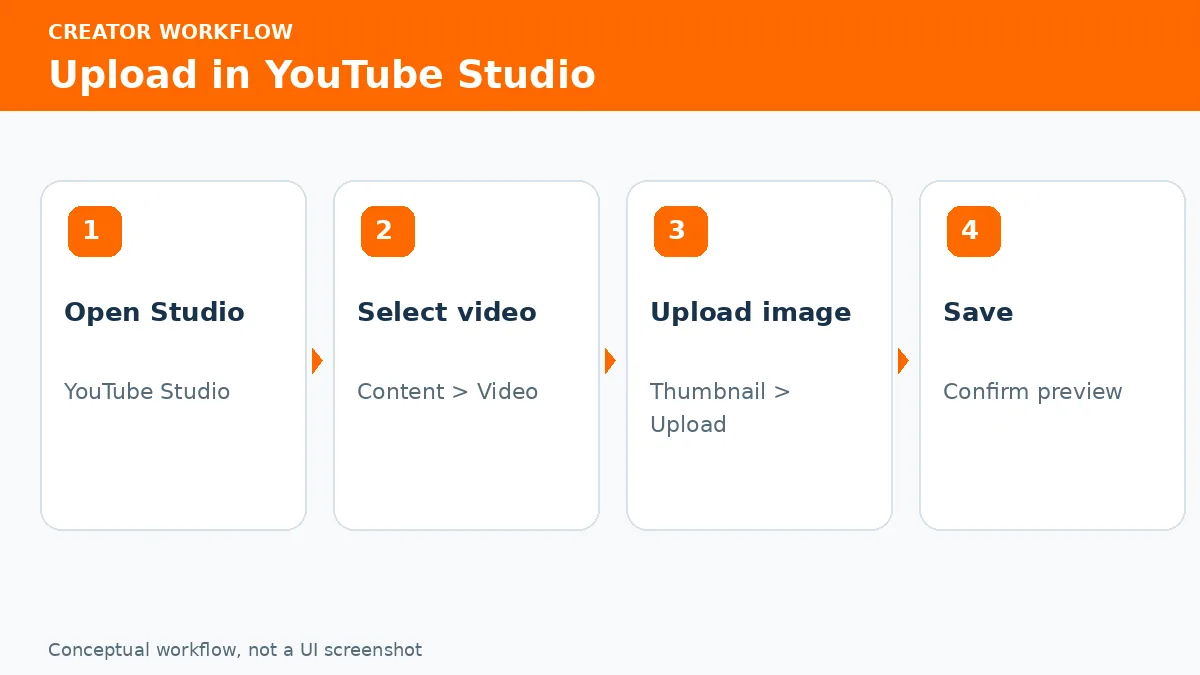
Sign in to YouTube Studio on a computer, open Content, select the video, and locate its Thumbnail section. For an eligible verified account, choose the upload option, select the prepared image, and save the video details. The exact labels may be updated over time. YouTube notes that saved thumbnail changes may take time to appear in all locations, so a temporary difference between the editor and public view is not necessarily an upload failure.
If custom upload is unavailable, review feature access, channel verification, the content type, and your own permissions. Do not repeatedly replace images until you understand the problem. Our YouTube Studio beginner guide provides related navigation context; YouTube Cards configuration can complement a good thumbnail by helping existing viewers discover related content while watching.
What is different about Shorts and vertical videos?
YouTube Shorts and vertical-video previews do not necessarily behave like ordinary horizontal-video thumbnails. The current YouTube Help page describes uploading a custom Shorts thumbnail through Studio on a computer for eligible accounts and recommends a 9:16 image for that workflow. Some viewing surfaces may show a different crop or automatically selected image when vertical content uses a horizontal custom thumbnail.
Because the rules and interfaces can evolve, inspect the actual video preview on the relevant surfaces. Do not assume an identical 16:9 composition will be shown in the Shorts feed, subscriptions page, and desktop search results. Keep the critical visual subject centrally positioned for vertical layouts and avoid tiny copy that becomes invisible at smaller display sizes.
Examples for tutorials, product videos, and business channels
For a spreadsheet lesson, show the chart or report being created and a short action label such as “BUILD THE REPORT”. For a product review, use a clear photograph of the real item with one genuine differentiating feature. For a business educational series, an original process illustration may better establish expertise than an unrelated smiling person or stock photograph. Each thumbnail should accurately represent the actual lesson, demonstration, or product featured in the video.
This approach also supports YouTube marketing for businesses and lead-generation goals. However, the business impact must be assessed with appropriate website or lead data; a thumbnail change alone cannot prove a sales increase. A credible visual promise may help attract qualified viewers, and the video should then deliver the information they expect.
Read impressions, click-through rate, and watch time together
YouTube Analytics offers measures including impressions, impressions click-through rate, sources of traffic, watch time, and audience retention when the relevant data is available. CTR does not have a universal target that makes sense for every video. Search impressions, homepage suggestions, returning viewers, and new audiences can behave differently. A small number of impressions can also lead to unstable rates.
A highly dramatic thumbnail may earn clicks but disappoint viewers if the video fails to match its promise. Compare CTR with watch time and retention rather than declaring victory from one number. Our YouTube SEO monitoring guide and audience and lead strategies offer further context. When testing changes, record their dates and any simultaneous changes to titles, topics, and distribution.
When the native YouTube A/B test is useful
YouTube now provides eligible creators with a desktop-based feature for testing up to three thumbnail or title variations. According to the current Help Center, the winning option is determined using watch time rather than merely picking the highest CTR. Requirements include advanced feature access, and not every type of video or audience setting supports testing. Do not tell viewers the tool guarantees future growth or that it is available on every account.
A meaningful test compares different creative ideas: for example, one uses a real application screenshot and another focuses on the result of the tutorial. Minor color changes may not offer a useful difference. Allow the test adequate time, read the platform’s result carefully, and remember that viewer composition can change. Treat the outcome as evidence for one context, not a law that every future thumbnail must follow.
Common thumbnail mistakes and how to avoid them
Overcrowded copy, unrelated subjects, low-contrast fonts, and heavily compressed source images make a thumbnail difficult to understand. Copying someone else’s composition too closely also weakens a channel’s identity. Another common mistake is adding giant arrows or shocked faces even when they do not explain the video’s topic. Treat every decorative element as a choice that must earn its place in the small preview.
Avoid making repeated changes without recording why. Consider how the thumbnail and title interact, how the content begins, and which traffic sources account for the impressions. A clear visual is useful only when it sets an expectation the video actually meets. Our guide to featured images offers related principles for choosing a main illustration, although website featured images and YouTube thumbnails serve different interfaces.
Reusable checklist for your next video upload
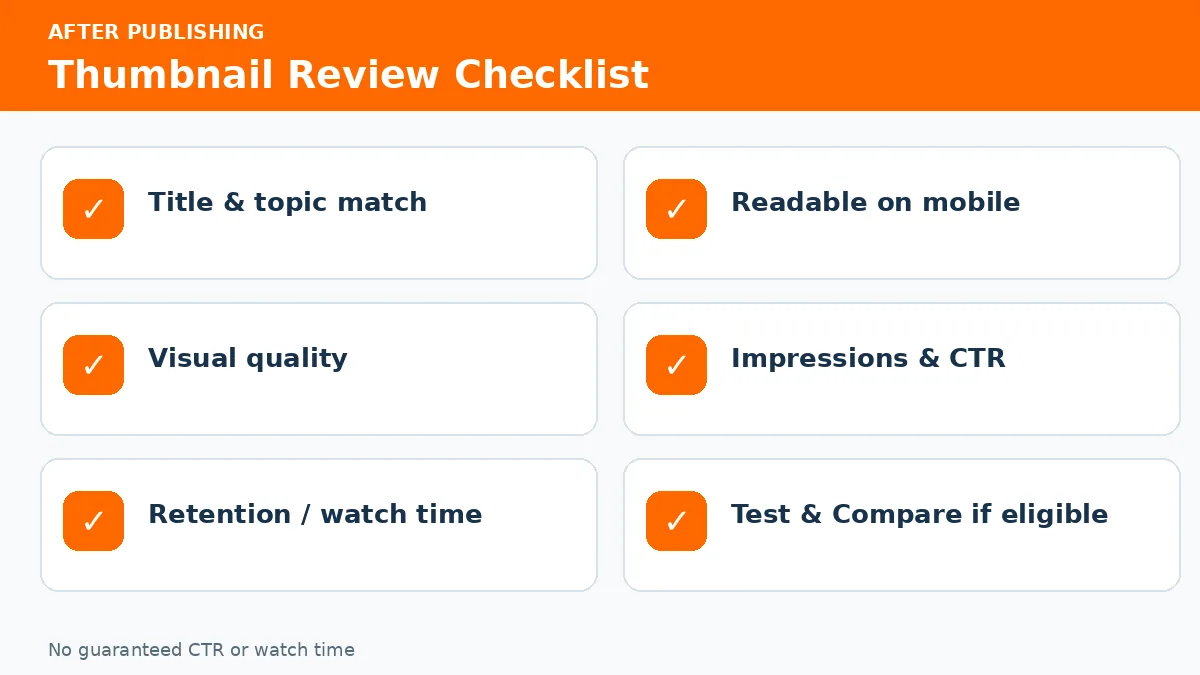
Before exporting, check the message, relevance, image rights, readability at phone size, visual hierarchy, and consistency with your channel branding. Before uploading, confirm the file format, aspect ratio, relevant device limits, and the correct video and account. Verify that no private data appears in captured screens or graphics. Save a source project file so future revisions remain easy and do not degrade image quality.
After publishing, confirm that the intended thumbnail is visible, note the publication date, and monitor impressions, CTR, retention, and watch time over a reasonable interval. If a native experiment is available, follow its instructions and interpret the results conservatively. Thumbnail work is most valuable when it attracts viewers who will also find the video useful.
FAQ / Pertanyaan yang sering diajukan
Can I create a thumbnail on a PC for free?
Yes. A free desktop or browser editor can create a 16:9 image and export JPG or PNG, provided the assets you use are properly licensed.
Is 1280 × 720 still useful?
Yes, as a practical 16:9 working canvas, although YouTube’s latest documentation lists a higher recommended resolution where appropriate.
Do I need a verified account?
Custom thumbnail access depends on satisfying YouTube’s eligibility and verification requirements. Review your channel feature settings.
Why do I not see the Upload option?
Check channel permissions, verification, video type, and current Studio interface. Do not assume every account has identical features.
Should every thumbnail show a face?
No. A relevant product, chart, or software illustration may be more useful for an educational video.
Can I use a random image from a web search?
Not without checking permissions. Search visibility does not grant a license to reuse somebody else’s artwork.
Do Shorts use the same thumbnail ratio?
The recommended ratio and preview behavior can differ for Shorts. Check current YouTube guidance for your content type.
Does high CTR prove a thumbnail is good?
Not alone. CTR should be interpreted with impression sources, actual watch time, and viewer satisfaction.
Can I change a thumbnail after publication?
Yes, when the feature is enabled. Allow time for saved changes to appear across YouTube surfaces.
Will A/B testing guarantee more views?
No. It can compare creative options within its eligibility rules, but results do not guarantee future performance.
Referensi resmi
- YouTube Help — Add custom thumbnails
- YouTube Help — A/B test titles and thumbnails
- YouTube Help — Spam and deceptive practices
Next step: make a simple, honest thumbnail with one meaningful visual, inspect it on a phone-size preview, and monitor what viewers do after they click. The video itself has to fulfill the expectation created by its image.
