

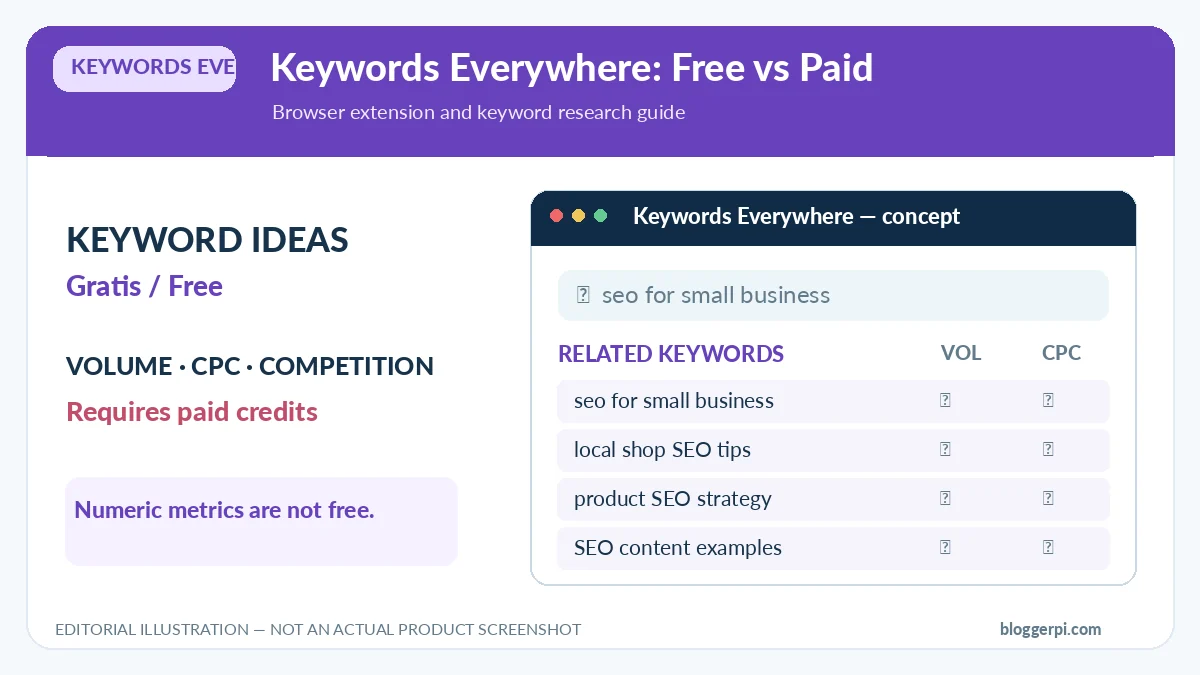
Using Keywords Everywhere for free requires understanding the difference between keyword ideas and the numerical metrics offered through paid credits. This freemium browser extension provides several free research widgets, but search volume, CPC, advertiser competition, and detailed trend data are not automatically free. In this 2026 guide, you will learn how to install the desktop extension, explore Related Keywords and People Also Search For suggestions, understand VOL/CPC/CMP, and organize useful research for a small business. The keyword examples are editorial scenarios, not a report of real measured traffic.
What is Keywords Everywhere and what can it do?
Keywords Everywhere is a freemium browser extension for marketing and search research. On supported pages such as Google search results, its widgets can provide related keyword ideas, People Also Search For phrases, and long-tail suggestions. That makes it convenient to explore what people may be searching for without switching to a separate research dashboard for every possible topic. However, the free idea widgets and paid numeric keyword metrics are distinct.
Publishers can use it to develop article briefs; small businesses can better understand how prospective customers describe problems; and agencies can supplement broader search research. The extension does not replace Search Console, direct customer interviews, or evaluation of the live search results. Start with business SEO goals so the list of keyword ideas serves an identifiable objective.

Which Keywords Everywhere features are free in 2026?
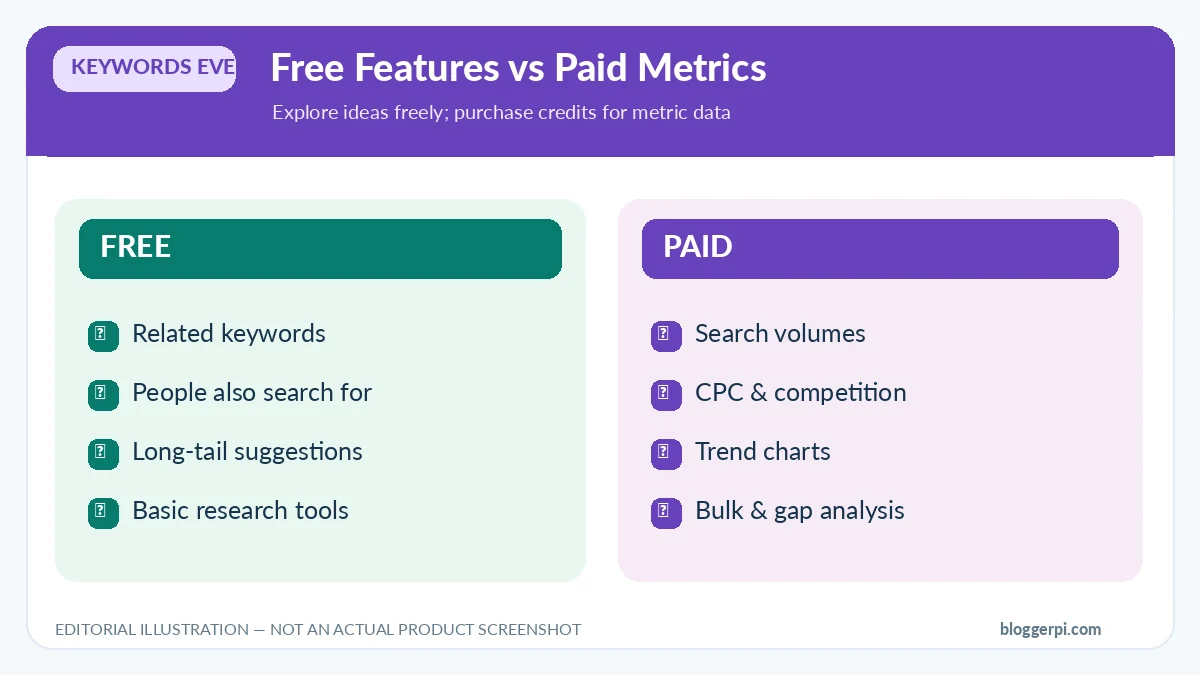
The vendor’s official Free Features documentation identifies keyword ideas and several marketing research tools that can be used without credits. In relevant supported interfaces, Related Keywords, People Also Search For, and Long-tail widgets can help expand a topic. The free offering also includes other tools such as certain social-media insights and prompt templates, although these are not all directly related to web SEO. The appearance and availability of panels can vary as the product changes.
Monthly search-volume values, CPC estimates, advertising competition, detailed trend charts, bulk metrics, and some competitive research require the paid data layer. Therefore, older tutorials claiming that all search volumes appear at no charge are misleading for the current product. Consult our comparison of free and paid SEO tools when deciding what information a team genuinely needs.
Free keyword ideas versus paid metric data
Free access is particularly useful during the discovery stage. You can explore relevant terms and group them by topic before deciding which require quantitative research. When numbers for monthly search volume, CPC, advertising competition, trends, or bulk comparison are essential, the product uses purchased credits. Do not populate a research spreadsheet with zero when data is hidden behind the paid layer; label the value unavailable.
Under the vendor’s current credit model, requesting volume and related metrics for one keyword can consume one credit. A results page may contain a much larger number of related terms, and retrieving their metrics can consume credits for each item. Treat this as an operating cost of a research workflow. A sensible starting point is to identify a shortlist before requesting paid data across many unrelated phrases.
Step 1: install the official browser extension
Visit the Keywords Everywhere getting-started page and follow its official extension links. The vendor currently supports desktop Chrome, Firefox, and Edge, rather than Safari or a native mobile application. Confirm that the publisher is correct, review browser permissions, and comply with your organization’s device policies if you are using a shared company account. Avoid extensions with similar names from unverified sources.
You can start exploring the free features without buying credits. The vendor explains that these tools can work without a paid API key or credit card. When a widget does not appear, check the supported browser, site context, active extension, content blockers, and any changed settings. Screenshots from older versions may not correspond exactly to the controls in your version.
Step 2: explore Related Keywords
Begin with a real audience problem rather than a generic trend. For example, a local shoe-cleaning business might investigate phrases related to caring for leather shoes, cleaning white trainers, or selecting professional cleaning services. Run the relevant Google search and inspect the Related Keywords panel when available. It can introduce useful variants, but a displayed phrase does not automatically tell you its monthly search volume.
Record only ideas relevant to the actual audience. Several close synonyms may be better handled by one article instead of duplicated posts. You can compare this workflow with Keyword.io’s free autocomplete research because the products use different interfaces and data contexts. In every case, distinguish the original suggestion source from later observations about search intent.
Step 3: use People Also Search For and Long-tail widgets
People Also Search For can surface related topics associated with a search, while Long-tail widgets offer more specific phrase ideas. These are discovery signals, not proof that each keyword is high volume or easy to rank for. Read the phrases in the context of what a searcher likely needs, then inspect actual results to see which content formats appear appropriate. Do not copy every suggestion into a publishing calendar.
Create separate groups for informational questions, commercial comparisons, and transactional intent. A person looking for a cleaning tutorial may need instructions, while someone searching for a local service wants pricing, coverage, and booking details. The distinction should reflect real audience research and market segmentation rather than a tool score alone.
Step 4: understand VOL, CPC, and CMP
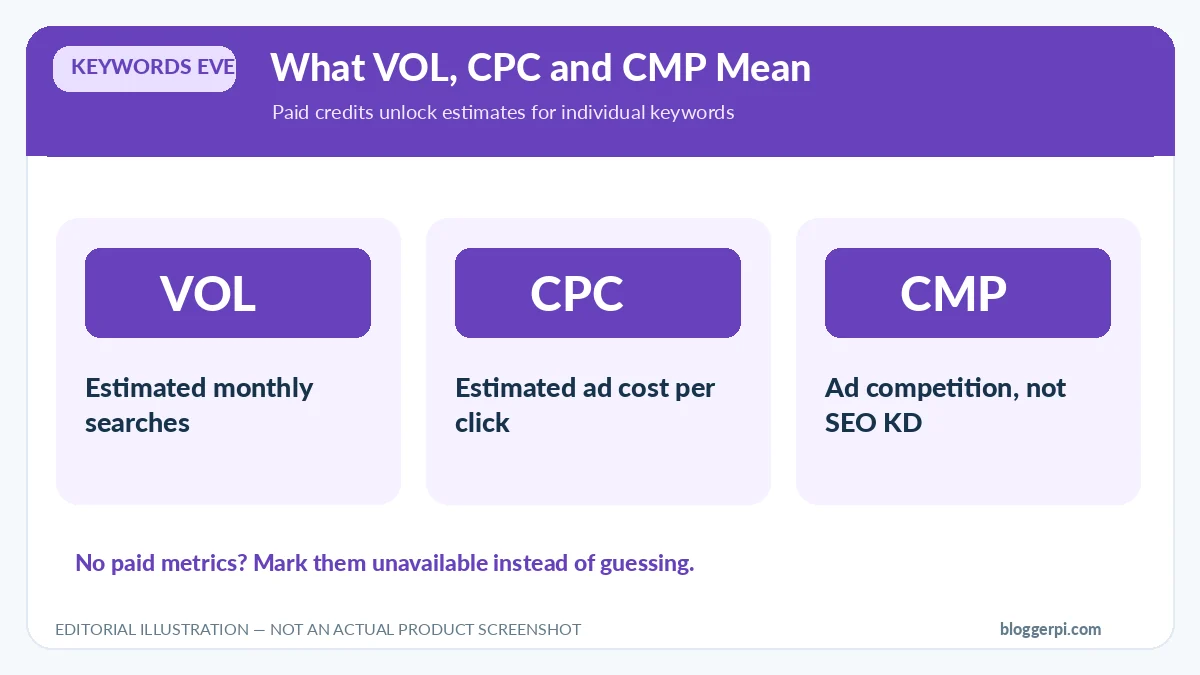
VOL commonly denotes an estimate of monthly search demand, CPC represents estimated advertising cost per click, and CMP refers to advertiser competition for the term. These paid numeric indicators are not interchangeable. In particular, CMP is not a direct measure of organic search ranking difficulty. It would be incorrect to claim that a low CMP automatically makes a keyword easy for a particular website to rank organically.
When data is accessible, read the country, period, and estimation assumptions. Advertising costs vary with targeting, ad quality, auctions, and market demand. Use numbers to prioritize further investigation rather than predicting certain revenue. If presenting a comparison to management, apply sensible data visualization principles and explain which values are estimates and which metrics measure actual website performance.
Step 5: prevent accidental credit usage
Keywords Everywhere’s paid layer uses credits for metric lookups. One browser search can expose a collection of related, long-tail, and other associated terms. If metrics are requested for many of those phrases, credit consumption may exceed what a user expected from typing just one seed keyword. Review credit balances and the extension’s current controls before conducting a large browsing session or testing many queries.
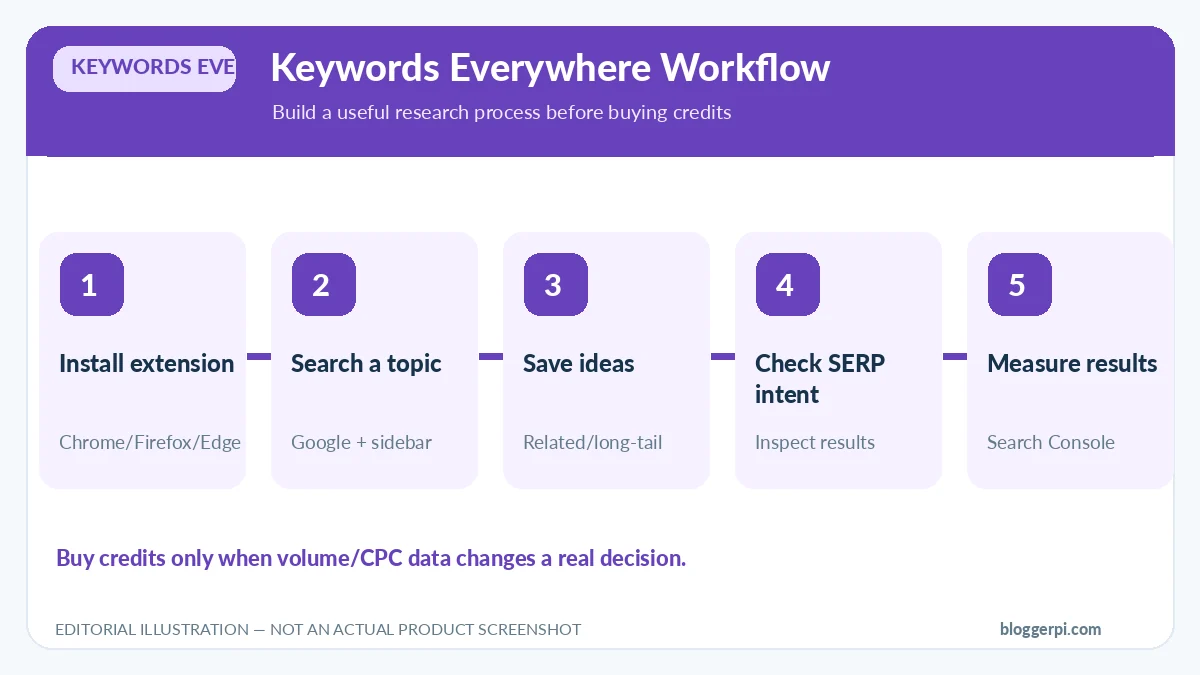
The exact control labels may change with product updates, so follow current documentation for limiting or disabling paid data retrieval when it is not needed. Start with a free shortlist; purchase metric data only where search volume, CPC, or trends will genuinely affect a decision. This budgeting discipline fits the role of a content planner coordinating a team’s limited time and research resources.
Step 6: a keyword workflow for a small business
Imagine a product-photography service in Yogyakarta planning to attract small online retailers. A broad seed might be “product photography”. Related ideas could include lighting, white-background shots, phone-camera techniques, and commercial studio services. These examples are hypothetical; they are not a claim that a live Keywords Everywhere report produced particular search figures. Each candidate needs an intent check before anyone chooses a page format.
A tutorial query may deserve an article containing genuine before-and-after photos, whereas a service query may need a landing page with a portfolio, actual coverage area, and verified contact details. Avoid multiplying nearly identical pages just because the tool returns numerous variants. Evaluate the results against meaningful business SEO KPIs, including qualified inquiries rather than only impressions.
Step 7: validate against the live search results
Open representative Google results and assess the content types that currently meet the query. Are users shown tutorials, local listings, product pages, government sites, or videos? What information is missing, and can your organization provide a clearer or more current answer? Search pages vary by geography, device, time, and language, so record the circumstances of your review instead of treating your own screen as a universal ranking report.
Use reliable primary documentation for technical instructions and other information likely to change. Keyword suggestion tools do not verify legal requirements, software functionality, product specifications, or service prices. Understanding primary and secondary competitors helps you distinguish competitors for attention from businesses that actually serve the same buyers.
Step 8: use Google Trends for a different question
Google Trends helps investigate relative interest in topics across time and geography. It can uncover seasonal patterns and compare interests, but its indexed values do not represent the exact monthly volume that a paid keyword metric may estimate. Do not combine them as if they were the same measurement. Our Google Trends tutorial explains why period and location filters affect interpretation.
If a niche has predictable seasonal interest, a publication can prepare content before the expected peak. That decision should still consider whether the article answers the intended audience and whether the topic is appropriate for the business. Use trends as contextual evidence, not as a promise of organic traffic.
Step 9: connect findings with Search Console
Search Console reports search impressions, clicks, and other indicators for the actual verified property, subject to its reporting scope. Unlike a keyword idea generator, it helps you evaluate how a specific website performs after publishing. Look for relevant queries, pages with poor engagement signals where available, and changing search interest in context. Never assume the numbers from paid advertising tools and Search Console are measuring identical things.
An appropriate Google Site Kit setup can make some Search Console information easier to review in WordPress, but make sure the correct property and date range are selected. Combine discovery, SERP validation, and measurement in one workflow rather than treating an extension as the sole source of truth.
Step 10: turn research into useful content
A keyword list has limited value until it becomes an actionable brief. Each approved topic should identify the intended reader, the specific problem, the content type, examples to verify, reference sources, and the target URL. Related phrases can inform subtopics naturally without repeating the same keyword in every heading. A concise and accurate page often serves users better than several shallow posts targeting slight wording variations.
Write honest titles and helpful SEO meta descriptions that match the content. WordPress SEO plugins can help maintain technical metadata, but they cannot substitute for accurate writing; compare the options in our WordPress SEO plugin guide. Link to existing content when it genuinely helps the visitor continue learning.
Step 11: apply the method to YouTube research
Keywords Everywhere supports research in contexts that include YouTube, but do not infer that every numeric metric on a video platform is free. Consider what the viewer is trying to learn and compare current YouTube search results, titles, thumbnails, and video formats. A tutorial on smartphone product photography may require a visual demonstration rather than a text-heavy presentation.
The YouTube keyword research guide and overview of YouTube SEO tools discuss methods specific to video content. Video discovery also depends on usefulness, engagement, and the experience of viewers rather than simply matching keyword suggestions. Do not invent view counts or search-ranking promises from an extension.
Step 12: maintain a transparent keyword research sheet
Use columns for the original seed, suggested phrase, source widget, language, geographic context, target audience, search intent, available metrics, free-or-paid status, proposed URL, and verification notes. Fill unavailable numerical fields with a clear label rather than zero. Add the date of observation so the team can distinguish recent evidence from older ideas. Review overlapping topics before publishing new URLs.
Connect approved briefs to a publishing calendar with an owner, review date, supporting assets, and success criteria. A modest number of well-researched pages can deliver more value than a backlog of duplicated keyword variants. Revisit the list after real customer questions and performance data emerge.
Step 13: decide whether a paid plan is worthwhile
Purchase credits when numeric search-volume estimates, CPC, competition, or trend information are important for budgeting or prioritizing. Review the vendor’s live plan comparison because pricing, credit quantities, expiration, and bundled features can change. The current model uses credits for paid metrics and includes some additional capabilities on higher subscription tiers. Avoid reproducing a price from an old screenshot as though it were guaranteed today.
If your bottleneck is a shortage of useful ideas, free widgets may be enough to start. If your bottleneck is poor content quality, low conversion, or slow pages, paid keyword metrics will not solve it automatically. Think about the business value of decisions that data could support, alongside the changing expectations discussed in our SEO trends overview.
Common Keywords Everywhere mistakes
Typical mistakes include describing the extension as a completely free search-volume tool, confusing advertiser competition with organic SEO difficulty, inventing values that are hidden behind paid credits, and leaving metric retrieval enabled while browsing unrelated searches. Others include making one page for every synonym, failing to inspect the actual results, and assuming an old interface screenshot represents today’s free-plan features.
Separate free keyword suggestions, paid estimates, your own measurements, and editorial hypotheses. State which source supports each claim and when it was checked. If a number is unavailable, that is useful information to record; an invented number can lead to a poor marketing investment.
Frequently asked questions
Is Keywords Everywhere completely free?
The extension is free to install and provides free features, but search volume, CPC, competition, and trend data require paid credits under its current documentation.
Which browsers does it support?
The vendor lists Chrome, Firefox, and Edge on desktop; Safari and mobile apps are not supported at present.
Do free features use credits?
No. The features defined as free do not use credits. Paid metric requests consume credits.
Does CPC predict actual ad spend?
No. It is an estimate; actual costs vary by auction, targeting, quality, and market conditions.
Is CMP an organic SEO difficulty score?
No. CMP concerns advertising competition and cannot directly predict organic ranking difficulty.
Must I buy a plan before researching topics?
No. Start with free suggestions and real search-result analysis, then buy numeric data only if needed.
A disciplined workflow begins with a reader problem, gathers related ideas, checks actual search results, and uses performance reporting to learn what worked. Keyword metrics are useful when they support a clear decision rather than serving as decorative numbers.
Official sources
- Keywords Everywhere — Free features
- Keywords Everywhere — Getting started
- Keywords Everywhere — Frequently asked questions
- Keywords Everywhere — Compare plans and credits
- Google Search Central — Trends and keyword research
- Google Ads Help — Use Keyword Planner
- Google Search Help — Autocomplete predictions
