

Is it safe to manage WordPress using AI and Model Context Protocol (MCP)? Safety depends on the implementation, the permissions granted, the information processed, and the way changes are approved and verified. MCP is not inherently a guarantee of security or a source of danger. It is a standardized interaction layer; the system exposing the tools and the people running the workflow remain responsible for controlling access and risk.
At Bloggerpi.com, we have used ChatGPT-assisted MCP workflows for content, SEO metadata, internal linking, and multilingual website operations. That experience reinforces one rule: do not give an integration broader permissions simply to make a prompt easier to execute. This article examines common risks and safeguards without disclosing our private MCP implementation or credentials.
What Changes When AI Can Use WordPress Tools?
An AI assistant that only drafts text has limited direct impact on a website. Once it can call tools, instructions may lead to reading private information, modifying posts, or performing administrative operations if those capabilities are exposed and authorized. Wrong targets, overly broad permissions, or unsafe parameters can turn a routine content request into a consequential website change.
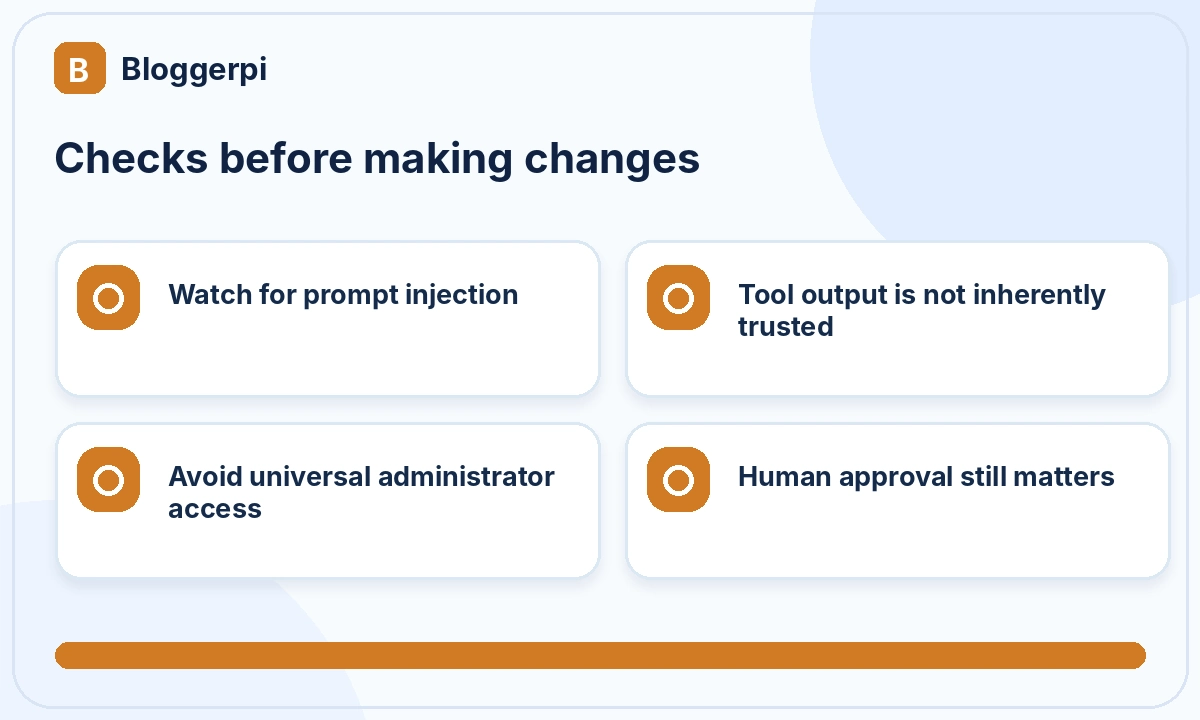
There is also a risk associated with material that the assistant reads. A web page, document, plugin output, or comment may contain text intended to manipulate the assistant. This is known as prompt injection. Retrieved material must be treated as untrusted data rather than as a higher-priority instruction telling the assistant to expose information or abandon the user’s task.
Traditional WordPress security concerns remain relevant: vulnerable plugins, leaked credentials, outdated software, and overprivileged accounts. MCP does not remove these issues. For related maintenance information, see our WordPress overview and Cloudflare configuration guide.
Least Privilege Is the Starting Point
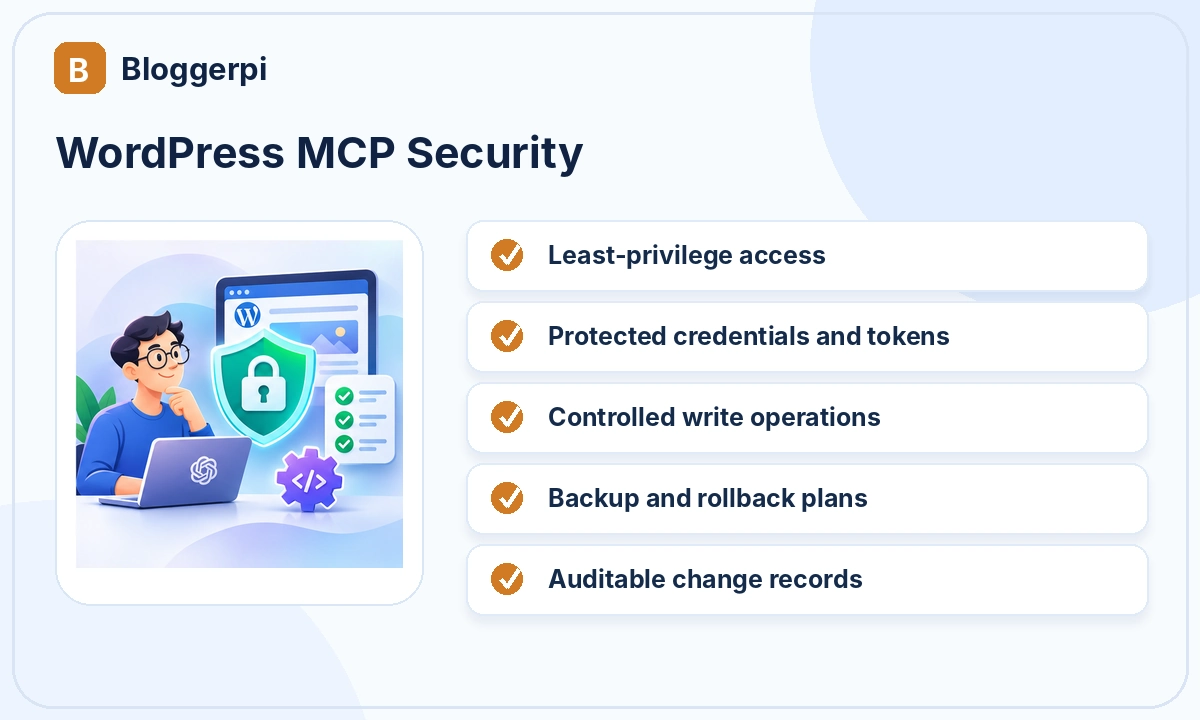
Least privilege means providing only the permissions necessary for a specific operation. A tool performing content research may need read-only access to selected posts. A tool updating draft metadata needs a narrower write capability. Neither task requires a general ability to delete content, install plugins, or change user roles.
Backend authorization matters just as much as the controls visible in ChatGPT. The system serving a tool request should independently verify that the connected identity can access the target post and perform the requested operation. A well-designed tool rejects unauthorized actions even if an AI model can construct a plausible request.
Authentication and Secret Management
WordPress provides several mechanisms for authenticated application access. Application Passwords are an official option that allows a revocable application-specific credential without exposing the main login password. They are not mandatory for every MCP architecture; the appropriate mechanism depends on the design and security requirements of the connection.
Keep credentials out of prompts, public documents, screenshots, and logs that may be shared. Use HTTPS, protected secret storage, separate staging and production credentials, and account permissions limited to the necessary operations. Review who may activate tool connections in the organization and how access is revoked when it is no longer needed.
Prompt Injection and Untrusted Tool Responses
Prompt injection can appear in information that an AI assistant was asked to analyze. For example, a webpage could include text that resembles instructions to the assistant, asking it to reveal information or call unrelated tools. If a system mistakes that content for valid instructions, the workflow may deviate from the owner’s intent.
Controls include strict tool boundaries, separating source content from user instructions, validating parameters, restricting sensitive outputs, and requiring approval for high-impact actions. Retrieved content should be evaluated based on its source and purpose. Official security guidance emphasizes that tool responses should not be treated as automatically trusted simply because they arrive through an integration.
Backups, Staging, and Recovery Planning
Backups provide a recovery path when a change is wrong. For complex operations, test in staging with appropriately protected data. Maintain the ability to restore WordPress post revisions, database state, or configuration as necessary, and verify that backup restoration actually works before relying on it.
Risk varies by operation. Changing a test draft’s description is not equivalent to redirecting hundreds of public URLs or installing new code. The more consequential the action, the stronger the expectations should be for backups, reviews, testing, and explicit authorization.
Human Approval for Consequential Actions
Different tools need different approval policies. Reading public post titles generally presents a lower risk than deleting content, publishing unreviewed articles, changing redirects, or modifying security settings. Teams should define categories of informational actions, reversible writes, and high-impact operations that require additional confirmation.
A prompt should identify its target and boundaries. For example, “retrieve the article and propose changes; do not save anything” is safer for an initial review than a vague instruction to optimize the entire site. After reviewing the proposal, an authorized editor can approve a limited operation. At Bloggerpi, distinctions between Draft, Pending Review, and Published statuses support this editorial control.
Audit Logs and Independent Verification
For an operation to be auditable, the team should be able to determine what was changed, where, when, and with what result. This is particularly important for batch processing, where some posts may be updated while others fail. A tool reporting success is not the same as independent confirmation that the requested values were saved.
Frontend quality checks also matter. A post may be stored correctly but display broken tables, missing embeds, or unsuitable mobile formatting. A compromised user experience can affect a business even when the underlying incident is not an account takeover. See our Bloggerpi MCP WordPress case study for the broader operational approach.
Custom WordPress Plugins Create New Responsibilities
Not every WordPress feature is exposed through a basic integration. Developers may create custom plugins or endpoints for custom post types, translation relationships, page-builder data, or other specialized functions. Each new capability expands what can be requested, so it needs authorization checks, input validation, safe error handling, and compatibility tests.
AI can help propose code, but developers still need to evaluate architecture, maintenance, and security consequences. Human stakeholders must decide whether a capability should exist, which users may access it, and how the results are checked. MCP does not replace the developer or the person accountable for website decisions.
A Practical Security Checklist
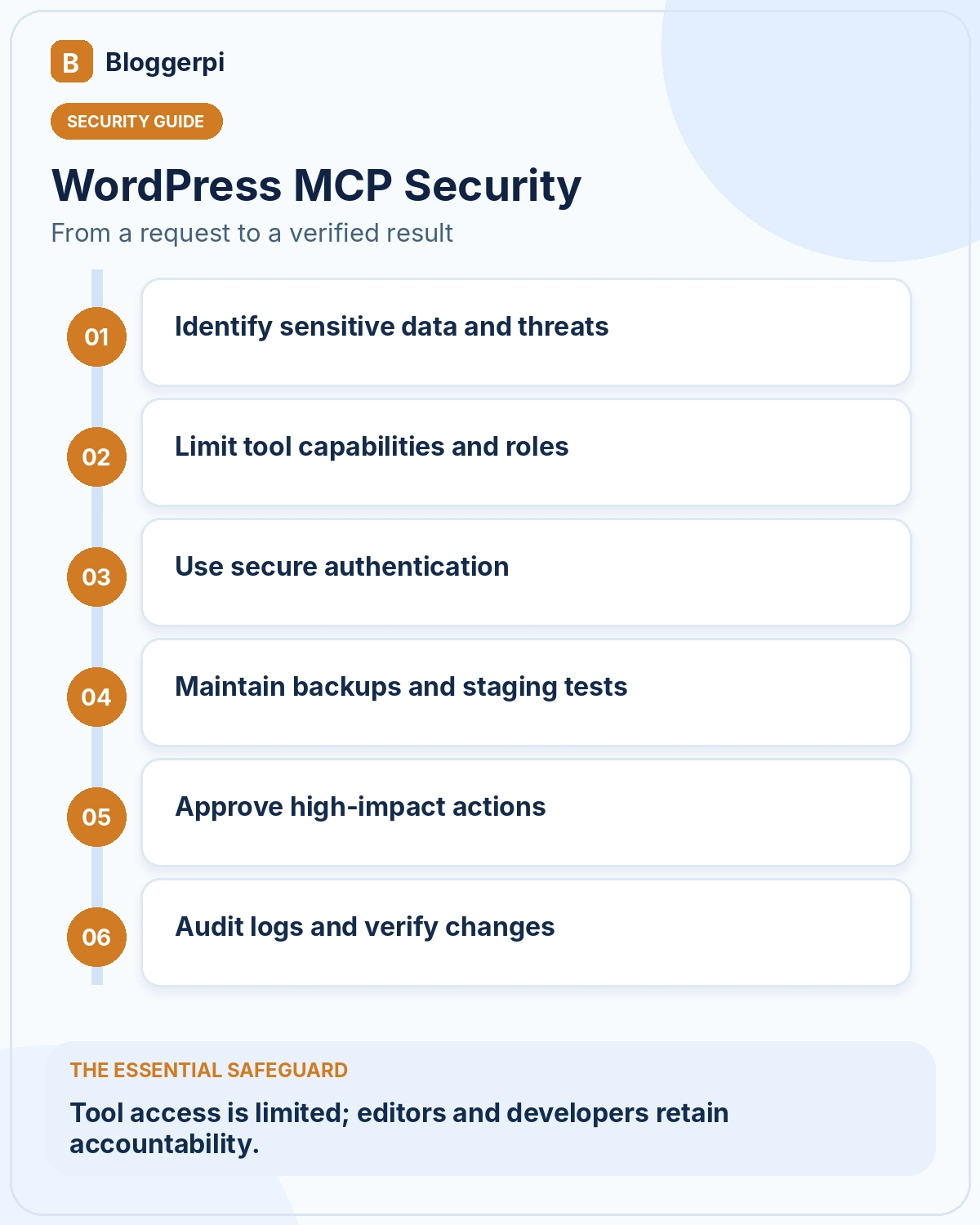
- Define what data the connection may read.
- Use the lowest sufficient WordPress role and tool permissions.
- Keep passwords and tokens outside public content and prompts.
- Test read-only operations before enabling writes.
- Maintain backups and staging for high-impact changes.
- Require approval for publication, deletion, and major settings updates.
- Log operations and partial failures.
- Verify the saved state and rendered frontend.
- Revoke unused or suspicious credentials promptly.
Adapt the checklist to the sensitivity of the website. A personal blog and a business site handling customer information have different risk profiles. Security decisions should reflect the actual data, permissions, and likely consequences of the intended use case.
Four Realistic Risk Scenarios for WordPress Owners
Scenario 1: Tools Have Broader Permissions Than Necessary
An editor wants to review post titles, but the connected integration can also delete content or modify plugin settings. Even when no incident occurs, the exposure is larger than the task requires. An incorrect instruction or tool selection could cause consequences outside the intended audit. The remedy is to separate read and write capabilities and apply the narrowest permissions that work.
Scenario 2: A Retrieved Page Tries to Give AI New Instructions
ChatGPT is asked to analyze an outside article. That article contains embedded text instructing the assistant to ignore its original task or send information elsewhere. The material is untrusted page content, not a legitimate instruction from the user. Tool access should be restricted so source text cannot become authority to modify website data or disclose secrets.
Scenario 3: A Batch Targets the Wrong Posts
A user asks for metadata updates within a specific category, but the search filter is too broad. If dozens of posts are written immediately, the error may spread through the site. Safer practice is to retrieve and inspect the target list, test one post, and expand gradually with item-level logs, permission checks, and clear stop conditions.
Scenario 4: A Success Message Hides a Broken Page
A tool reports that content was saved, yet the frontend contains a broken table and missing video embed. This is not necessarily a hostile security incident, but it is an integrity risk. The workflow should verify saved data and the rendered page before the task is closed. If either remains unverified, the completion report should say so.
Incident Response When an AI Connection Looks Suspicious
If unexplained operations appear, temporarily disable the connection or revoke the affected credential according to organizational procedure. Preserve relevant audit evidence, including timestamps, identities, and recent tool actions. Inspect the pages, settings, and information that may have been affected, then restore from trusted revisions or backups where necessary.
After containment, investigate whether a tool was overprivileged, credentials were exposed, untrusted content was mistaken for instructions, or approval steps were bypassed. Address the root cause before reactivating the integration. Effective response involves improving the failed control, not merely changing a password and repeating the same setup.
Data Governance for AI-Assisted Website Operations
Public article content, internal drafts, personal data, and administrative secrets should not be treated as one undifferentiated dataset. Establish which categories of information the connection may retrieve, who can authorize operations, and how logs or generated outputs are retained in accordance with organizational policies.
Business websites should also consider relevant privacy obligations and client contracts. Do not include customer databases or credentials in prompts simply because doing so appears convenient. Data minimization reduces exposure even where the connection itself is technically sound.
Frequently Asked Questions about MCP Security
Is MCP automatically secure because it is an open standard?
No. Interoperability standards do not replace careful implementation, authorization, monitoring, and maintenance.
Does ChatGPT need administrator access?
Not for most editorial tasks. Provide only the minimum appropriate permissions.
Can an AI integration leak WordPress information?
Risk exists if tools are overprivileged, credentials are exposed, or untrusted content manipulates workflows. Apply access controls and validation.
What is prompt injection?
An attempt to embed manipulative instructions in material the assistant reads so it deviates from legitimate instructions.
Who should approve publication?
An authorized website owner or editor, based on the organization’s review policy and the consequences of the change.
Separating Editorial Risks from Technical Security Risks
Not every AI-related website problem involves a compromised account. Editorial risks include an inaccurate rewrite, an incorrect call to action, or a translation linked to the wrong page. Technical risks include overbroad permissions, endpoints that fail to check identity, or custom code that modifies data outside its intended scope. These categories require different controls.
Editorial problems are reduced through clear SOPs, fact-checking, review before publication, and comparison against the original content. Technical risks require least privilege, input validation, limited tool capabilities, logging, and security review. A connection can be well authenticated and still produce poor public content if no editor checks the result.
Assign ownership for each operation. An editor determines whether a change benefits readers; a developer evaluates the tool and potential data-integrity consequences; a site owner approves high-impact business decisions. The division of responsibility prevents a single AI conversation from silently becoming the authority for every type of change.
Review completed tasks before expanding automation. Have any operations targeted the wrong post, overwritten protected fields, or produced success messages without independent verification? If so, fix the workflow and tools before increasing scale. Automation magnifies both good processes and existing weaknesses.
Conclusion
AI and MCP can support responsible WordPress management, but security cannot be assumed. Narrow permissions, authentication, backups, explicit approval, audit logs, and independent QA are essential parts of the workflow. Custom code still requires developer review, and humans remain accountable for business and editorial decisions. See our WordPress fundamentals for additional background.
References
- Model Context Protocol Architecture
- WordPress Application Passwords
- OWASP MCP Security Testing Guide
