

Managing a multilingual WordPress website with ChatGPT and MCP involves considerably more than translating text. Every localized version needs appropriate content, headings, permalinks, categories, SEO metadata, internal links, and a correct relationship with its source article. A translation that reads well but points visitors to the wrong language or fails to appear in the language switcher is not a complete publishing workflow.
At Bloggerpi.com, we have worked on Indonesian and English editorial operations using ChatGPT-assisted workflows, with MCP-enabled tools where the required WordPress capabilities are available. This includes identifying posts that need translations, writing natural localized drafts, handling language-specific SEO, and checking Polylang relationships. The approach in this guide is implementation-neutral and does not disclose our private MCP setup.
Why Multilingual WordPress Management Gets Complicated
A localized article is effectively a separate reading experience. English-speaking readers may search for different wording than Indonesian readers. Local regulations, currency examples, cultural references, and service information may need explanation or adaptation. Translating every sentence literally can preserve vocabulary while failing to match the needs of the new audience.
Technical consistency matters too. The two versions may use different slugs and categories, with distinct titles and meta descriptions. A multilingual plugin such as Polylang associates posts with their languages and translation partners. That association cannot be assumed merely because two articles have matching topics.
For core website concepts, see our WordPress overview and related SEO guidance.
What ChatGPT and MCP Can Contribute
ChatGPT can help adapt an article to an international audience, edit awkward paragraphs, organize headings, and propose metadata. MCP may provide access to approved WordPress tools for retrieving posts, categories, languages, or other data and performing supported changes.
However, creating a translation draft and connecting it as a Polylang translation are separate operations. A tool may create posts successfully without exposing a safe method to configure the relationship between them. If the capability is unavailable, the correct response is to use an approved manual workflow or develop an appropriate custom function.
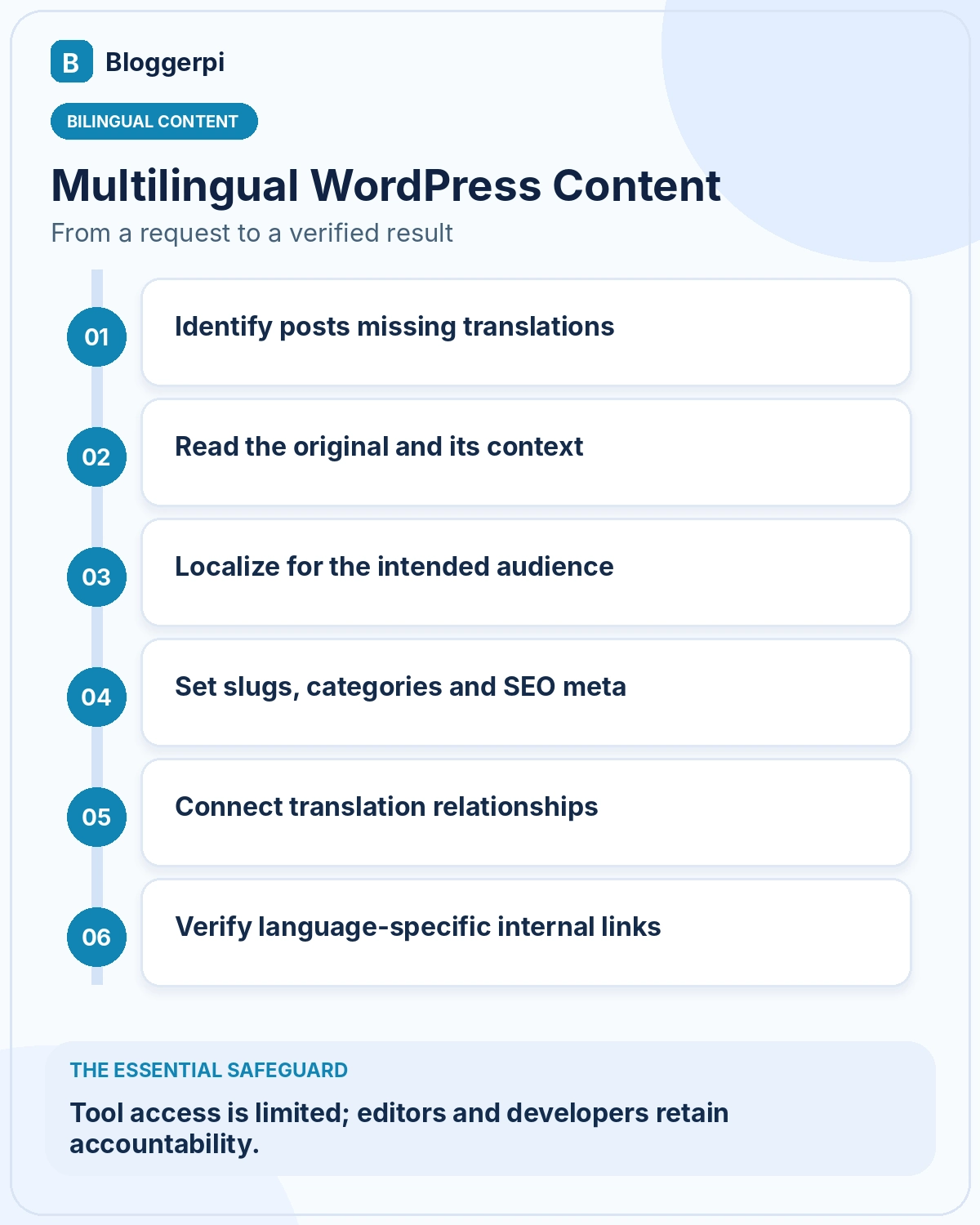
Step 1: Inventory Posts and Translation Gaps
Start with a list of posts, their languages, IDs, URLs, and publication statuses. Do not rely entirely on public search results, which may exclude drafts or private content. Determine whether a post truly has no translation or whether a translated article already exists but has not been correctly linked.
A translation tracker should store the original ID, original language, target language, planned slug, category, draft status, and translation pairing. At Bloggerpi, separating missing content from missing language relationships has helped us avoid unnecessary duplicate translations.
Step 2: Localize for Readers, Not Just Dictionaries
Ask ChatGPT to preserve the original meaning while choosing natural expressions for the target audience. WordPress interface names and technical terminology should remain consistent with official documentation, even when the surrounding article changes language. A local example may need explanatory context rather than a literal word-for-word rendering.
Headings can stay structurally similar when the intent matches, but the localized article should be allowed to address different search phrasing when appropriate. Human editors still need to verify facts, fluency, tone, links, illustrations, and calls to action. AI-generated content should not be considered complete solely because every original paragraph has a translated counterpart.
Step 3: Plan Slugs, Categories, and SEO Metadata Separately
Each language should have a deliberate permalink strategy. A useful English slug may differ from its Indonesian equivalent; either can be appropriate if it fits the site’s URL structure. Avoid changing an established published slug casually, because redirects and internal links may be affected.
Choose the corresponding target-language taxonomy terms rather than assigning arbitrary categories. Translate or rewrite SEO titles and meta descriptions based on each article’s actual content and audience. Do not use the same metadata simply because the posts are translations.
Step 4: Pair Translations Properly in Polylang
Polylang stores language assignments and translation relationships. A second post with an English title does not automatically become the correct English partner for an Indonesian post. A wrong relationship can send readers to an unrelated article when they use the language switcher.
Before linking two posts, confirm their IDs, languages, and whether either is already paired with another post. Do not write directly to internal Polylang structures using an improvised method. If the MCP integration does not expose a documented, permission-checked relationship operation, use the WordPress admin interface or create a safe custom plugin capability that validates the operation.
Step 5: Maintain Language-Specific Internal Links
Links in an English version should usually lead to relevant English pages. Indonesian versions should usually point to Indonesian destinations. Simply replacing a URL prefix does not verify that a matching translated destination exists, is published, or provides the same information.
ChatGPT can rewrite anchors naturally, but a live-link check remains necessary. If the target language has no equivalent article, the editor should decide whether to link across languages with clear context, use a different destination, or omit the link. Our WordPress MCP case study explains the broader role of language rules in editorial SOPs.
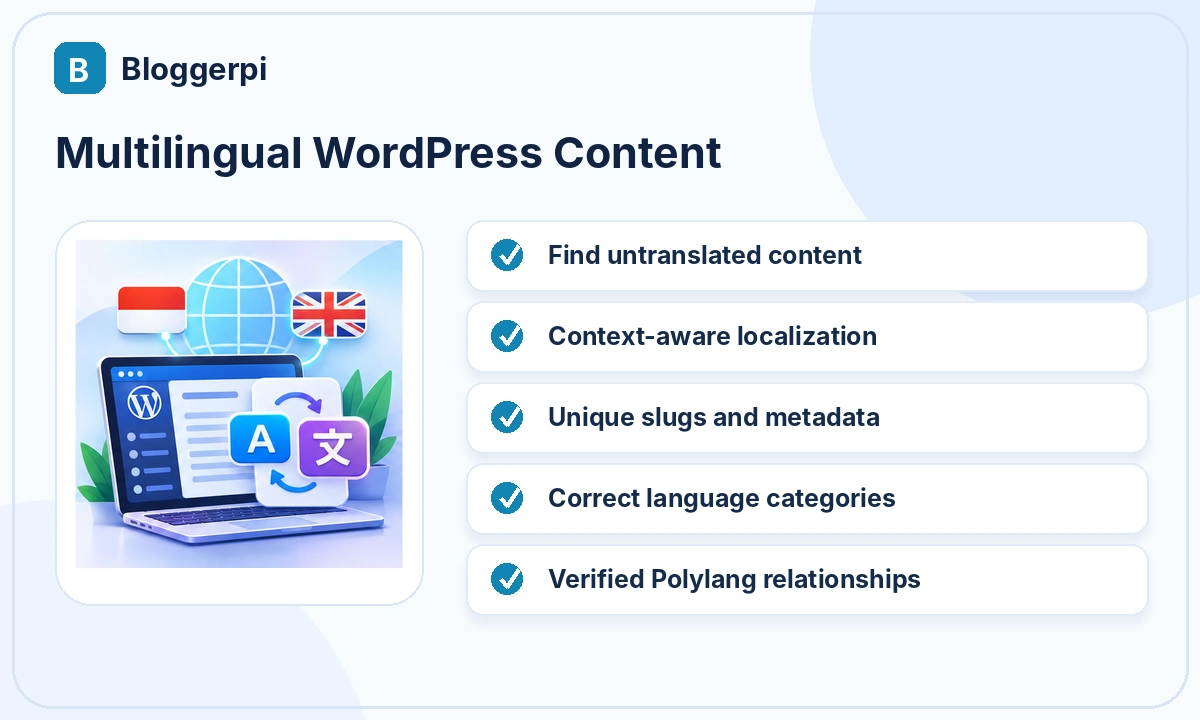
Step 6: Verify Language Switching and SEO Signals
After the two drafts are prepared, inspect language assignments, translation partners, categories, slugs, canonical URLs, and publication statuses. Use the actual language switcher to verify that it reaches the correct partner. If the site generates hreflang annotations, check the resulting output rather than assuming the configuration is correct.
Also review the rendered content. Longer translated labels can break layouts, alter button widths, or make an infographic unreadable. Tables and image captions may need independent localization. A successful WordPress write operation does not replace frontend and mobile QA.
Example Prompt for Multilingual Publishing
“Find Indonesian WordPress posts without a verified English translation. Retrieve the originals, draft natural English versions for an international audience, assign the appropriate English categories and SEO metadata, and suggest relevant live English internal links. Save as drafts. Configure Polylang pairing only if a supported and authorized tool is available. Read back the language, relationships, and metadata, then report any unfinished steps.”
Human Review and Custom Development Still Matter
Localization often requires judgments that an AI cannot make reliably without context: legal terminology, regional services, cultural nuance, and brand positioning. Editors need to verify those decisions. Incorrect translation relationships can also create a site-wide navigation problem, making technical QA particularly important.
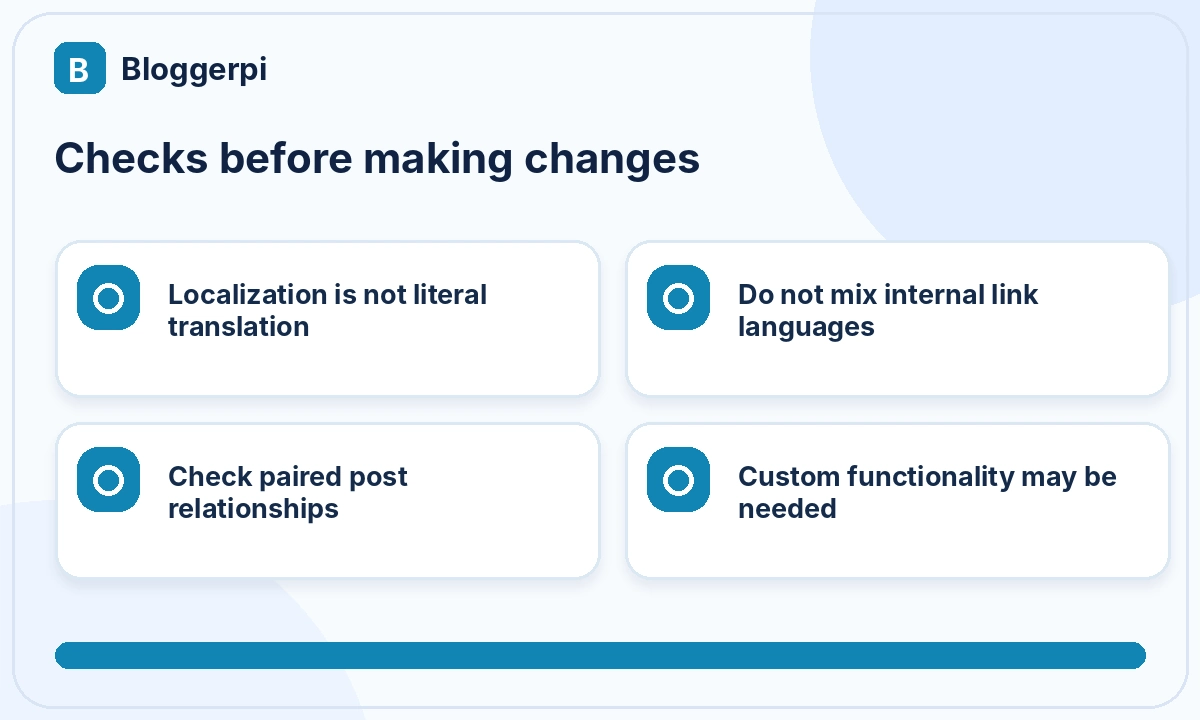
Some capabilities may not be available through general WordPress tools. A developer may need to write a carefully scoped plugin or endpoint to retrieve and manage translation relationships safely. That function should check post existence, role permissions, language correctness, and existing pairings before allowing changes.
Case Study Scenario: Two Articles Exist but Are Not Paired
Imagine a website with an Indonesian post titled “Cara Memasang WordPress” and an English post titled “How to Install WordPress.” An editor may reasonably assume they are translations. Polylang, however, does not necessarily recognize that relationship simply because their titles or slugs are similar. An AI inventory that checks names alone can incorrectly report the translation project as complete.
A proper audit checks both post IDs, their saved languages, and the translation relationship recognized by the multilingual system. It should also compare the topics rather than only the wording. An English tutorial about local development may not be the correct translation of an Indonesian guide focused on paid hosting, even if the article headings appear similar.
If the relationship is missing, track it as a separate technical task. Writing directly to plugin internals without validation can overwrite an existing pairing. Where no safe tool is available, use the WordPress interface or have a developer implement a narrowly scoped operation that validates both posts before linking them.
Translation, Localization, and SEO Adaptation Are Different Tasks
Translation preserves meaning across languages. Localization adjusts expression, examples, and actions for the intended audience. SEO adaptation addresses how that audience searches and navigates in its language. A high-quality international article often needs all three rather than a literal rendering of the source.
For instance, a service described locally as “jasa penulisan konten SEO” may be called “SEO content writing services” in English. International readers may need clearer information about deliverables, target markets, or the service process. ChatGPT can help draft natural language, but the business must verify that the information accurately represents what it offers.
Categories and tags should use an established language-specific taxonomy where possible. Automatically creating new categories for every translation can lead to fragmented archives and inconsistent navigation.
How Hreflang and Canonicals Fit into the Workflow
Search engines can use hreflang annotations to understand alternate language or regional versions. These annotations need accurate URLs and consistent relationships. Canonical URLs also require deliberate handling: automatically setting every English article’s canonical to the Indonesian source is generally not an appropriate substitute for maintaining separate localized pages.
A plugin may generate these annotations, but teams should inspect the actual delivered HTML. Unpublished translations, redirects, or incorrect pairings can cause inconsistent language signals. This technical verification is separate from checking whether the English writing is fluent.
Prioritizing and Tracking Translation Batches
Prioritize articles by reader demand, business relevance, source quality, and readiness for publication. An outdated original may need an editorial update before localization so its inaccuracies are not reproduced in another language. Track each post through inventory, translation, category selection, metadata, pairing, link checks, and final verification.
If translation text has been saved but Polylang pairing failed, report the content and relationship as separate statuses. The same applies to metadata and internal links. Granular tracking prevents duplicate work and makes it easier for an editor or developer to resolve the exact unfinished step.
Frequently Asked Questions
Can ChatGPT translate all WordPress posts in a batch?
It can assist when a batch workflow and suitable tools exist, but each post still needs localization, formatting, and metadata QA.
Are translations automatically linked?
No. The multilingual plugin must store and verify their relationship.
Must translated pages use identical slugs?
No. Slugs should fit the target language and the site’s URL strategy.
Can an English article link to Indonesian content?
Yes when justified, but same-language destinations generally provide a more consistent experience.
Can MCP manage Polylang directly?
Only if the connection exposes the required authorized capability. Custom development or manual steps may still be necessary.
A Translation SOP That Can Be Audited
A practical SOP can give each article separate statuses: located, source reviewed, localized draft prepared, metadata and categories assigned, translation relationship verified, and frontend checked. Track these steps individually. A post whose English text exists but is not paired in Polylang should not be reported as fully completed.
Define preservation rules as well. Author information, dates, videos, image credits, important editorial links, and shortcodes should not vanish during localization. Titles, examples, alt text, and calls to action can be adapted when an editor determines that the target audience needs different wording.
For articles containing tables or technical tutorials, verify numbers, configuration values, and interface names. Do not translate code or change technical settings merely to make the output look fully localized. Add explanatory context where readers need it, without altering factual instructions.
Before publication, review the article from the perspective of a reader who does not know the source market. Are regional examples understandable? Are services described accurately? Do internal links reach the correct English-language destinations? These checks are more meaningful than a simple count of paragraphs translated.
Avoiding Duplicate Localized Articles
Before creating a new English article from an Indonesian source, check whether a similar English post already exists. Different titles do not guarantee different content. Compare search intent, scope, editorial structure, and existing language relationships to avoid producing duplicate translations.
If two published pages cover substantially the same subject, consolidation or redirect decisions require editorial and SEO review. Do not automatically delete one version, especially when it has existing links or a publication history. Preserving site identity and navigation can be more important than completing a translation batch quickly.
Conclusion
Reliable multilingual publishing combines localized writing, language-specific SEO, correct categories, permalinks, translation relationships, and internal-link QA. ChatGPT and MCP can support these operations, but they do not eliminate human editorial responsibility or the need for compatible WordPress tools. See Bloggerpi case studies for related website work.
References
- Polylang — Translating Posts and Categories
- Google Search Central — Localized Versions
- WordPress REST API
