

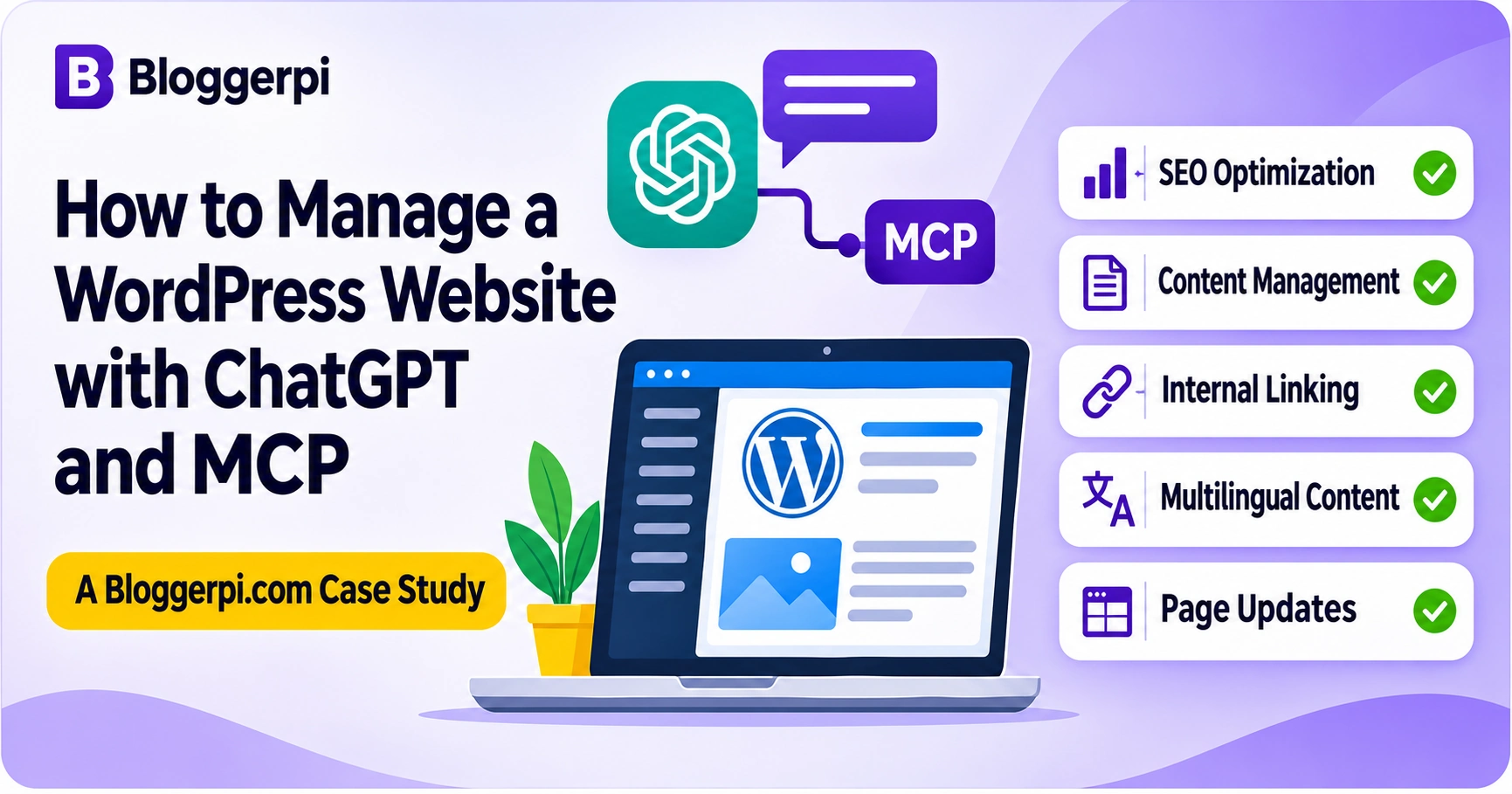
Can ChatGPT help manage an actual WordPress website instead of simply generating content for someone to copy into the editor? At Bloggerpi.com, that question has become part of our day-to-day work. By connecting ChatGPT with authorized WordPress capabilities through Model Context Protocol (MCP), we have been able to support tasks such as reviewing existing articles, updating SEO metadata, planning internal links, managing multilingual content, and improving service landing pages.
The important distinction is that MCP does not turn a website into a fully autonomous system. ChatGPT still needs clear instructions, appropriately scoped tools, and access permissions. The work also needs someone to evaluate what should change, develop any missing functionality, and confirm that the result is correct. We have encountered situations where a normal tool could not reach a specific WordPress feature, and a custom plugin or additional code was needed before that capability could be made available.
This article is a practical case study of those workflows. It explains what MCP actually does, where it helps WordPress operations, what we have learned from real implementation, and why human decisions remain central. We deliberately focus on the approach rather than naming the particular MCP implementation used by our team.
Why We Started Using ChatGPT for WordPress Website Management
Managing a content-heavy WordPress website involves a long list of seemingly small jobs. An existing post may need a factual update, cleaner headings, a new meta description, a better image, or several internal links. A service page may need its call to action adjusted. A translated article may need the right language category and relationship to its original. Each individual change is manageable; keeping many of them consistent is the real challenge.
In a conventional workflow, an editor searches for a post in the WordPress dashboard, copies information between tools, applies changes, saves, then moves to the next page. That workflow is still appropriate for plenty of tasks. However, we wanted a more structured way to carry editorial instructions into the systems that store the content, particularly when similar operations have to be repeated.
ChatGPT was already useful for research, content briefs, rewriting, and on-page SEO optimization. MCP lets us connect parts of that planning process to tools capable of retrieving and modifying authorized WordPress information. Rather than ending the conversation with a block of text to paste elsewhere, some tasks can continue into a read, edit, and verification sequence.
That does not mean every website task should be automated. We still choose which articles need attention, what a successful result should look like, and when a change is ready to publish. Our goal is to reduce repetitive administrative work while making operations more reviewable, not to remove professional oversight.

What Is MCP, and How Does It Work with ChatGPT and WordPress?
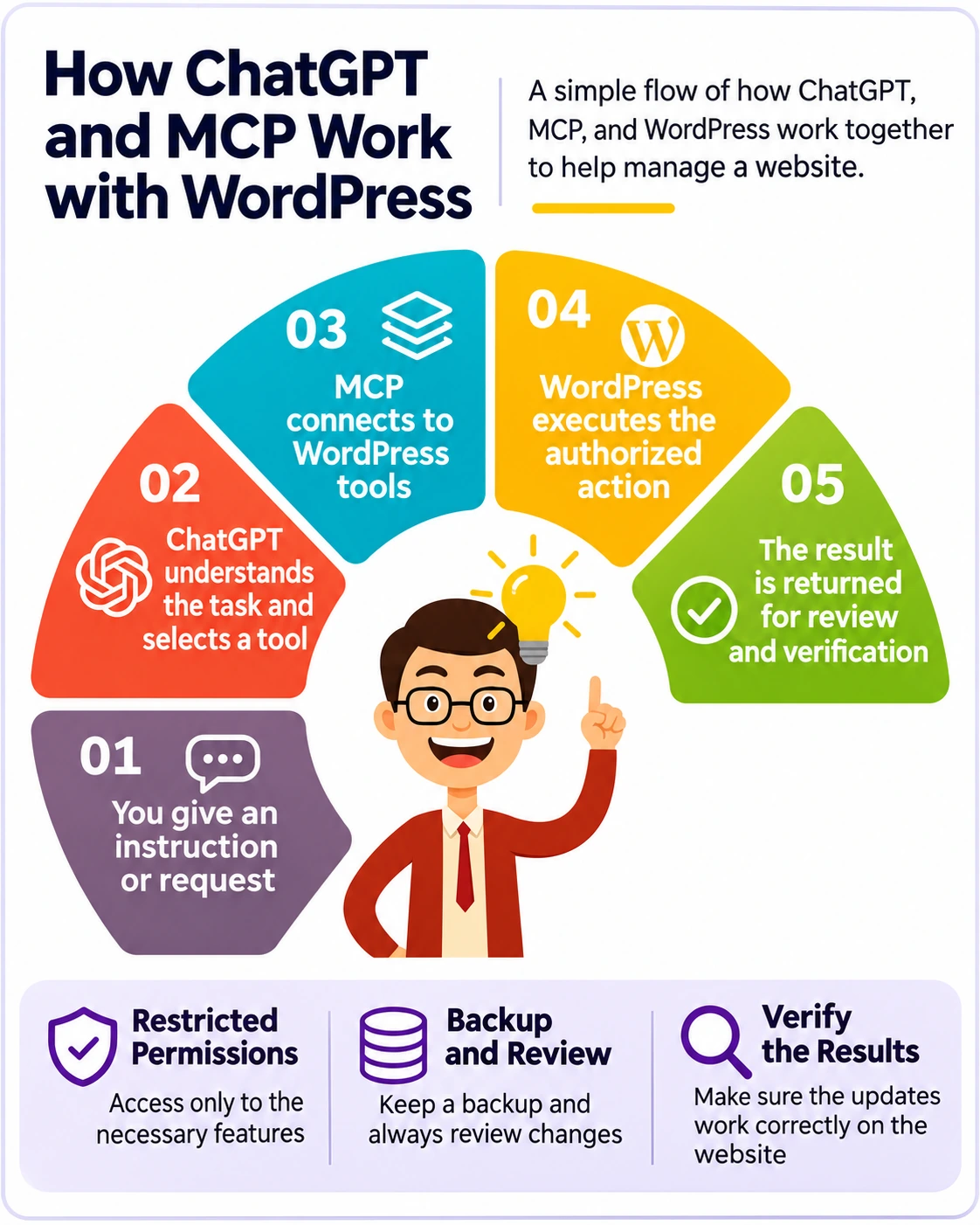
Model Context Protocol is an open standard for connecting AI applications to external data sources and tools. Its architecture uses a host, client, and server. For website owners, a simpler explanation is enough: ChatGPT receives your request, recognizes the relevant capabilities that have been exposed through the connection, and may call an authorized tool. The tool communicates with WordPress or another permitted system, then returns information about what happened.
MCP itself does not write your article, design a landing page, or grant administrator access. ChatGPT provides language understanding and reasoning; the connected tools provide specific operations; WordPress processes them according to its own access controls and application behavior. The capabilities available to one website can be different from those available to another.
ChatGPT Without MCP vs. ChatGPT with MCP
Consider an editor who wants to improve an old blog post. Without a WordPress connection, ChatGPT can suggest new headings, rewrite paragraphs, and produce a meta description. Someone then finds the correct post and enters those changes manually. With suitable MCP-enabled tools, ChatGPT can retrieve the specified post, analyze the current content, prepare changes, apply approved updates, and read the saved values back.
This difference makes the workflow more operational, but only within the available tool set. If the connection can list posts but cannot update a particular plugin field, ChatGPT should not claim that the field was changed. In that situation, the team must use another approved method or enhance the integration.
Why Permissions Matter
A tool that reads WordPress content does not necessarily have permission to publish posts, change settings, edit custom fields, or install code. Write actions have different consequences from read-only operations. Good integrations apply authentication, restricted permissions, and appropriate confirmation steps. In other words, connecting ChatGPT to a website should not mean handing every task unrestricted control.
If you are new to the CMS itself, our introduction to WordPress explains its basic capabilities and limitations. Official references for MCP and the WordPress REST API appear at the end of this article.
Bloggerpi.com Case Study: Seven Ways We Use ChatGPT and MCP
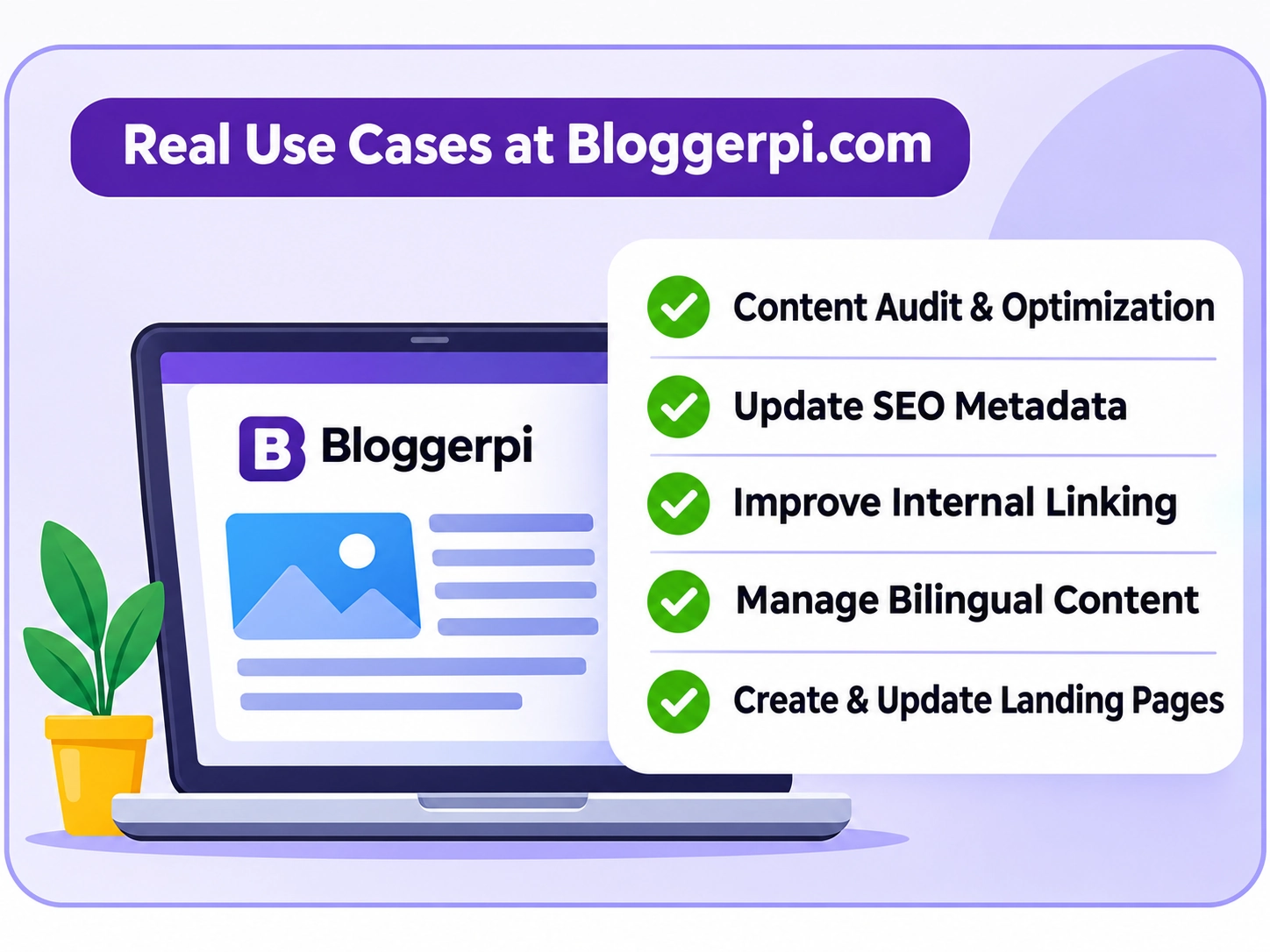
Our work does not revolve around one magical prompt. We use different instructions for content revision, multilingual publishing, internal-link cleanup, and page development. The instructions specify the target, what must remain unchanged, what may be edited, and how completion should be checked. Some workflows produce recommendations; others perform changes in WordPress. We do not consider a task complete until the relevant result has been verified.
1. Auditing and Updating Existing Blog Posts
Published posts often contain more than their visible paragraphs. They may include Gutenberg blocks, embedded videos, media captions, shortcodes, tables, historical context, author details, and carefully selected links. When using AI to revise them, losing any of those elements may create more problems than the rewrite solves.
Our workflow begins by identifying the exact post and reviewing its existing content. ChatGPT can then help identify outdated explanations, poor heading hierarchy, awkward transitions, and information gaps. A revised draft should reflect the intent of the original article while making it more useful and readable. The principle is the same as creating SEO-friendly articles: answer the reader’s question, make the structure clear, and avoid changes made solely for keyword density.
We explicitly instruct the workflow to preserve the original URL, author, relevant publication data, image credits, videos, shortcodes, and important editorial links. Once a change is saved, we check that the content survived the operation. A cleaner-looking response from an AI model is not sufficient evidence that the WordPress page itself remains functional.
2. Updating Yoast SEO Titles and Meta Descriptions
SEO titles and descriptions are useful examples of structured website data that can be reviewed alongside the article itself. ChatGPT can assess whether an SEO title aligns with search intent, whether the description accurately summarizes the page, and whether the wording sounds natural rather than repetitive.
At Bloggerpi, we have used workflows involving Yoast SEO metadata. The practical lesson is to read back the stored values after an update. A tool response indicating success does not tell you whether the correct article and field were modified unless you verify the result. We also treat plugin SEO indicators as guidance, not as a guarantee of Google rankings. Metadata is one piece of an overall on-page SEO strategy.
3. Finding Better Internal-Link Opportunities
As a site grows, it becomes harder for an editor to recall every relevant page that might help a reader. ChatGPT can evaluate the context of a passage and suggest related articles and anchor text that fit an existing sentence. We prefer links that make the reading journey more useful, rather than a mechanical target of inserting a fixed number of links.
Our internal-link work also includes checking for broken or redirected destinations and, where verified, replacing a redirecting URL with its final target. This requires careful validation; guessing what a discontinued page should link to is not the same as checking the destination. For multilingual content, language consistency is part of the rule: English posts link to relevant English content, while Indonesian posts link to Indonesian content unless an exception is justified.
For example, this article can naturally direct beginners to the process of creating a new WordPress post. That link makes sense in the context of understanding website operations. A link to an unrelated service would not improve the page simply because it adds another internal link.
4. Managing Indonesian and English Content
Bloggerpi operates in two languages, and that introduces a layer of complexity that simple translation services can overlook. An English article needs natural terminology for its audience, an appropriate category, a relevant slug, its own SEO metadata, and internal links pointing to equivalent English resources. A direct sentence-by-sentence translation may preserve grammar but miss the intended search context.
We have used ChatGPT-assisted workflows to identify content requiring English versions, draft localized articles, improve structure, and check language-specific linking. Polylang is used to manage the language and translation relationships in WordPress. Those relationships must be explicitly checked: the presence of two articles with similar titles does not prove that WordPress recognizes them as translations.
We therefore distinguish content quality from technical localization. A well-written English draft is only one part of a successful bilingual publishing workflow; categories, permalinks, language assignment, and translation pairing matter too.
5. Improving WordPress Landing Pages
Our website-management work has also extended to service pages and case-study pages. Tasks can include restructuring information, rewriting the value proposition, reviewing calls to action, replacing an unsuitable destination link, or improving the mobile experience. These changes have a different objective from blog optimization: a landing page needs to help the visitor understand an offer and decide what to do next.
Pages built with visual editors such as Elementor introduce additional considerations. Data may be stored as nested elements or custom settings rather than conventional post text. Some changes are exposed through a connected tool, while others still need direct editor work or custom development. Frontend inspection is essential because the saved data can be technically valid while the design behaves poorly on smaller screens.
Our Bloggerpi case studies illustrate why context and presentation matter when building a page for real business goals.
6. Preparing and Managing Images
Images are another part of WordPress operations that need an end-to-end process. The team may need a featured image, an illustration for a particular heading, alt text, captions, descriptive filenames, and a sensible file size. We commonly use optimized WebP assets so visuals support the article without unnecessarily increasing page weight.
ChatGPT can assist with the image plan and the metadata associated with media files, while human review still checks legibility, visual accuracy, copyright considerations, and placement. An upload confirmation does not guarantee that the correct file appears in the article. For the underlying WordPress concepts, see our guide to WordPress featured images.
7. Applying Editorial SOPs to Repeatable Batches
When multiple posts need similar attention, a repeatable standard operating procedure becomes valuable. We can define which posts qualify for a batch, what existing information must be preserved, which SEO fields should be updated, and whether the final status is Draft, Pending Review, or Published. Clear instructions reduce the temptation to improvise during every article update.
Batch work still needs failure handling. A permission error, missing data, or incompatible content structure should produce an honest report, not an invented success. It may be appropriate to skip an item and continue with other safe tasks, then return to the exception later. Processing more items is helpful only when the workflow remains auditable and correct.
A Practical Workflow: Updating a WordPress Article through ChatGPT
Suppose we want to improve an already published article while preserving its identity and media. A vague instruction like “optimize my SEO” is not enough. A useful request identifies the URL, the search intent, the specific fields and content areas that may change, and what the system should verify afterward.
Example prompt: “Retrieve the WordPress article at this URL and evaluate its headings, readability, SEO metadata, and internal links. Preserve the original permalink, author, dates, images, captions, embeds, shortcodes, and essential editorial links. Prepare justified improvements. After approval, apply only the supported changes, retain the agreed publication status, and read back the saved content and metadata. Report any inaccessible features or unverified results rather than assuming success.”
The workflow then follows a deliberate sequence. First, ChatGPT searches for the exact post and reads the current data. Next, it proposes changes and checks them against the editorial requirements. If edits are approved, authorized tools perform them. The stored values are read again, and the team checks any complex frontend behavior, particularly responsive layouts and embedded content.
This matters because generating an answer and completing a website operation are different things. An AI model can produce excellent prose while a write action fails, saves to the wrong field, or changes a shortcode unexpectedly. Verification is not merely a formality; it is how we determine what actually happened.
Benefits of MCP-Assisted WordPress Management
One practical advantage is reducing repetitive handoffs between tools. Instead of drafting a recommendation in one place, copying it into another, and repeating the context at each step, some tasks can progress from instruction to authorized operation. This is especially useful when content, SEO metadata, categories, and images must be considered together.
Consistency is another benefit. Editorial SOPs can specify that translated content use matching language categories, links remain relevant, protected elements are preserved, and publication requires review. This allows a team to apply similar quality standards across many articles, including those handled at different times.
For agencies, structured instructions can also make work easier to hand over and audit. An editor can distinguish the original request, the proposed change, the WordPress operation, and the verification result. The approach may reduce certain manual steps, but the impact depends on how well the integration covers the task and how much manual review is needed. We do not claim specific time savings, traffic growth, or search-ranking improvements without a measured comparison.
Where MCP Falls Short: Custom Plugins, Additional Code, and Human Oversight
Not every WordPress function becomes accessible as soon as an MCP connection exists. The integration might support listing and editing ordinary posts but not a site’s custom post type, complex page-builder elements, translation mappings, data tables, theme configuration, or a specific plugin’s internal settings. In such cases, the problem is not necessarily the prompt. The required capability may simply not be exposed.
Sometimes We Need to Build a Custom Plugin or Write Code
In real WordPress work, we sometimes need to accomplish tasks outside the standard tool set. A plugin may store information in a proprietary data structure; an editor may require operations that a generic post-update tool does not support; or a content workflow may need custom validations before a change is safe.
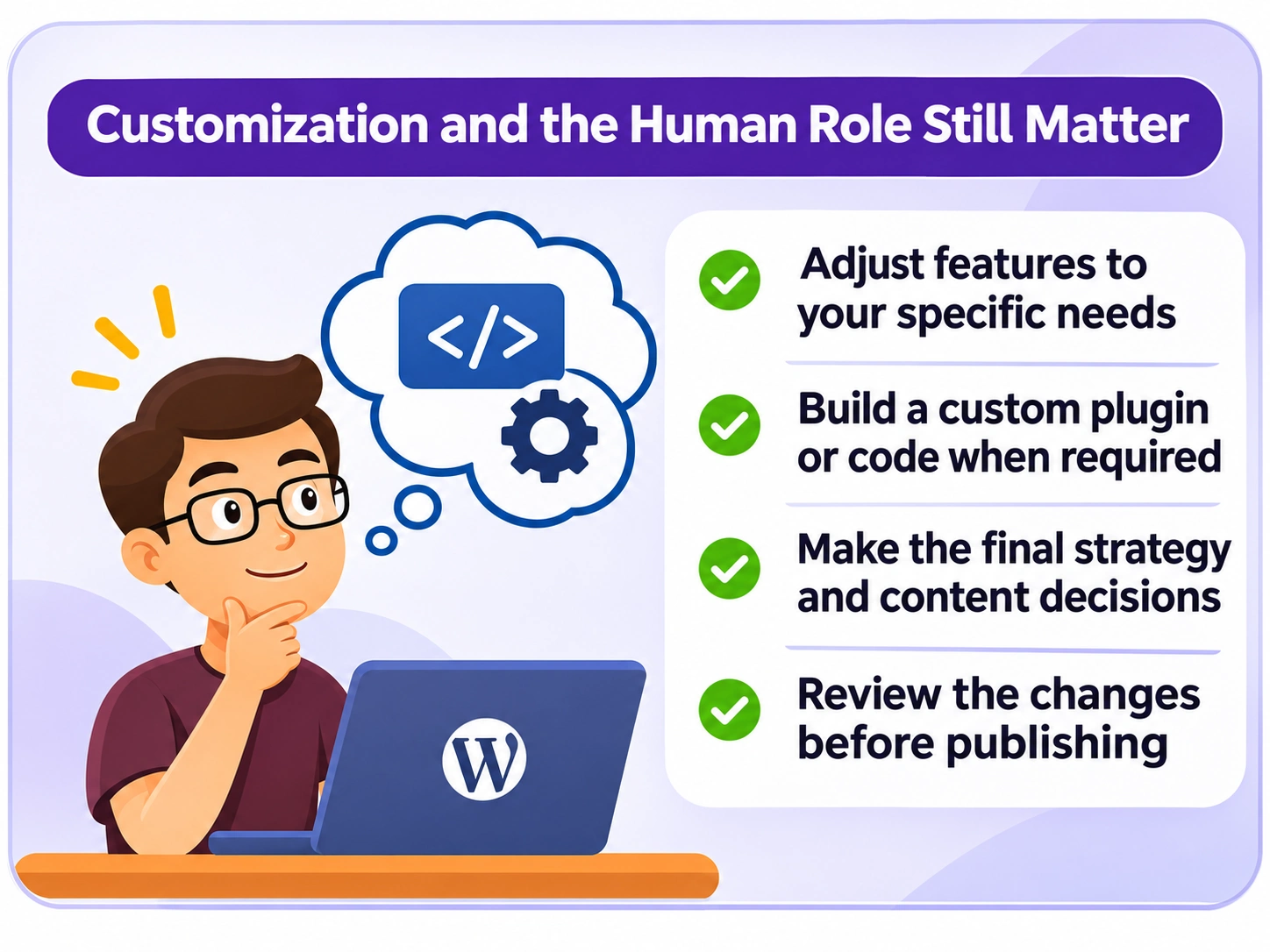
To address this, the development team may have to write additional PHP or JavaScript, create a custom WordPress plugin, or expose a narrowly scoped function or endpoint so the necessary operation can be called through the MCP workflow. The new code still needs permission checks, input validation, error handling, and compatibility testing. It should be reviewed in staging and protected against unintended changes.
Only after that technical capability exists can ChatGPT make use of it through the approved connection. MCP standardizes communication; it does not automatically invent APIs for every plugin or make unsupported WordPress operations safe. This is an important reason why WordPress development skills remain valuable even in an AI-assisted workflow.
AI Does Not Replace Editorial and Business Judgment
ChatGPT may identify an overly long section, but an editor should decide whether the details are genuinely unnecessary. It can recommend a new landing-page structure, but a business owner must judge which message fits the brand and customers. It can propose internal links, but an SEO specialist should assess relevance, search intent, and the reader’s next step.
We therefore treat ChatGPT as a capable assistant for reasoning and executing specifically permitted actions, not as the final decision-maker. People remain responsible for defining the objective, assessing risks, approving enhancement work, deciding what to publish, and reviewing consequences. Human judgment becomes especially important when a proposed action affects many URLs, public content, site-wide settings, or customer-facing features.
Security, Partial Failures, and Frontend Quality
Responsible deployment requires authentication, limited permissions, backups, and a clear approval process for consequential actions. Information retrieved from websites or documents should be treated as untrusted data rather than as instructions to bypass the original task. Even with a successful tool response, the team should check saved fields and the rendered page.
For example, a post may store correctly but display broken tables on mobile, incorrect spacing, missing embeds, or malformed links. A batch may update most entries while one fails. Accurate progress reporting distinguishes verified successes from exceptions requiring developer attention. The safest workflow is not the one that never stops; it is the one that knows when human involvement is necessary.
How to Get Started with ChatGPT and MCP for WordPress
Start with a well-defined, low-risk task rather than granting broad control immediately. A read-only audit of existing content is a sensible first step. Once you understand the available tools and permissions, test an update on a draft or staging site before expanding the workflow.
- Choose one use case. For example, review an old article or identify unclear SEO metadata.
- Check available capabilities. Confirm that the integration can access the right post types and fields.
- Set narrow permissions. Avoid administrator-level access where a smaller role is sufficient.
- Write an editorial SOP. Define protected elements, approvals, and how failures are handled.
- Test safely. Use drafts, staging, and backups for operations with real consequences.
- Verify before scaling. Read saved values and inspect the frontend rather than relying only on a success message.
- Develop missing features carefully. Involve a developer when a custom plugin or additional endpoint is needed.
This approach makes the technology accessible to non-developers without pretending that complex WordPress engineering can always be handled by a natural-language request alone.
Frequently Asked Questions about ChatGPT, MCP, and WordPress
Can ChatGPT directly edit WordPress posts?
Yes, when connected to an authorized tool that supports the relevant write operation. Otherwise, it can only prepare content or instructions for someone to apply separately.
Is MCP the same thing as a WordPress plugin?
No. MCP is a standard for connecting AI applications and tools. A WordPress plugin can participate in an integration or provide extra capabilities, but the concepts are not interchangeable.
Do I need to know how to code?
Not for every existing workflow. However, custom integrations, unsupported plugin data, and new functionality may require a developer to write and test code.
Can MCP help with WordPress SEO?
It can support tasks such as reviewing content, metadata, and internal links when appropriate tools are available. It cannot guarantee better search rankings.
Can ChatGPT manage multilingual WordPress content?
It can help draft, localize, organize, and check content. Correct language assignments, categories, permalinks, and translation relationships still need supported operations and verification.
Is connecting WordPress to ChatGPT secure?
Security depends on authentication, permissions, integration design, data handling, and review procedures. Use restricted access, backups, and explicit confirmation for sensitive operations.
Will ChatGPT replace a WordPress developer or editor?
No. AI can assist with repeatable tasks, but humans remain essential for content strategy, custom development, business decisions, security, and final quality assurance.
Final Thoughts: Better WordPress Workflows Still Need People
Our experience at Bloggerpi.com shows that ChatGPT and MCP can be useful far beyond drafting articles. They can support structured operations around content, SEO metadata, internal links, multilingual management, media, and landing pages. The greatest value is not a promise of full automation; it is the ability to connect reasoning, controlled tools, and repeatable editorial processes.
There will still be situations where a developer needs to build a custom WordPress feature or an editor needs to reject an AI recommendation. That is a strength of a responsible workflow, not a failure. The combination of ChatGPT, MCP, clear SOPs, technical development, and human review makes a more realistic foundation for scaling website operations. To explore related work, see our SEO content writing services and case studies.
References
- Model Context Protocol — Architecture
- OpenAI — Connecting Custom MCP Servers in ChatGPT
- WordPress REST API Handbook
- WordPress — Application Passwords
