

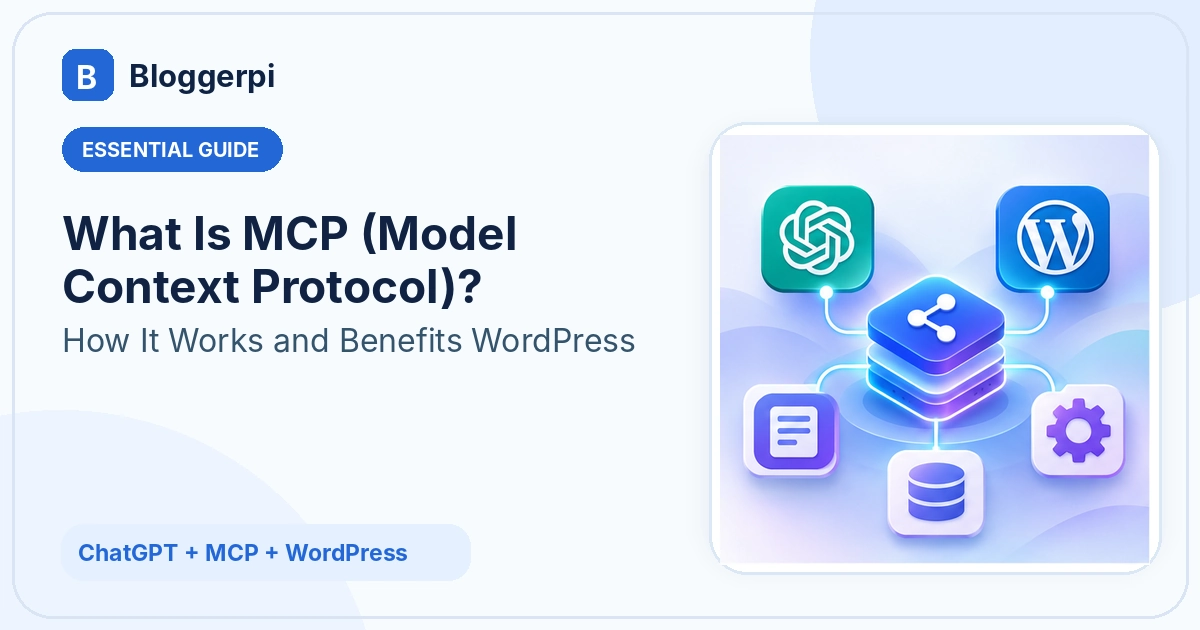
What is Model Context Protocol (MCP), and why should WordPress site owners care? MCP is an open standard that allows AI applications to interact with external tools and information sources through a structured connection. With an appropriately configured integration, ChatGPT can do more than suggest WordPress edits: it can retrieve website information and use authorized tools to carry out supported operations.
At Bloggerpi.com, we have applied this approach to content audits, SEO metadata updates, internal-link improvements, multilingual editorial work, and website maintenance. These are useful real-world examples, but they also illustrate the limits: not every WordPress feature is exposed by a connection, and human review, permissions, and sometimes custom development remain essential. This article explains the principles without identifying the specific MCP implementation used for our internal workflows.
What Is Model Context Protocol in Plain English?
Imagine asking ChatGPT to improve an old WordPress article. ChatGPT may understand the topic, propose better headings, and write a revised summary. Without access to the site, however, it does not automatically know the latest saved version of the post or have a permitted route to update that post. MCP is one way to establish the structured communication needed for an AI application to work with external capabilities.
An MCP server can expose several kinds of capabilities: tools for actions, resources that provide context, and prompts that define reusable interaction templates. For instance, a tool might retrieve a post by ID, another could return its SEO metadata, and a carefully scoped write tool might update a designated field. The server communicates those capabilities to the AI application using a standardized protocol.
MCP is not a separate language model, a complete SEO system, or an all-purpose WordPress administrator plugin. It standardizes the interface between AI applications and outside systems. Whether an operation actually works depends on the connected tool, its backend implementation, and the permissions granted to it.
How WordPress Data Fits into This Picture
WordPress contains posts, pages, taxonomies, media, site settings, custom post types, and plugin-specific data. The WordPress REST API exposes many operations, but private information and write actions require appropriate authentication. Some plugin features are not provided through standard endpoints. An MCP connection cannot automatically reach a field that no authorized tool makes available.
If you are unfamiliar with the CMS, start with our introduction to WordPress or the tutorial on creating a new WordPress post. MCP adds a possible workflow layer; it does not replace the core WordPress data model.
Understanding MCP Architecture: Hosts, Clients, Servers, and Tools
The official MCP architecture uses a host–client–server model. The host is the AI application that people interact with, such as ChatGPT. A client manages a protocol connection to a particular server. The server advertises and implements specific capabilities, subject to authentication, authorization, and other controls.
For a WordPress task, the conceptual sequence is straightforward. A person requests an operation. ChatGPT selects a suitable tool that the connection actually exposes. The MCP interaction carries the request to that capability. WordPress or its integration processes the operation according to permissions. The result returns to the conversation, where it can be inspected and compared with the original request.
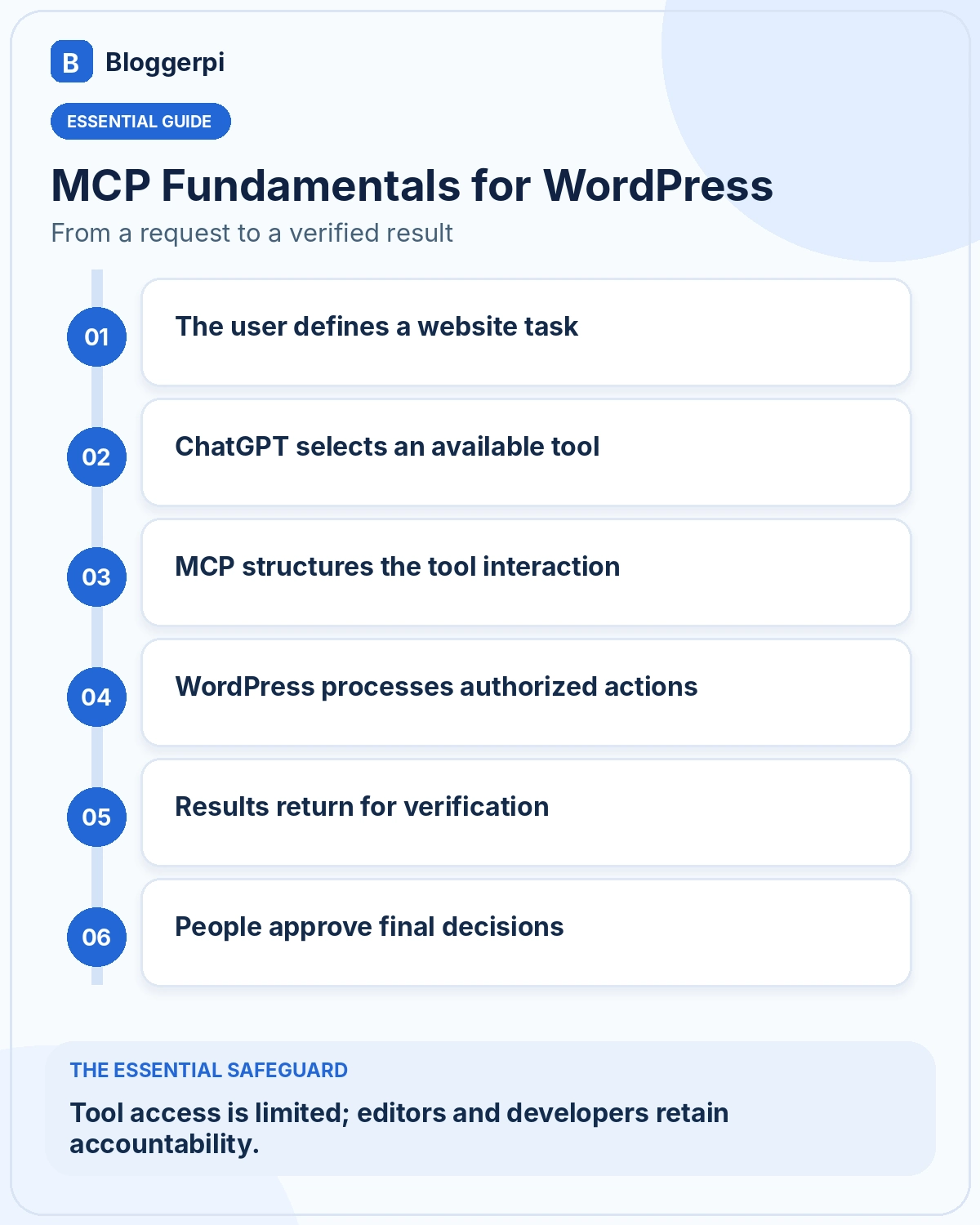
Nothing in this sequence means that AI has unlimited access to execute code or change website settings. The backend enforces the permissions that exist. If a particular operation is unavailable, the responsible next step is to report the limitation or seek an appropriate technical enhancement, not to assume that repeating the prompt will unlock a hidden API.
ChatGPT Without MCP vs. ChatGPT Using MCP
Without a WordPress connection, ChatGPT is still useful for research, article outlines, editing suggestions, and metadata proposals. A human then implements those suggestions in WordPress and checks the page. This is often sufficient for a one-off task, but it can be repetitive when the same process needs to be applied to many posts.
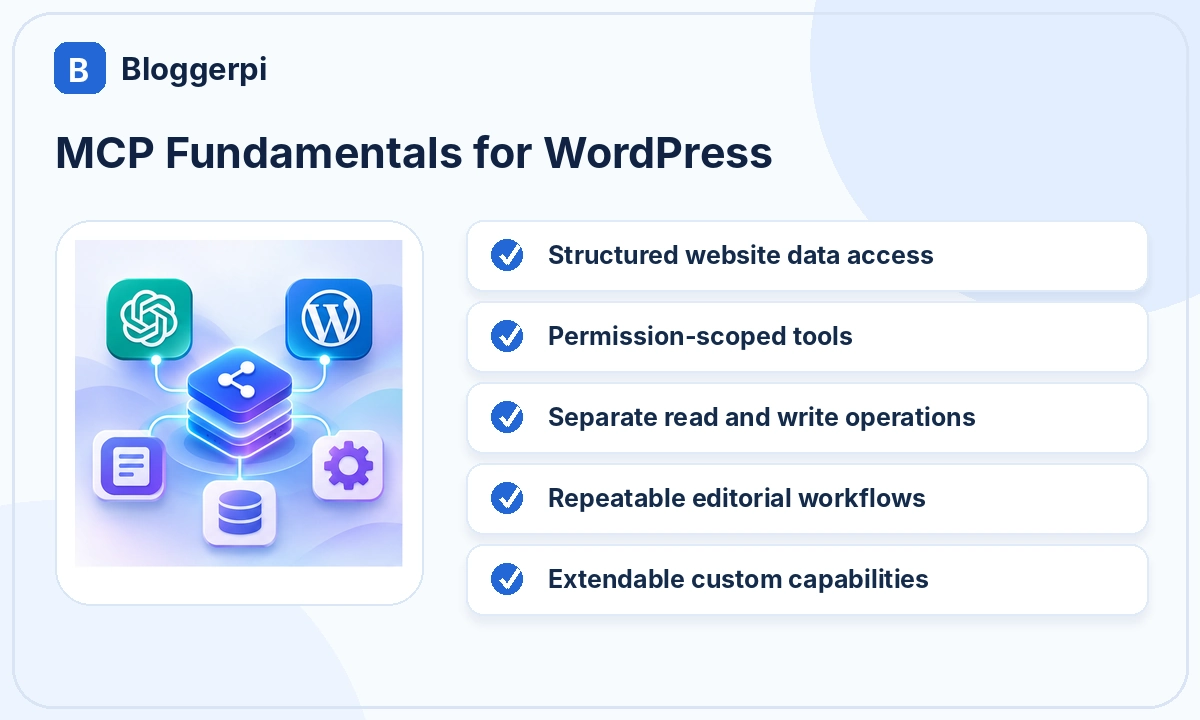
With appropriate MCP-enabled tools, the workflow can include retrieving a particular article, checking its stored data, drafting improvements, applying authorized updates, and reading the result back. The most meaningful change is not merely faster typing; it is the possibility of combining editorial analysis and controlled execution in a documented sequence.
A connection does not eliminate the need for professional judgment. Sometimes using the WordPress editor is still the safest option, especially when a page builder, historical content, or a complicated shortcode is involved. Automation is a design choice, not a requirement that every website operation must follow.
Five Practical Benefits for WordPress Management
1. Less Repetitive Administrative Work
Identifying a post, reading its current metadata, or checking a category follows a predictable pattern. When these actions are available through connected tools, some handoffs can be reduced. Actual productivity gains depend on the integration, quality checks, and complexity of the website; they should be measured rather than assumed.
2. More Consistent Editorial Procedures
An editorial SOP can specify which fields may change, which elements must remain intact, and which verification steps are mandatory. This is particularly valuable when editing published content containing links, images, embeds, author details, or historical information.
3. More Structured SEO Workflows
ChatGPT can assist with on-page SEO reviews, including the relationship between search intent, headings, titles, and internal links. Connected tools may then update supported fields. That makes execution more systematic, but it does not guarantee better rankings or replace the need for search data.
4. Better Support for Multilingual Content
International websites need contextual localization, not just literal translation. Separate categories, SEO metadata, permalinks, and language-specific links require coordination. Some of that operational work can be supported through MCP tools, provided the multilingual system exposes appropriate capabilities.
5. Extending Specific Capabilities with Custom Development
When a required function is missing, a developer can sometimes expose a safe new tool by building a custom WordPress plugin or endpoint. This is especially relevant when working with unique page-builder structures or custom post types. The enhancement must still be tested and restricted to the minimum appropriate permissions.
Real-World Examples from Bloggerpi.com
At Bloggerpi we have used ChatGPT-assisted WordPress workflows to review existing content, maintain Yoast metadata, improve internal links, and manage Indonesian and English posts. Landing-page work has also shown us that not every edit is a conventional post-field update. In some cases, additional code or a different editing method is required.
The experience is documented in our WordPress management case study. The useful lesson is the combination of natural-language planning, access-controlled operations, and verification. We do not attribute specific search-traffic improvements or time savings to MCP without comparable measurements.
Limitations: Why MCP Does Not Expose Every WordPress Feature
A connection may be able to read a post while lacking the capability to modify a translation relationship, theme option, or proprietary plugin setting. These limitations are not necessarily prompt-engineering problems. They often reflect missing functionality, insufficient permissions, or differences in how a website stores its data.
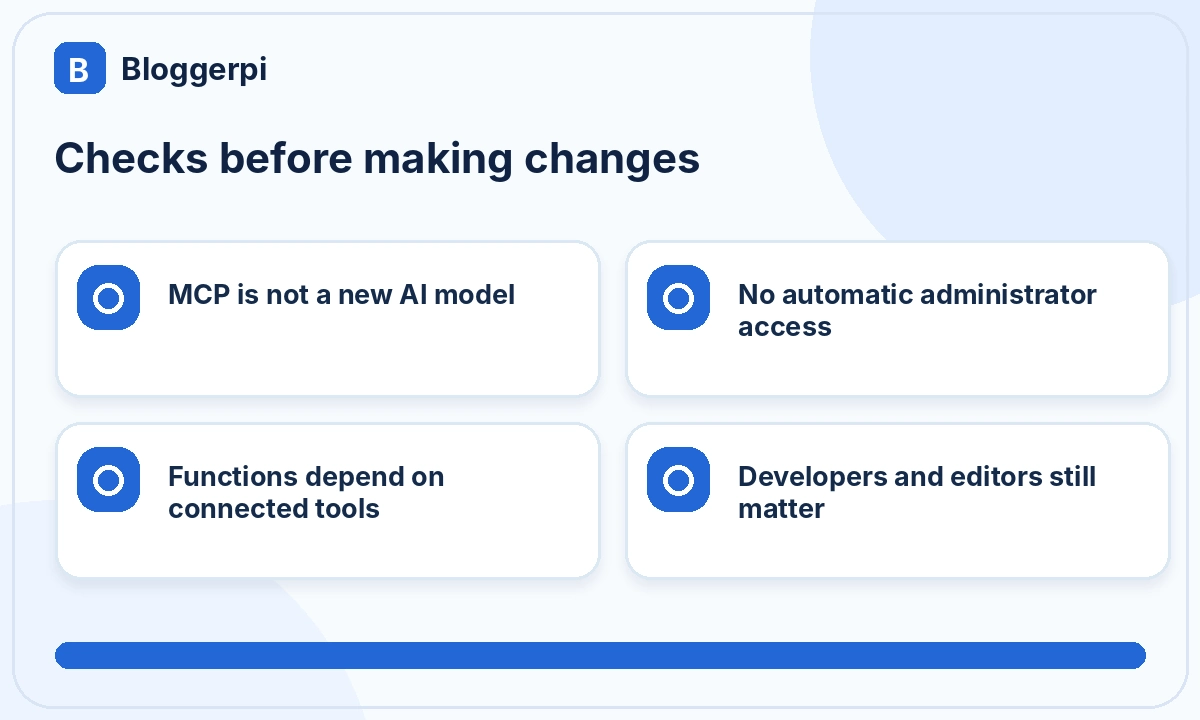
Developers remain important because they understand WordPress APIs, compatibility, security boundaries, and custom code. Editors remain important because AI can misunderstand content intent or remove valuable details from an old article. Even a technically successful update may require a frontend check to confirm that a table, image, or shortcode still renders correctly on mobile.
Getting Started with MCP for WordPress
- Choose a narrow use case. Start with a read-only content audit instead of giving broad write access.
- Identify the data and tools needed. Check which post types, fields, and plugins your task touches.
- Assess a trustworthy integration. Review its security model, capabilities, and maintenance approach.
- Test retrieval first. Compare the returned information with the source in WordPress.
- Try one low-risk write operation. Use a draft or staging environment and maintain a backup.
- Verify the saved result. Read the data back and inspect the rendered page.
- Document exceptions. Consult a developer if the workflow needs a custom capability.
This incremental approach separates learning the protocol from permitting consequential website actions. It also gives the team a way to assess whether a particular task genuinely benefits from AI-assisted execution.
Three WordPress MCP Use Cases with Different Risk Levels
Example A: Reading Posts Without Changing Them
Suppose a content manager wants an inventory of posts in a particular category. An authorized read tool can return titles, publication statuses, dates, and links for review. This is an appropriate initial test because it should not modify website content. Private posts still require authorization, and returned internal data should not automatically be shared publicly.
The instruction should specify which statuses and post types matter. If a tool only searches published posts, the result cannot accurately be described as the complete site inventory. A clearly reported visibility limitation is more valuable than an incorrect assumption that no drafts exist.
Example B: Updating One SEO Metadata Field
In a second scenario, ChatGPT retrieves an article and proposes a clearer meta description. An editor evaluates the wording and authorizes a limited update. A suitable tool then changes the supported field, and the stored value is read back for confirmation. The permalink, publication status, and unrelated post fields should remain untouched.
This example separates language-model capability from WordPress tool capability. Producing a compelling description is not the same as having permission to store it in Yoast SEO. The integration must expose the appropriate write operation, and the team needs evidence that the intended value was saved to the intended post.
Example C: Improving a Complex Landing Page
A service-page project may involve page-builder data, responsive layout, visual hierarchy, and business conversion goals. ChatGPT can propose changes, but making them may require specialized tools or developer assistance. Even when a tool saves a layout successfully, the rendered page should be checked across screen sizes before it is approved.
These three cases illustrate why “full WordPress access” is a poor substitute for a capability map. The right level of access and review depends on the specific operation and the consequences of an incorrect result.
How to Evaluate an MCP Integration Before Expanding It
Start by listing available read, write, and administrative tools. Confirm that permissions are checked by the backend and that operations cannot silently target unrelated posts. Test whether errors are surfaced clearly and whether the returned data reflects stored values rather than unverified completion messages.
Then test post statuses that your editorial team actually uses, including drafts and pending review items where authorized. Check plugin-specific fields independently. Finally, decide how you will compare data-level updates with the rendered frontend. An integration with a narrow but reliable set of tools can be more useful than one advertising broad functionality without adequate verification.
Designing an Editorial SOP Around Clear Boundaries
A strong SOP includes prohibited changes as well as desired results. For example, it may forbid changing public URLs, deleting media, altering publication dates, or publishing without approval. It should also define when a batch must stop and how uncertainty is reported. This matters because an instruction as broad as “improve the article” can otherwise be interpreted as permission to replace more than the editor intended.
Record successful operations, skipped items, and unresolved errors. That record can reveal whether the workflow needs better instructions, a different tool, or new WordPress functionality. MCP becomes more useful when it supports an auditable operational process rather than a collection of impressive but unverified demonstrations.
Frequently Asked Questions
Is MCP the same as the WordPress REST API?
No. MCP standardizes communication between AI applications and external capabilities. The WordPress REST API is one interface that an integration might use to work with WordPress data.
Does MCP require a particular WordPress plugin?
Not inherently. Implementations differ. What matters is compatibility, security, and the tools exposed by the connection rather than a universal product name.
Can ChatGPT publish WordPress articles directly?
Only when an authorized write tool and the relevant permission are available. Draft or review-first workflows are usually a safer starting point.
Will MCP automatically improve WordPress SEO?
No. MCP supports operations; search intent, editorial quality, and technical SEO still need to be addressed. See our guide to writing SEO-friendly articles.
Do WordPress developers still matter?
Absolutely. Custom functionality, access controls, technical troubleshooting, and maintenance still require development expertise and human accountability.
Conclusion
MCP helps connect ChatGPT to authorized WordPress tools, allowing certain website operations to move beyond copy-and-paste workflows. Its greatest benefit is structured, verifiable execution, not unrestricted automation. A practical approach combines AI assistance, clear editorial SOPs, limited permissions, developer support, and human approval. Explore related work in our Bloggerpi case studies.
Official references
- Model Context Protocol — Architecture
- WordPress REST API Handbook
- OpenAI — MCP Connections in ChatGPT
