

Can’t claim your business on ChatGPT? A failed or incomplete claim can have several very different causes. Business Hub might not find the listing, a code might not reach the company’s inbox or phone, a DNS TXT record might not be detected, OpenAI might still be reviewing the claim, or Persona identity verification might be incomplete. In other cases, the business is already claimed, the listing is locked, or the desired feature is not eligible in that location.
The right solution depends on identifying the stage that failed. Changing DNS settings will not fix a missing eligibility option, and resubmitting ownership information will not speed up a review already in progress. This guide provides a symptom-based troubleshooting process for legitimate owners and representatives, explains common technical errors, and identifies when to use OpenAI Support or the ownership-dispute flow.
Last reviewed: November 16, 2026. Businesses in ChatGPT is a beta product, so methods, availability and interface labels may change. There is no universal guaranteed approval time. Do not trust services that offer reusable verification tokens, guaranteed approval, or shortcuts around identity checks.
First, Identify Where the Claim Process Stopped
The claim journey has multiple stages. You first search for the correct listing, select an available proof-of-ownership method, complete that method, and wait for OpenAI’s review. Once the initial claim is approved, the company can access its profile in Business Hub. However, publishing business information, connecting a feed or accessing available insights requires separate Persona identity verification.
Before trying any fix, record what the interface actually says. Capture the exact error or status, the stage, the method selected and the date. Avoid saving passwords, one-time codes, full verification tokens or government identity documents in a shared troubleshooting log. This information is sensitive, and most common problems can be described without exposing it.
If you want to compare your experience with a documented successful process, read our five-screenshot business claim tutorial. It follows an authorized website-domain claim from method selection to approval and can help identify which screen differs from yours.
Quick Diagnosis: Symptoms, Causes and Initial Checks
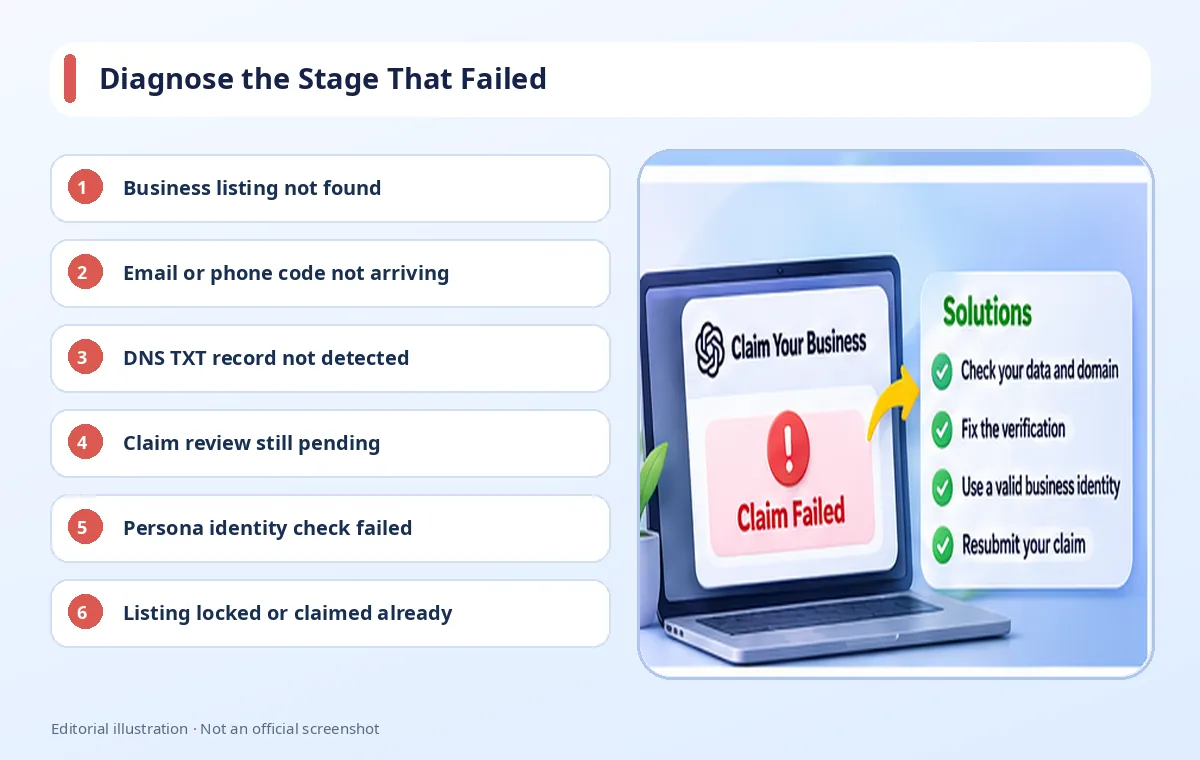
| Symptom | Possible cause | First action |
|---|---|---|
| Business not found | Listing missing or category/location unsupported | Check the name and any eligible Add business option |
| Email or phone code missing | Unavailable mailbox, SMS or filtering | Check the offered destination and inbox or phone |
| Domain verification failed | Wrong TXT host/value, DNS provider or propagation | Inspect the authoritative nameservers and the exact record |
| Review in progress | OpenAI has not made its decision | Wait for the email outcome or request for evidence |
| Edit controls remain restricted | Persona not approved or feature ineligible | Check the identity-verification and eligibility status |
| Listing already claimed or locked | Existing owner or access restriction | Use Dispute ownership or Contact support |
This table identifies reasonable starting points, not guaranteed diagnoses. A single symptom may have several causes, especially during a beta rollout. The goal is to narrow the issue using the evidence on the actual account rather than making repeated changes that could harm a production website or complicate a legitimate ownership review.
Problem 1: You Cannot Find Your Business Listing
Search the official company name carefully and inspect any similar results. A business can have multiple trading names, and choosing a similarly named company by mistake can create an ownership dispute. Compare the listed website and location with the organization’s real information. Do not claim a profile merely because the name looks familiar.
OpenAI’s Help Center says an eligible online business may be offered an option to add a new profile. However, local stores and restaurants can currently claim only existing listings in the United States. Therefore, an unavailable Add business option in Indonesia may be a category or rollout restriction rather than a broken search feature. Do not work around it by entering a false US address or an unrelated industry.
If the listing genuinely appears incorrect, document what you can verify and use official assistance. OpenAI prohibits fake or duplicate profiles, impersonation and false ownership claims. A legitimate company should be able to explain which records establish its name, website and authority without manufacturing a match.
Problem 2: The Business Email or Phone Code Does Not Arrive
Check the offered verification channel
The Business email method sends a code to an address associated with the company. The Business phone method can use SMS or an automated call. These choices are offered for the individual listing; owners should not assume they can substitute any preferred number or mailbox. Make sure the authorized claimant can legitimately access the channel displayed on the screen.
For email, check spam, corporate filters, aliases and whether the mailbox remains active. For phone verification, confirm that the device can receive messages or calls, including possible blocking by a carrier or anti-spam system. Avoid requesting many codes before establishing whether the previous message is delayed, because doing so can make it harder to determine which code is current.
Protect one-time credentials
A verification code is evidence of temporary access. Sharing it with an unauthorized intermediary can put the company’s listing and account at risk. If an agency assists with setup, the business owner should complete the sensitive proof themselves and use supported team or agency invitations afterward. Do not forward personal claim-invitation links simply to grant someone ongoing access.
Problem 3: ChatGPT Cannot Detect Your DNS TXT Record
Copy the exact record from the current claim screen
Website-domain verification instructs the claimant to add a TXT record. The required fields are generally Type, Name or host, and Value or content. Copy them exactly from your own Business Hub request. A token published in a tutorial belongs to someone else’s request and will not prove that you control your domain.
Common mistakes include a truncated TXT value, unintentional whitespace, a wrong record type or host name entered in the wrong format. DNS providers differ in whether a host field expects a relative label or a full domain. Some automatically append the domain suffix. If you enter it twice, the record may be created at a location that ChatGPT is not checking.
Verify which provider controls authoritative DNS
The company that sold the domain does not necessarily host its active DNS zone. If the domain nameservers point to another service, a record added in an old hosting control panel may have no effect. Inspect the nameservers and edit the appropriate zone. If Cloudflare hosts the DNS, create the TXT record in its DNS settings; TXT records are not managed as proxied web requests.
DNS propagation takes varying amounts of time depending on providers and caching. Do not promise a universal number of minutes or repeatedly alter working records out of impatience. When a token has changed or expired, use the current value. Also avoid deleting SPF, DKIM, DMARC or other live records, as doing so can disrupt business email security and delivery.
Problem 4: The Claim Is Still Pending Review
After the verification method has been completed, OpenAI reviews the business claim and emails the decision or a request for additional information. The Help Center says review times vary. A status such as Review in progress is not by itself evidence of a technical failure. Check the relevant mailbox and wait for instructions before starting another claim.
OpenAI offers a Cancel claim action while a request is being reviewed. Use it only when cancellation is actually intended; canceling and resubmitting without cause does not guarantee a faster decision. If the reviewer requests further evidence, prepare accurate records rather than guessing what might pass. If the request was denied, use the stated reason and available official support guidance.
Problem 5: Claim Approved, but Business Hub Features Are Locked
This frequently reflects a misunderstanding of the two-stage verification model. The initial ownership claim can be approved while Persona identity verification remains outstanding. OpenAI requires Persona approval before publishing updates to business details, connecting a product feed, viewing available insights, or creating an eligible Business Agent.
A domain panel can show Website access: Access confirmed while the business overview separately asks for a government-issued ID. The statuses are not contradictory. Open the profile, locate the Persona verification prompt, follow the official flow and wait for the decision. A successful document upload is not the same as a successful review, and the verified blue badge is tied to Persona approval.
If Persona fails or expires, follow the email from OpenAI. When a Try again action is available, correct the information to match official business records, including legal name, address and any registration or tax number requested. If you cannot retry, or the interface remains incomplete despite an approved result, contact OpenAI Support with the relevant steps and a redacted screenshot.
Problem 6: You Cannot Create a Business Agent
Business Agent eligibility is narrower than listing-claim eligibility. At launch, the feature is limited to qualifying ecommerce and online service businesses in the United States, subject to industry requirements. A business based in Indonesia may have a claimed listing without being allowed to publish an agent. That limitation should not automatically be labeled a failed claim.
Before trying to build an agent, confirm the correct profile, Persona approval, geographic eligibility and supported category. A Shopify connection or ChatGPT Business workspace is not a universal substitute for those requirements. Eligible organizations also need to review and deliberately publish their agents before customers can chat with them.
Problem 7: Someone Else Has Claimed the Business
When a profile is already claimed, OpenAI offers a Dispute ownership option from the listing’s three-dot menu. A claimant can be asked to complete Persona identity verification to establish legitimate authority. The appropriate goal is resolving access lawfully, not bypassing the previous administrator’s account or creating an inaccurate duplicate profile.
A listing can also be locked and show Contact support. Use that supported route, explaining the company identity, website and ownership context. Agencies should be particularly careful when contracts end: having previously built a client’s website or managed its DNS is not the same as having permanent permission to claim or control the business profile.
How to Contact OpenAI Support Safely
- Identify the claimed company, relevant listing and precise stage where the problem occurred.
- Write down the error message and the verification method, excluding passwords or full one-time codes.
- Capture a screenshot with government IDs, private email details and DNS verification tokens redacted.
- Describe the checks already performed, such as confirming authoritative DNS or the status of the Persona request.
- Use the official OpenAI Support channel and follow the response rather than posting sensitive material in a public forum.
Good reports focus on reproducible observations instead of theories about the cause. If the problem concerns a connected Shopify store, review the authorized store connection and the relevant Shopify help resources as well. If official legal documents do not match submitted information, correct the submission rather than altering the records to invent a result.
Infographic: A Safer Troubleshooting Workflow
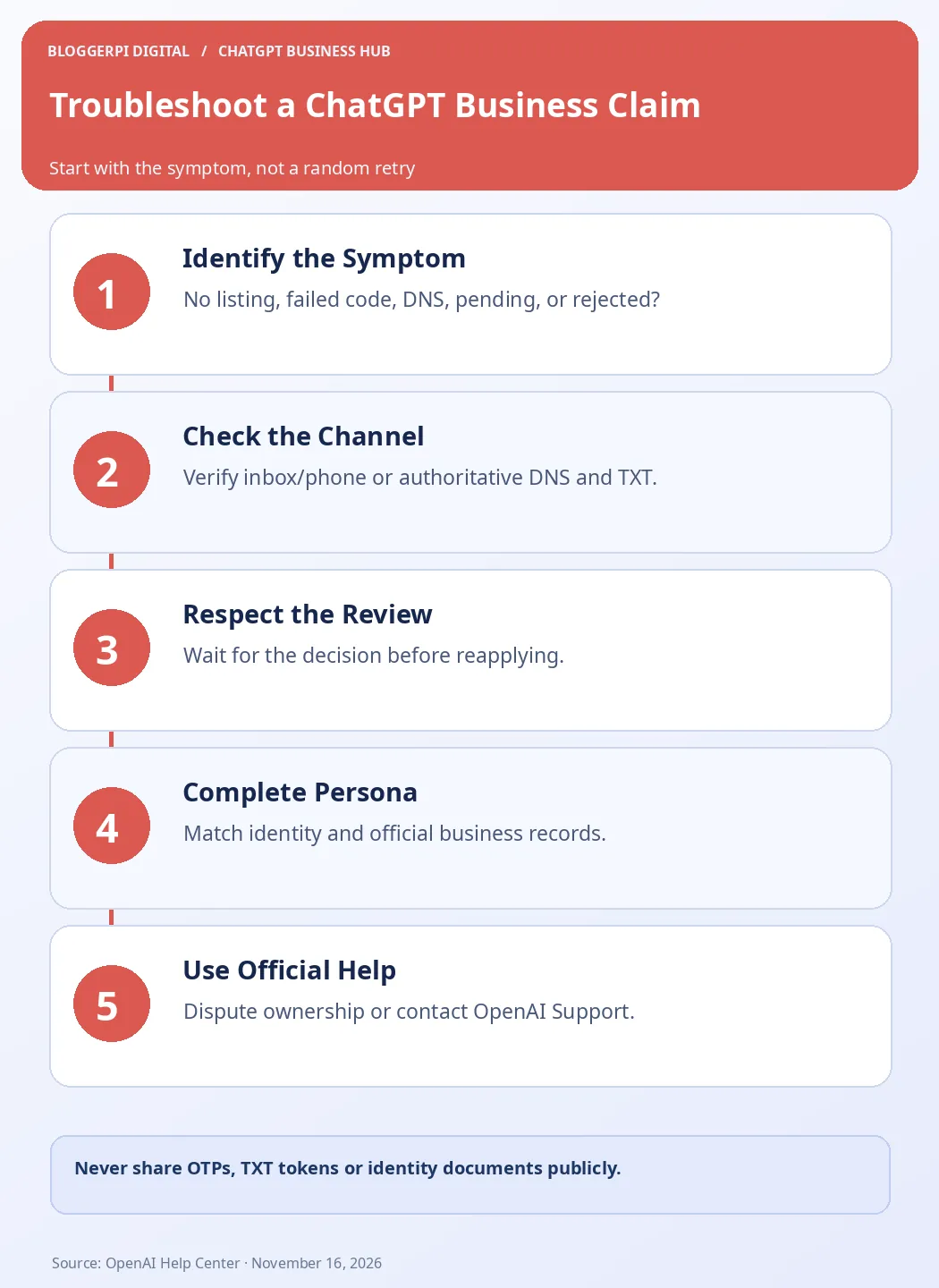
The infographic separates channel verification from administrative review and identity approval. That separation prevents a common mistake: changing live website settings when the actual blocker is a pending Persona request. Always confirm the on-screen status before taking a new action, and keep evidence of what was already submitted.
Frequently Asked Questions
Why did my business email code not arrive?
Check the actual destination offered, spam filters and access to the company mailbox. Not every listing supports email verification.
Should a DNS TXT record work immediately?
Not necessarily. Propagation and caching vary. Verify the exact host/value and authoritative nameservers before retrying.
Can I copy a TXT token from an example?
No. Use the value displayed in your own current claim request.
What does Review in progress mean?
OpenAI has not completed the claim decision. Wait for its email or request for further information.
Why can’t I edit my claimed listing?
Persona identity verification may still be required, or a particular feature may not be available to the business.
What if Persona verification is rejected?
Follow the official email instructions, correct inconsistent records, retry if offered, and contact Support if blocked.
What if another person already owns the listing?
Use the official Dispute ownership process or Contact support when the listing is locked.
Does every error mean my business is ineligible?
No. Errors may result from channel access, DNS setup or pending review, whereas other cases reflect eligibility limits.
Can a service promise a fixed approval time?
OpenAI says review times vary; a universal guaranteed turnaround should not be trusted.
Conclusion: Fix the Actual Stage Instead of Starting Over
Most ChatGPT business-claim problems become easier to understand once the stage is identified. A missing listing is different from an undetected DNS TXT record; an approved initial claim is different from approved Persona identity verification; and agent ineligibility is not automatically a claim error. Each issue deserves an appropriate, authorized response.
Begin with our complete claim walkthrough, then follow the error-specific checks and official OpenAI instructions. Keep your website and contact information accurate throughout the process, but never put production DNS, sensitive identity documents or account credentials at risk for an unverified promise of faster approval.
Official Sources
- OpenAI Help Center — Setting up your business on ChatGPT
- OpenAI — Businesses in ChatGPT Policy
- OpenAI — Businesses in ChatGPT
- OpenAI Help Center
