

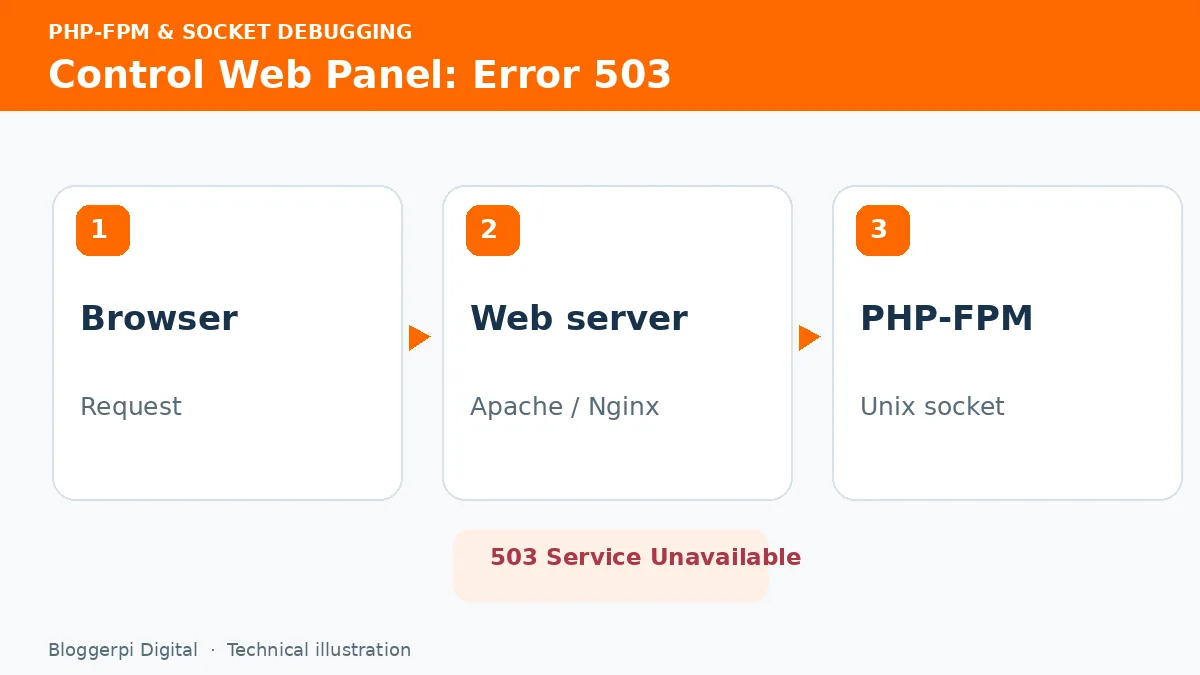
503 Service Unavailable in Control Web Panel (CWP) is not a single error with a universal fix. It can mean the web server cannot reach PHP-FPM, but it can also reflect a maintenance response, exhausted resources, an upstream problem, or a mismatch between the configured socket and a running PHP process. An older draft of this article showed Apache errors AH02454 and AH01079 from 2019 and proposed recursively modifying executable permissions across PHP-FPM directories. That is not a safe general-purpose repair. This updated guide uses evidence-first diagnosis, explains how Apache and PHP-FPM communicate, and outlines controlled recovery steps that preserve access to production websites.
What a 503 response means on CWP
HTTP 503 means a service is temporarily unable to handle the request. A web stack may involve Nginx, Apache, PHP-FPM, a cache, a load balancer, or a CDN. If the web server forwards PHP requests to a separate PHP-FPM process, a missing Unix socket or unavailable PHP pool can interrupt the application even while static images and CSS remain accessible. However, not all 503 responses originate in PHP-FPM. Determine which component generated the response before choosing a repair.
To understand the architecture, review installing Control Web Panel on a VPS and our WordPress Nginx and PHP-FPM configuration guide. CWP installations can use different service layouts and PHP selector mechanisms, which makes blindly copying paths from a previous tutorial unreliable. First map the request path and identify the part of the system that actually processes the affected domain.
Understanding AH02454 and AH01079 FastCGI log entries
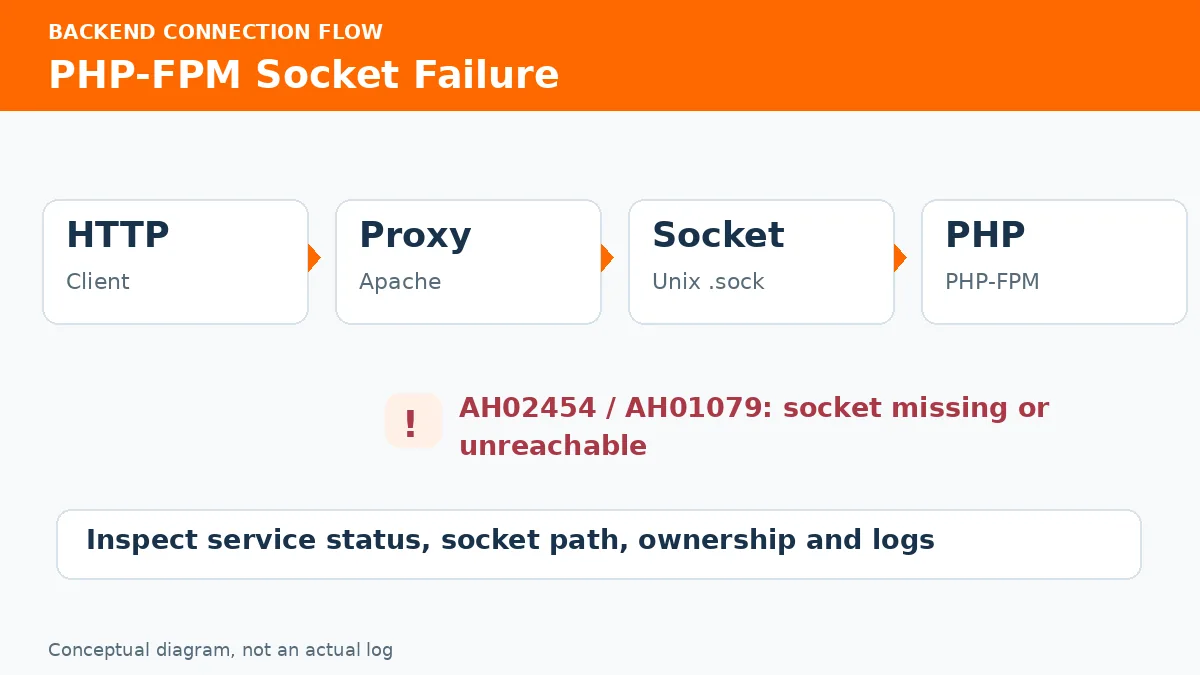
The original historical case reported AH02454: FCGI: attempt to connect to Unix domain socket ... failed followed by AH01079: failed to make connection to backend. These are Apache proxy FastCGI messages. They indicate that Apache could not establish the intended backend connection at that moment. They do not by themselves prove a global PHP-FPM bug, an operating-system vulnerability, or a need to change every permission under an installation directory.
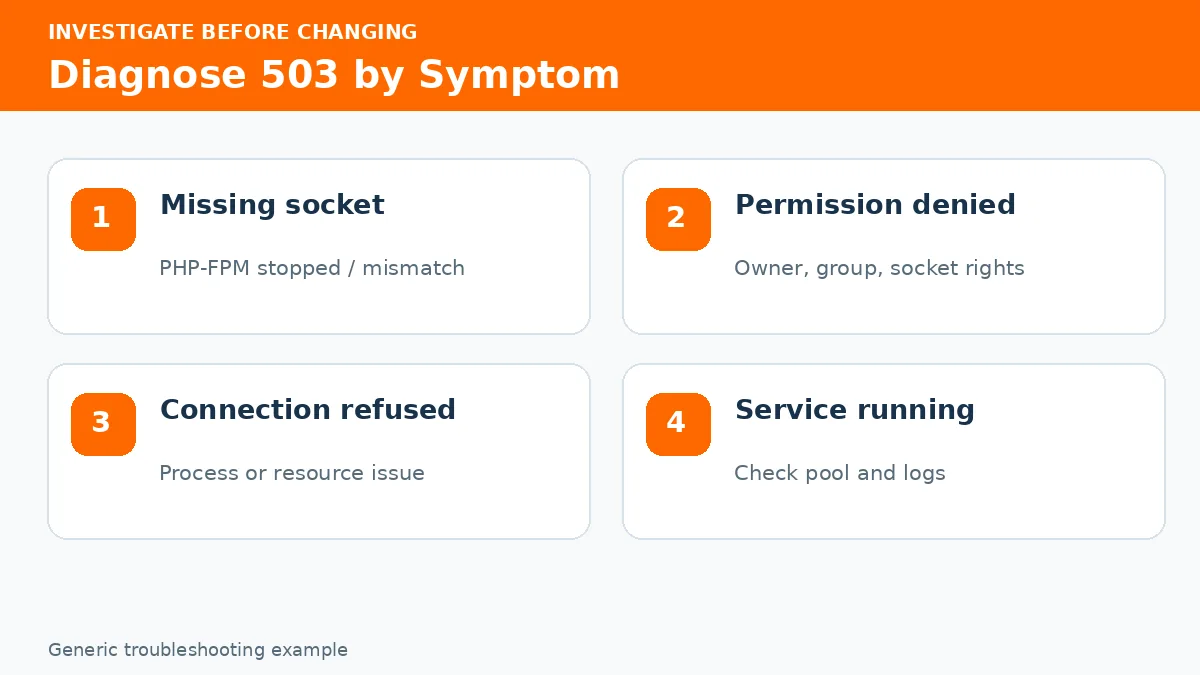
Read the operating-system error that accompanies the log line. No such file or directory may point toward a missing socket or wrong path. Permission denied suggests access controls need inspection. Connection refused may indicate a process or listener is unavailable. Correlate the timestamp and domain before taking action. An HTTP 502 Bad Gateway error can have a related upstream cause, but its status code and request path should not be treated as identical evidence.
Step 1: preserve the evidence before restarting anything
Record the first observed failure, which URLs are affected, any recent deployments or panel changes, and whether other sites on the VPS are healthy. Save a representative web server error-log excerpt and the PHP-FPM journal for the relevant period. Broad restarts may make the website temporarily reachable while erasing valuable state needed to understand a recurring problem. A controlled recovery begins with observation and a working backup, not a command copied from an internet discussion.
Check the active web-server stack, domain-to-PHP-version assignment, and whether a reverse proxy or CDN sits in front of the origin. Save application files, configuration, and data through an appropriately tested recovery procedure. Our automated MySQL backup guide covers one piece of data protection, but database backup alone does not preserve Apache, PHP-FPM, and web-server settings. Document which administrator is authorized to apply changes.
Step 2: identify the installed PHP-FPM unit
CWP may offer multiple PHP branches and pool configurations. A log referring to php-fpm56 or php-fpm73 reflects a historical path and must not be copied into a modern configuration without verification. PHP 5.6 and 7.3 have long reached end of life, so plan a supported-version migration with compatibility testing rather than relying on obsolete components. Consult the official PHP Supported Versions page for current active and security-only support windows.
On a systemd server, a read-only command such as systemctl list-units --type=service | grep -i fpm can help identify candidate units. Use systemctl status ACTUAL_UNIT only after confirming which service handles the domain. The placeholder is not a command to run literally. On hosts with another supervisor or process manager, use the relevant CWP or distribution tools. Do not assume every CWP installation manages service names identically.
Step 3: inspect PHP-FPM and web-server logs together
For systems using systemd, journalctl -u ACTUAL_UNIT -n 100 --no-pager is a useful observational starting point. Look for failed configuration parsing, the inability to create a socket, worker exhaustion, process crashes, and memory-related termination. Compare the timestamps to the Apache or Nginx log entries, not to an unrelated site that happens to be on the same VPS. If the failure happens only after a deployment, record the exact change and its rollback option.
A log can indicate much more than the status shown in a browser. For example, a missing listen directory is different from a socket that exists but has incorrect group access. A process may appear active while the particular pool needed by one website has failed. Review the active configuration rather than just a generic service status. If the problem followed WordPress changes, inspect the plugin installation and maintenance workflow but do not assume an application plugin is responsible for a backend connection failure.
Step 4: compare the socket expected by Apache with PHP-FPM listen
PHP-FPM pool configuration uses the listen directive to define either a Unix socket path or a TCP address. Apache mod_proxy_fcgi or Nginx fastcgi_pass must reference a compatible endpoint. A different directory, filename, or port creates a connection failure even when PHP-FPM itself is installed. Paths can differ across distributions, PHP versions, and server panels. The correct location is the one in the actual live pool and web-server configuration.
With administrative access, use read-only inspection such as ls -l /verified/socket/path.sock and, when available, namei -l /verified/socket/path.sock. Replace the example path with the one from your own configuration. For a Unix socket, the official PHP-FPM documentation describes listen.owner, listen.group, and listen.mode as access controls on Linux. Review these values and the web-server identity before editing any permission.
Step 5: distinguish missing files from permission failures
When the system reports a missing socket, first check whether the relevant FPM pool started and created the expected file. If it did not, inspect its service journal, pool configuration, and runtime directory. Changing the permissions of an unrelated directory cannot manufacture a missing socket. If the file exists but access is denied, determine the owner and group identities of both the PHP-FPM socket and the web-server worker before applying a narrowly scoped correction.
Do not apply commands such as chmod +x /opt/alt/php-fpm56 -R or chmod -R 777 as a general recovery fix. Recursive permission changes can affect scripts, configuration files, and sensitive directories beyond the target socket. They can introduce security vulnerabilities or make future package updates behave unpredictably. Our guide to SSL and HTTPS on WordPress discusses another important part of secure infrastructure, but neither TLS configuration nor caching repairs a missing PHP-FPM socket by itself.
Step 6: check CPU, memory, disk, and worker capacity
A PHP-FPM service may be installed and running yet unable to serve requests under severe resource pressure. Inspect available RAM, disk space, CPU load, and service logs with observational tools such as free -h, df -h, and uptime. Review whether one busy website or a scheduled task caused the pressure. Avoid immediately increasing pool child limits or enabling more concurrent workers without understanding memory use, because a larger worker pool can trigger out-of-memory termination.
Caching can reduce application work but should not be confused with recovery of a failed backend connection. The WordPress caching plugin comparison, Redis object cache setup guide, and Memcached and CWP guide describe distinct optimization layers. Use those techniques only after PHP requests work reliably. A successful static-page cache response cannot prove the PHP-FPM backend is healthy.
Step 7: make the smallest safe change and test
After identifying a specific configuration or service failure, the administrator can consider a targeted reload or restart using CWP or systemctl restart ACTUAL_UNIT. Confirm the actual unit name and understand that a restart can interrupt requests. Back up the relevant configuration first. Do not restart every service repeatedly without a reason, and avoid automated scripts that apply broad permission changes after each CWP scheduled task.
Verify recovery from multiple angles: the correct PHP-FPM pool is active, the socket exists at the configured path, new log errors have stopped, and formerly failing PHP pages return valid application content. Check a WordPress login or admin route through authorized access as well as a public page. If the problem returns, record the sequence rather than hiding it behind a scheduled restart.
How multi-layer Nginx, Apache, and CDN setups affect diagnosis
Some CWP environments proxy traffic through Nginx before Apache or apply an additional caching layer. An error generated by Apache can be surfaced to the browser by another component, making the response look like a CDN or application problem. Diagram the actual request path to know where to collect evidence. The articles on proxy servers and how proxy chains work explain why upstream and downstream errors require separate checks.
If a CDN is in front, compare permitted diagnostic access to the origin with the public response, but do not disable site protections merely to test. Header information and logs can help distinguish origin failures from proxy-generated responses. A 503 that affects only one domain may reflect a pool or virtual-host problem, whereas several affected sites could indicate a shared service or resource failure. Both cases still require evidence.
Differences between HTTP 502, 503, and 504
A 502 generally means a gateway received an invalid response from upstream; a 503 means the service is currently unavailable; and a 504 usually indicates a gateway timeout. Exact behavior depends on the web server, proxy configuration, and which layer emits the status. The numbers alone cannot prove which PHP pool is down or whether the root cause is the application, operating system, or load balancer.
If static resources work while every dynamic PHP endpoint fails, investigate the FastCGI path. If only certain WordPress routes are affected, review application-level behavior, maintenance settings, and plugin routing. After fixing the service, check that redirects and canonical URLs remain consistent; see the WordPress permalink migration guide for why routing adjustments should be verified separately from PHP backend repair.
Monitoring and preventing the next CWP 503 incident
Keep a short incident record with the timeline, affected websites, log messages, actual changes, and measured recovery checks. Monitor FPM process health, socket availability, resource pressure, and recurring errors after the incident. When downtime happens mostly during traffic spikes, examine pool sizing and infrastructure capacity with appropriate performance data rather than configuring a cron job to restart a service every few minutes.
If errors recur after control-panel updates, compare settings before and after the change. Do not institutionalize a recursive chmod workaround that can silently alter permissions across an installation. For a business site, correlate downtime with Google Search Console and Analytics reports without attributing a traffic decline to SEO content changes when the site may have been unavailable.
A practical diagnostic order for administrators
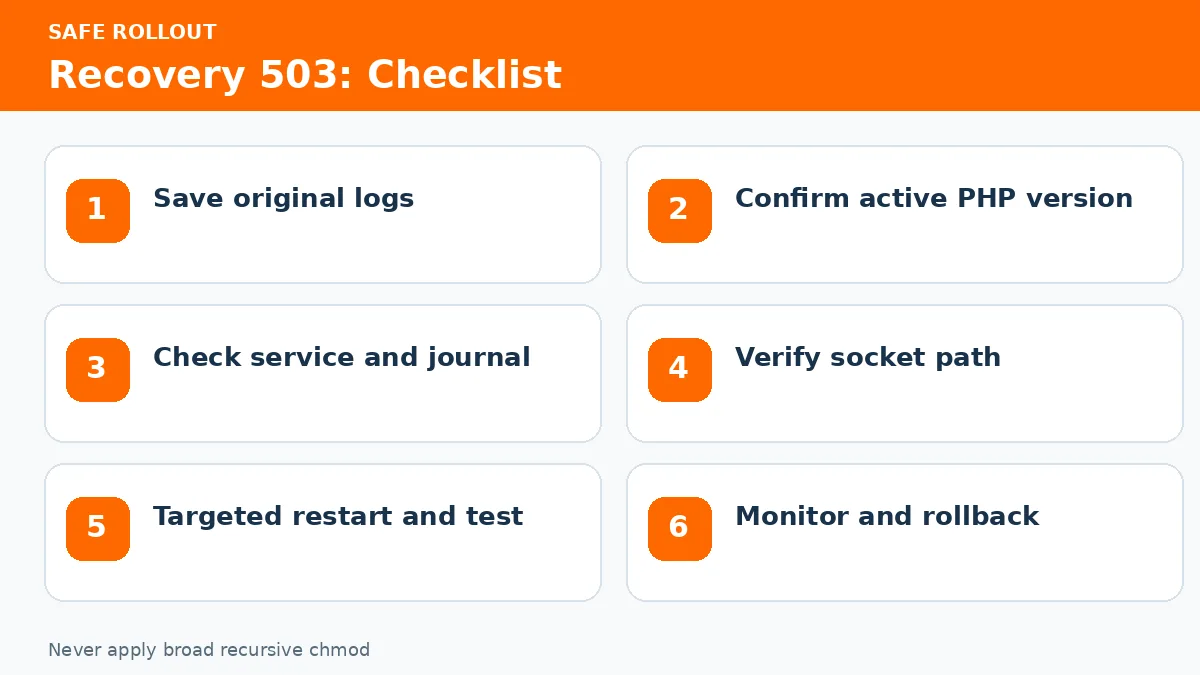
Start by confirming which website fails and whether the response is reproducible. Identify the active web server and PHP version, capture relevant logs, inspect the correct service, verify the socket endpoint, and review access controls. If the service cannot start, investigate the reason in its journal before attempting more changes. Preserve configuration snapshots and assign a person responsible for documenting every step taken.
Apply the smallest verified correction, restart only the affected service when required, and test the original failing URL together with representative PHP requests. If the infrastructure belongs to a managed hosting provider or you do not have the relevant permissions, escalate with sanitized log excerpts. Instructions from a 2019 forum post involving obsolete PHP 5.6 or 7.3 should not be copied onto a 2026 production VPS without compatibility and security review.
FAQ error 503 dan PHP-FPM
Does every 503 on CWP indicate PHP-FPM failure?
No. Use web-server and PHP-FPM logs, resource measurements, and the request path to identify the failing component.
What does AH02454 mean?
It often indicates Apache cannot connect to a FastCGI backend endpoint, such as a missing or inaccessible Unix socket.
What does AH01079 mean?
It records a failed backend connection. Read the surrounding error details to determine the likely cause.
Should I recursively chmod the PHP-FPM directory?
No. Broad recursive permission changes can affect unrelated files and introduce security issues.
How do I find the correct PHP-FPM service name?
Inspect the active CWP PHP assignment and the services installed on the server rather than copying an old example.
Will restarting PHP-FPM always fix a 503?
No. A restart cannot permanently fix a wrong socket path, incompatible permissions, or capacity problems.
Is 503 the same as 502?
No. The statuses describe different response classes, although proxy configurations can make their causes overlap.
Should PHP 5.6 or PHP 7.3 remain in production?
Those branches are unsupported; plan a tested migration to a supported PHP version that is compatible with the application.
Can Redis fix a missing PHP-FPM socket?
No. An object cache does not replace PHP-FPM or create a missing FastCGI listener.
What confirms that the site has recovered?
Verify that the correct service and socket are healthy, logs no longer show the failure, and affected URLs serve valid responses.
Referensi teknis resmi
- PHP manual — FPM configuration
- PHP manual — FastCGI Process Manager
- PHP.net — Supported PHP versions
- Apache HTTP Server — mod_proxy_fcgi
- Control Web Panel community — PHP-FPM 503 discussion
