

How do you optimize your ChatGPT business profile for more accurate information? The most useful starting point is not keyword density, but factual clarity. Eligible owners who have claimed their business and passed Persona identity verification can use Business Hub to submit updates to the company website, description, business category, visual identity and relevant policies. Those updates can help customers understand the business, but the process is not a way to force higher placement in independent ChatGPT recommendations.
Imagine someone finding an outdated company URL, a discontinued product, or a service description that does not explain the geographic coverage. A small factual mismatch can lead to confusion, missed enquiries and unnecessary customer service work. Optimizing the profile is therefore an exercise in maintaining trustworthy information—not just making a listing look complete. This guide sets out a field-by-field audit, an editorial review process and a realistic ongoing maintenance schedule.
Reviewed November 16, 2026. Businesses in ChatGPT is in beta. Fields and eligibility can differ by country, industry and profile type. Our recommendations are based on OpenAI’s Help Center and policy for business profiles, with practical marketing methods clearly separated from official requirements.
What Profile Optimization Means in Business Hub
Business Hub is OpenAI’s management area for authorized organizations. It can allow a business to correct its website URL, business description, category, branding and other supported information. The changes may be reviewed by OpenAI before appearing publicly. In contrast, optimizing a business website involves page architecture, headings, internal navigation, content quality and conversion design—tasks that remain under the site owner’s control.
The distinction is important. OpenAI’s business policy requires truthful representations of names, addresses or service areas, operating hours, contact details, and actual products or services. Fake reviews, duplicate or impersonated profiles, misleading links, invented qualifications and unsupported price promises are not acceptable. A profile optimization plan should start with those standards, not attempt to manipulate them.
If the business has not been claimed, consult our step-by-step guide to claiming a business on ChatGPT. That walkthrough follows a real domain-verification example. Only after the relevant approvals should an owner proceed to updating information through the available edit controls.
Verify Access Before Editing
An approved initial claim is not always sufficient to publish new business information. OpenAI’s Help Center says identity verification with Persona must also be approved before profile updates can be published, product feeds connected or insights viewed. Persona may request a government-issued ID, company registration data and proof that the administrator has the authority to represent the organization.
Keep the access process secure. Use a company-approved ChatGPT account rather than a shared personal login. The claiming administrator may be able to invite colleagues or grant an agency access through separate accounts. This allows the person who researches product details, the person who prepares copy and the authorized approver to work without circulating a single password across contractors.
- Sign in to ChatGPT on the web and open Business Hub from the sidebar.
- Select the claimed company profile and verify that the account has the required permissions.
- If Persona remains pending, select the official identity-verification flow and wait for approval.
- Open the supported business editing controls, such as Edit business info.
- Compare each field against reliable company records and submit accurate changes.
- Track the review status and verify the published information after OpenAI completes its checks.
Six Areas to Audit in a ChatGPT Business Profile
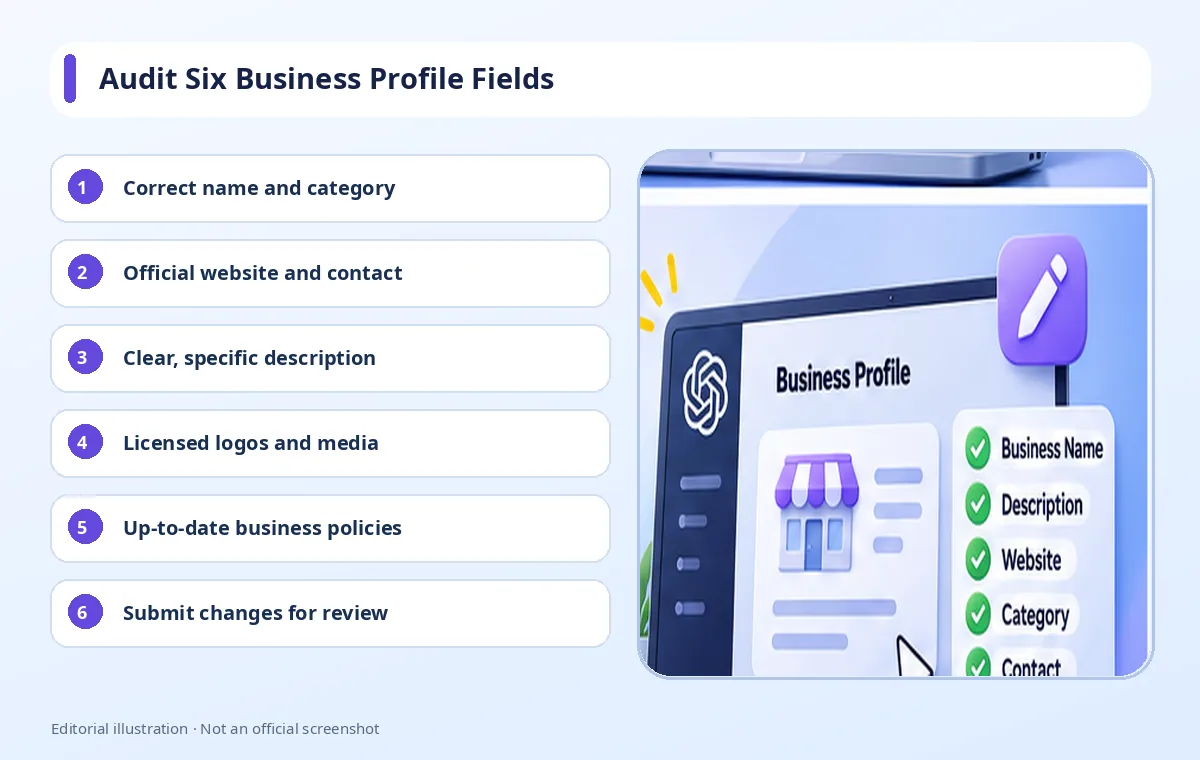
1. Business name and category
Use the actual public business name and a category that describes the offer. Resist adding phrases such as “best ChatGPT recommendation,” “number one,” or unrelated place names in an attempt to attract attention. The policy expects accurate representation, not promotional keyword stuffing. If the business has a registered legal entity name and a different trading brand, make the relationship clear on the website rather than inserting a confusing mixture into the profile.
Choose a category that reflects the organization’s core activities. A web development studio, for example, should not select an unrelated retail category simply because it seems more visible. Categories help describe what customers should expect. This logic fits the broader idea of credible and verifiable information, although the existence of a category is not a guaranteed ChatGPT ranking factor.
2. Official website, contact and service area
Check that the profile points to the correct HTTPS domain and that the destination page actually belongs to the named business. Update the phone number, location or service area when those fields apply. An online service provider should not invent a physical shopfront, while a business that serves only specific cities should explain that limitation. Information that looks small to a marketer can be decisive for a customer deciding whether to enquire.
Avoid shortened links that conceal their destination, unrelated redirects and landing pages that disguise what company is responsible for a service. OpenAI’s policy prohibits misleading links and malicious destinations. If the domain has recently changed, also audit old site redirects, email signatures, social profiles and any listings still pointing at the former domain.
3. Clear and specific business description
A useful business description answers who the company serves, what it offers, where or how the service is delivered, and any important limits. It should avoid vague promises such as “the best quality in the world” unless the statement can be supported. The goal is to help a reader understand the relevant facts in a short amount of time, not to create an impressive-sounding paragraph that could fit any competitor.
Mention relevant product and service terminology naturally. For a marketing agency, a description might specify technical SEO audits, editorial planning, WordPress implementation or conversion-focused content—only if those services are genuinely provided. If the team has particular qualifications, link to appropriate evidence on the official website. Avoid adding unsupported certifications, exaggerated results or service locations the company does not cover.
4. Logo, cover photo and brand assets
Visual elements should help users recognize the organization, not exaggerate the offering. Choose a current logo, a relevant cover image and a consistent visual identity. Make sure the business owns the material or has permission to use it, particularly for photos of identifiable people. OpenAI’s policy restricts the use of private information and material without appropriate rights.
Updating images frequently is not itself a meaningful objective. Prioritize a change when the branding has evolved, the imagery has become misleading or the product shown is no longer sold. On the company’s own website, make files accessible and responsive, add useful alternative text and maintain appropriate compression. A new image upload is not an evidence-based shortcut to a higher ChatGPT recommendation position.
5. Product information, prices and policies
Eligible retailers may connect a Shopify feed or CSV product feed that follows OpenAI’s specification. The feed should accurately describe item names, prices, availability and other required fields. Keep the data synchronized with the actual product pages. A product that appears to be available in one source but is out of stock at checkout creates a poor customer experience regardless of the discovery channel.
Review delivery, returns, refund terms and any material conditions that customers need to know. Do not omit fees to make an offer appear cheaper, and do not claim guaranteed results that cannot be justified. OpenAI may review submitted profile content. Connecting a feed is a separate capability from publishing a Business Agent, and it does not guarantee a product recommendation.
6. Consistency with other official sources
Identify a trusted source for each fact: the company website, legal records, product catalog, operations team and published customer policies. When something changes, update the relevant sources consistently. A store should not say “returns within 30 days” on the website while a profile describes a different time limit. A service agency should not continue promoting an offering that it stopped delivering several months ago.
Consistency does not require every platform to contain identical wording. Length and tone may vary, but core facts should agree. This also helps content teams avoid contradictory SEO landing pages. A regular usability review can identify customer-facing gaps that a business profile alone cannot resolve.
A Better Framework for Writing the Description
Open with the business type and the main offer. Follow with the audience and any verifiable differentiators, then specify relevant service coverage or purchasing options. A children’s clothing brand might explain the age groups it serves, the materials or product types it sells and where customers can see the catalog. This is more useful than claiming to be the most popular retailer in the country without supporting evidence.
For a professional service, an honest description should state what the team does and who typically benefits. If customers need a consultation before receiving a quote, say so. If a service is available remotely, explain that rather than listing arbitrary local areas. A concise description can still connect visitors to richer service pages and content resources that address the details a buyer needs.
What Happens After You Submit an Update?
OpenAI reviews and publishes the changes submitted through Business Hub. A saved field is not a guarantee that every generated answer will immediately reflect it; ChatGPT can also draw on other sources. This is why a post-submission check is important. Record the date, the original value, the requested change and the status shown in the interface, then verify the resulting listing when the review has completed.
If an edit has not appeared, do not submit the same information repeatedly without checking whether a review is still underway. Confirm that Persona was approved and that the field is supported for the account. When necessary, contact OpenAI Support with the exact step and a screenshot that does not expose identity documents, private contact information or verification tokens.
Will Optimizing the Profile Improve Ranking?
OpenAI explicitly states that claiming a business does not guarantee greater visibility or direct control of independent recommendations. Profile optimization should be understood within that limit. Accurate descriptions and policies can make information more helpful to customers, but neither the number of keywords in a business name nor a longer description creates an assured ranking effect.
A stronger operational plan tests improvements that owners can measure. Does the website load reliably on mobile? Can visitors find the policy they need? Is the main call to action clear? Do analytics and customer support logs show fewer avoidable misunderstandings? Those are often better measures of progress than a ranking claim. Refer to broader organic traffic strategy for complementary work that is not dependent on one profile.
A Practical 30-Day Maintenance Plan
- Week 1: verify ownership, Persona status, company name, category, official URLs and contact details; document the baseline.
- Week 2: prepare concise copy, review brand assets, inspect product data and confirm delivery or returns policies.
- Week 3: submit eligible changes, record their purpose and wait for OpenAI’s review without unnecessary duplicates.
- Week 4: examine published details, compare them with the website and log any available aggregate insights with their limitations.
This four-week schedule is an editorial workflow suggestion, not a commitment from OpenAI that every review will be completed within a specified number of days. Adjust the work to the actual status of the account. When eligibility or verification blocks an action, resolve the access issue before trying to optimize the content around it.
Infographic: Business Profile Accuracy Checklist
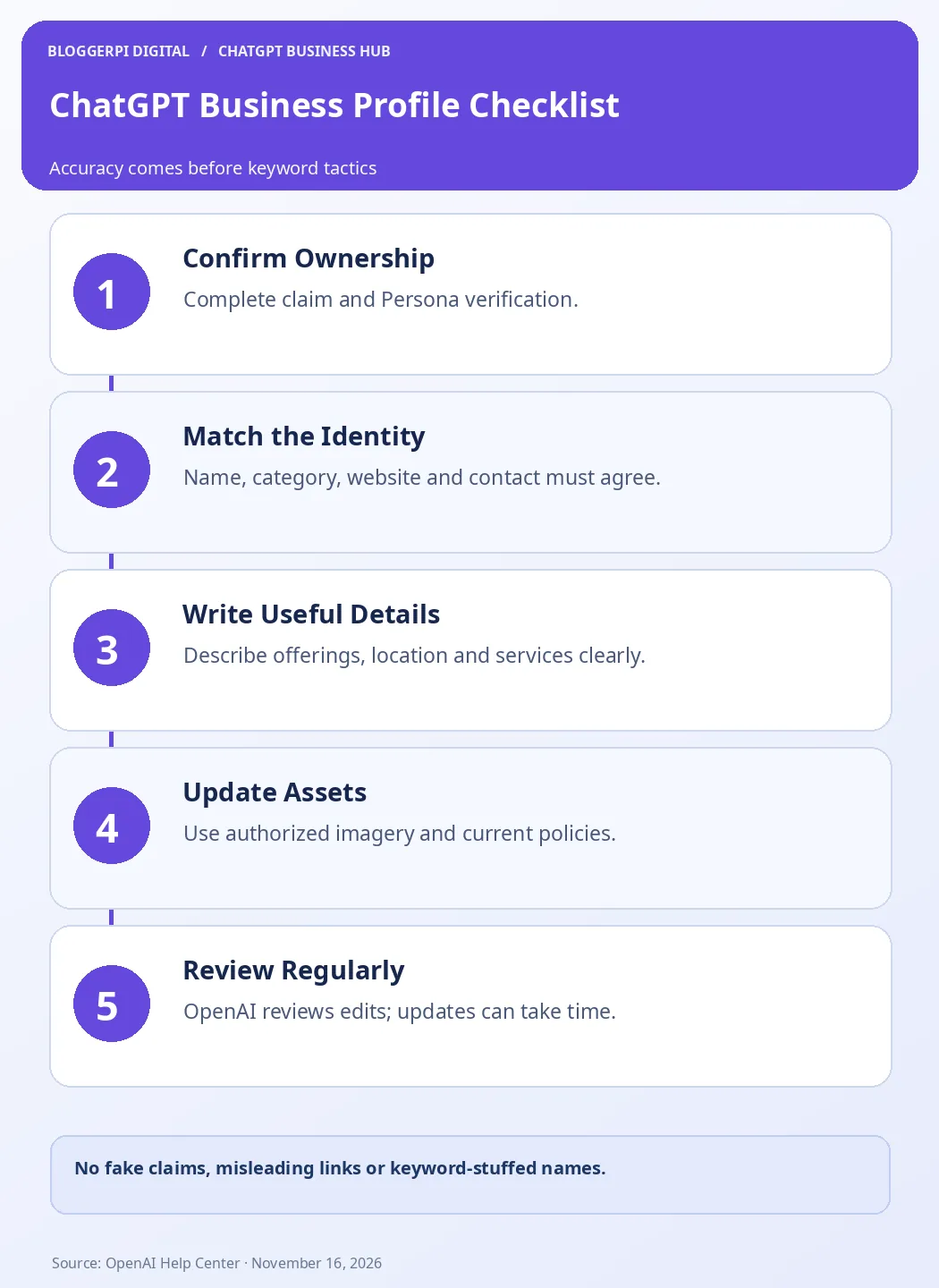
The infographic summarizes a repeatable process. It is not an official OpenAI completeness score or a ranking formula. Its purpose is to help teams avoid overlooking material facts or publishing content that cannot be substantiated. The final review step matters because the system may take time to publish changes and may continue referencing other information sources.
Frequently Asked Questions
Who can edit a ChatGPT business profile?
The owner or authorized representative with an approved claim and the required Persona identity verification for publishing changes.
Should I insert SEO keywords into my business name?
Use the real business name. Keyword stuffing and misleading names are not an appropriate optimization method or guaranteed ranking tactic.
Are edits visible instantly?
Not necessarily. OpenAI reviews and publishes submitted changes, and ChatGPT may also use information from independent sources.
Can I use any logo or image?
No. You must have the appropriate rights or permission, and the media must represent the business truthfully.
What is the difference between profile editing and product feeds?
Profile editing manages business identity and details; eligible product feeds provide structured product prices and availability.
Will a completed profile guarantee more recommendations?
No. OpenAI says claiming does not guarantee placement, traffic or sales in independent recommendations.
Can one account manage every brand location together?
Not automatically. The Help Center notes separate brand and location handling and no current centralized parent-brand management.
Is ChatGPT Business a required subscription?
No. Eligible business claiming does not require an Enterprise agreement or an advertising account.
Conclusion: Optimize for Accuracy, Not for a Secret Ranking Hack
The best ChatGPT business profile is one that accurately explains the organization and keeps relevant information current. Claiming and Persona verification provide the legitimate route to request changes, while OpenAI’s review governs publication. Owners should measure success through information quality and real customer outcomes rather than promises that a profile edit will change independent rankings.
Start with our business claiming walkthrough, then maintain the site pages that support customer decisions. A clear content strategy, credible evidence, relevant company policies and appropriate measurement tools remain valuable beyond any single platform.
Official References
- OpenAI Help Center — Setting up your business on ChatGPT
- OpenAI — Businesses in ChatGPT Policy
- OpenAI — Businesses in ChatGPT
