

How do you view and read ChatGPT Business Insights? Business Insights is the aggregated reporting area in OpenAI’s Business Hub, designed to help eligible owners understand when their business is referenced and how people interact with its profile or website from ChatGPT. Unlike Google Analytics or Search Console, its measurements follow platform-specific definitions and privacy thresholds.
The interface may contain cards for Mentions, Profile views, and Website clicks, along with Top 5 discovery topics. Not all cards will immediately display numbers. The genuine Kelanakids dashboard covered elsewhere on Bloggerpi showed dashes and a message that discovery topics would appear only when there were enough mentions. This guide explains the metrics, the most common causes of missing data, and how to turn available insights into responsible marketing decisions.
Updated November 16, 2026. The product remains in beta. Reporting eligibility, dashboard controls, thresholds, and access may vary by category or region. We distinguish official metric definitions from interpretations that are useful for SEO but cannot be treated as OpenAI’s own measurements.
What Are ChatGPT Business Insights?
Business Insights is a reporting capability offered within Business Hub. According to OpenAI’s Help Center, administrators can open their business and select Insights after the business claim and Persona identity verification have been approved. The documented reporting window covers the past 28 days; some observed interface views also display a seven-day option.
The reports are aggregated to protect privacy. OpenAI does not share the original consumer prompts or private conversations, including chats with Business Agents, with businesses. Reports may stay blank when the account has not received enough qualifying interactions to meet reporting thresholds. That is why a missing number should not be presented as confirmed zero brand exposure.
If you need to understand the steps leading up to the dashboard, our business claiming tutorial covers domain verification, while the Business Hub dashboard review documents three real Kelanakids screenshots. This article focuses on reading the numbers when they are available and interpreting their absence when they are not.
How to Access Business Insights Step by Step
- Check authority. Make sure the profile belongs to an eligible business you own or are authorized to represent.
- Complete the initial claim. Use one of the methods actually shown in your Business Hub, such as business email, phone, website domain, or Shopify.
- Complete Persona. The Help Center requires approved Persona identity verification before viewing Insights and using other advanced management features.
- Open Business Hub. Sign in to ChatGPT on the web, select your business, and navigate to the Insights area.
- Choose a time range. Inspect the 28-day report and, if shown, switch to seven days for shorter-term context.
- Review the metrics together. Read mentions, click activity, discovery topics, and any additional labels in light of their documented definitions.
If the Insights menu is missing, distinguish incomplete verification from product eligibility and unavailable reporting. OpenAI recommends that users check their verification status, then contact Support with the precise error message and a redacted screenshot if a problem persists. Sharing an ID document or private verification code with an unsolicited third party is not necessary.
What Does the Business Insights Dashboard Show?
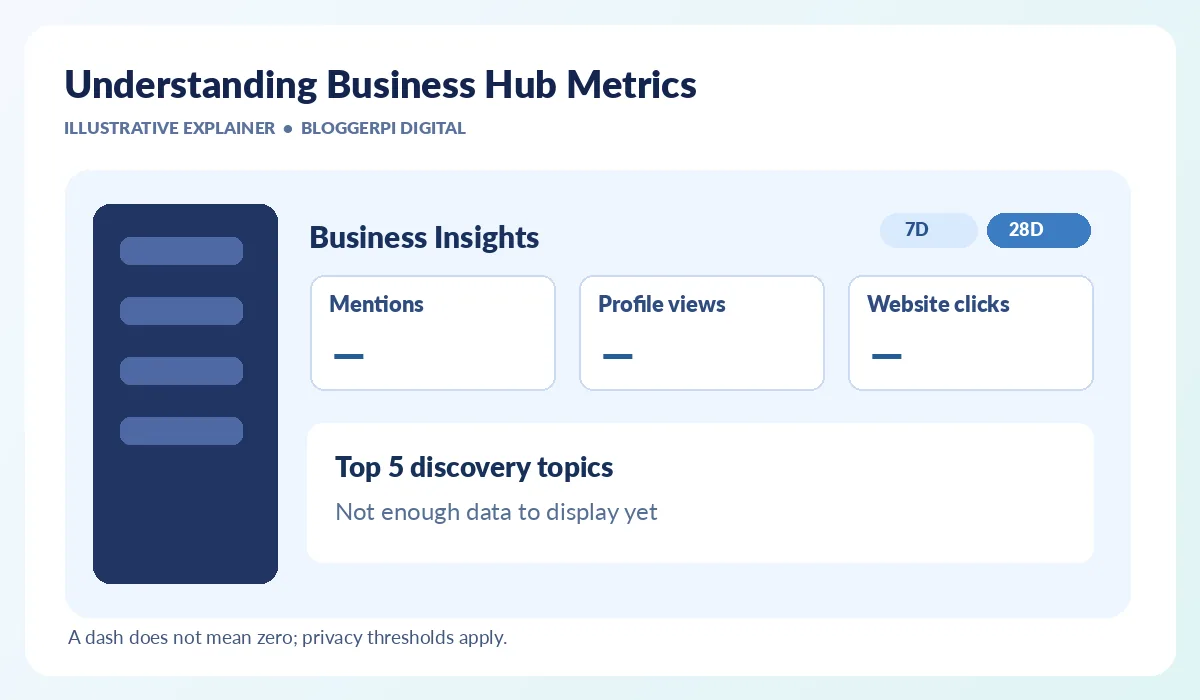
The diagram shows how the main components can be organized without inventing performance figures. In real screenshots, the top of the insights area can include Brand insights and Agent insights tabs, a 7D/28D time selector, summary metric cards and a separate discovery-topics panel. The controls help organize the report, but a visible tab does not itself prove that the business is eligible to use all the underlying features.
Mentions: What Actually Counts?
For an online business, OpenAI counts a mention when ChatGPT references that business’s website. An answer that merely names the brand without referencing the website does not necessarily count. For a local business, a mention counts when ChatGPT shows a result for that location—even when the person does not open its profile or visit its site. This distinction can materially affect comparisons across industries.
Mentions should therefore not be interpreted as all occasions on which a brand name appears online. They are neither Google Search impressions nor a measure of overall public awareness. An increase might signal a change in platform-reported references, but it cannot reveal the individual questions that caused the references, the intent behind those questions, or which specific website change produced them.
Profile Views: Do Not Confuse Them with Website Sessions
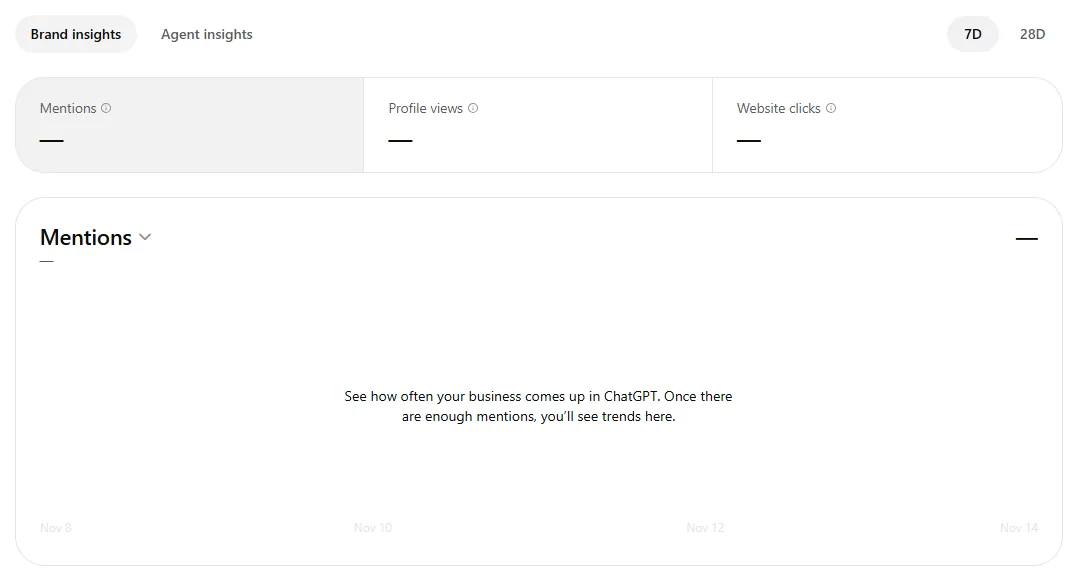
The Profile views label is visible in real Business Hub screenshots, including the Kelanakids example. However, the official documentation reviewed for this guide does not provide a detailed public calculation method for the metric. A careful analyst can describe it as a platform-specific profile-view indicator without asserting that it equals unique people, website sessions, pageviews or qualified visitors.
This also makes ratios tricky. Dividing website clicks by profile views and labeling it an official click-through rate would be misleading unless the dashboard provides the relevant definitions and denominators. If an organization needs a verified conversion funnel, website analytics and event tracking remain essential.
Website Clicks: Interest Beyond a Mention
Website clicks is the platform’s measure of click-through activity to the business website. It may be more directly relevant to site visits than a mention, but a click does not automatically equal a session in GA4. Tracking tools have distinct collection methods, time zones, privacy settings and filtering behaviors.
Likewise, a reported click is not an enquiry, a sale or proof of meaningful customer engagement. Marketers should compare website clicks with actual traffic, landing-page engagement and conversions where those signals can be measured. Any discrepancy needs investigation before being called an error in one platform or a success in another.
Discovery Topics and Top Five Discovery Topics
Discovery topics are groupings of common themes across ChatGPT answers that mentioned or cited the business. For example, a children’s clothing retailer might expect interest around sizing, comfort or age-appropriate materials, but those are hypothetical content ideas, not a claim that such topics appear in the Kelanakids report. Actual topics should only be described when the dashboard provides them.
Topics can be valuable prompts for editorial planning when interpreted alongside customer support questions and other research. They are not raw user queries, not an export of personal chats, and not a representative report of market demand. The term topic share should not be casually equated with the brand’s market share or percentage of all ChatGPT searches.
Brand Insights Versus Agent Insights
Brand insights concerns the business’s overall appearance and reported interactions. Agent insights refers to the separate Business Agent experience if that product is available for the business. Seeing the Agent insights tab does not demonstrate that an agent has been published, nor does it remove the geographic and industry requirements described by OpenAI.
As of the November 2026 launch, Business Agents have narrower eligibility, primarily qualifying US ecommerce and online service businesses. A claimed profile can exist without an agent, and an owner should never report agent performance when the feature has not actually been activated.
Understanding the 7D and 28D Reporting Windows
A seven-day window is useful for detecting short-term changes when enough data exists. A 28-day window offers a broader perspective and may smooth small variations. But the two periods are not separate channels: they are different slices of the same reporting system. Make sure the displayed timeframe and extraction date are recorded every time you build a report.
Short windows can be especially noisy for businesses with few qualifying mentions. An editorial change, a sales promotion or a seasonal event may coincide with a reporting shift without causing it. Avoid drawing causal conclusions from one snapshot. Compare several periods and document other changes to products, website pages, customer demand and competitive activity.
Why Are Mentions and Website Clicks Blank?
- Privacy threshold: there has not been enough qualifying aggregate activity for the report to display values.
- Data is still being collected: recent activity or a newly approved account may not be ready for reporting.
- Reporting is unavailable: an aspect of the service might not be enabled or supported for the business.
- Persona has not been approved: advanced insights require the additional identity verification step.
- Time range effects: a short window may have no reportable data even if a longer window eventually becomes populated.
OpenAI explicitly notes that a blank metric does not necessarily mean zero activity. Avoid filling missing cells with a zero in a client dashboard unless the platform supplies an actual numeric zero. The honest entry is “not available,” with a note about what the interface showed and when it was checked.
How to Use the Data for SEO and Content Planning
Start with a practical business objective. Maybe the company wants customers to understand a specific product feature, compare several service options, or find a transparent returns policy. If relevant discovery topics become visible, map them against existing website pages. Are those pages clear, accurate and easy to navigate? Are major customer questions left unanswered?
Then compare the insight signal with independent evidence. Keyword research, website analytics, customer enquiries and sales records each tell a different part of the story. The same discipline applies to ChatGPT Search strategy, expertise and trust signals, and SEO measurement tools. Optimize for useful, verifiable information rather than repeating a trending phrase throughout a page.
A rise in reported clicks can be an opportunity to audit the destination page. Is the opening message consistent with the business profile? Does the page load well on mobile? Is the next action clear? A click can generate a business outcome only if the visitor can complete the intended journey. This is where usability and conversion work become more meaningful than a standalone mention count.
A Practical Reporting Template
For recurring reporting, maintain a table with the capture date, profile and Persona status, selected reporting window, mentions, profile views if available, website clicks, discovery topics, notable website changes and an independent analytics source. Enter “not reported” when a metric is blank, and keep screenshots that do not expose sensitive information. This prevents missing values from being mistaken for actual negative performance.
An additional next action field makes the report operational. Actions might include updating product availability, rewriting a confusing policy, adding verified service information or testing a landing-page CTA. Assign an owner and a review date to each action. A smaller, accurate report is generally more useful than a polished dashboard filled with unsupported estimates.
Infographic: Five Steps to Read ChatGPT Business Insights
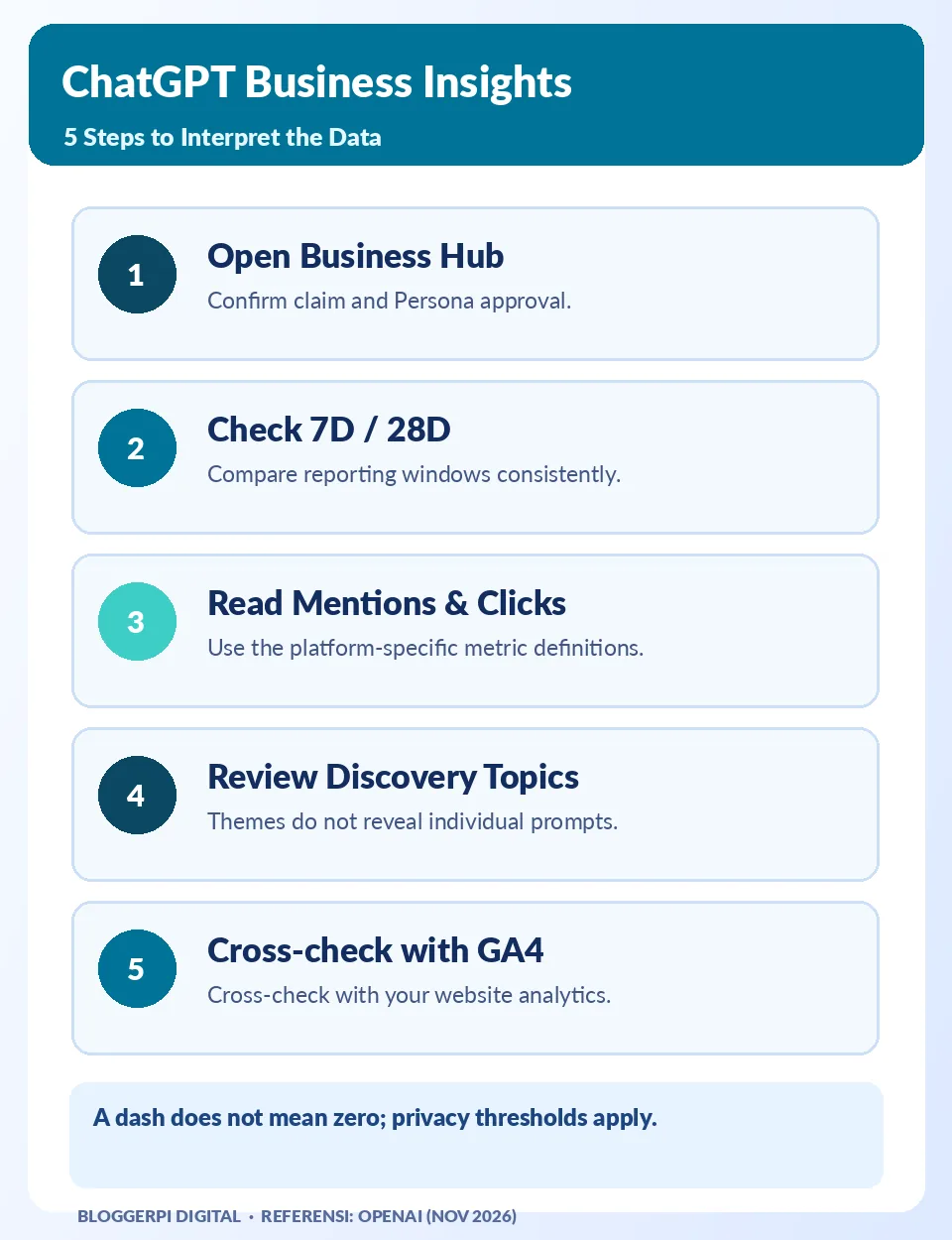
The infographic emphasizes the sequence most useful to an SEO team. The most important distinction is that a mention, a website click and a conversion are separate events. If any part of the report is unavailable, preserve that uncertainty rather than replacing it with a figure. This also helps business owners understand the limits of their evidence.
Common Analysis Mistakes
- Counting every brand-name reference as a qualifying mention for online businesses.
- Assuming a dash or empty discovery-topic chart confirms zero visibility.
- Reporting profile views as GA4 sessions without a supported definition.
- Treating discovery topics as private customer prompts or a complete keyword research database.
- Attributing a change to one content update without checking other possible influences.
- Ignoring Persona status, business eligibility, or the privacy threshold when presenting results.
Frequently Asked Questions
Are insights available immediately after a claim?
Not necessarily. Approved Persona verification is required, and metrics may also need sufficient activity to pass reporting thresholds.
Does a mention include every brand name in ChatGPT?
No. For an online business, OpenAI requires a website reference; simply naming the brand does not necessarily count.
Is a profile view a website session?
No public source in the documentation reviewed supports treating those as equivalent events.
What does a dash mean in the dashboard?
Data might be below the reporting threshold, still collecting, or unavailable. A dash is not proof of zero activity.
Can discovery topics reveal customer prompts?
No. Topics are aggregated themes across answers and do not expose users’ individual prompts or conversations.
Should I use 7D or 28D?
Use both where supported, but note the date and compare equivalent periods rather than presenting either as a definitive performance trend.
Does Business Insights replace GA4 or Search Console?
No. Business Hub supplies ChatGPT-specific signals, while website analytics and search tools measure different events and channels.
What if data remains blank for a long time?
Confirm that claim and Persona are approved, review the selected period, and contact OpenAI Support with the relevant details and a redacted screenshot.
Conclusion: Useful Signals Need Careful Definitions
ChatGPT Business Insights offers businesses a new view of how some interactions are represented on the platform. For marketers, its value lies in combining trustworthy definitions with clear business questions and independent validation. An empty card is not a failure, and a filled card is not by itself evidence of commercial success. Reliable reporting acknowledges both conditions.
To prepare your account, follow our claim verification guide, then review the real Business Hub screenshots. Revisit the official documentation as the beta evolves and use actual customer and website outcomes to guide optimization.
Official References
- OpenAI Help Center — Setting up your business on ChatGPT
- OpenAI — Introducing Businesses in ChatGPT
- OpenAI — Businesses in ChatGPT
