

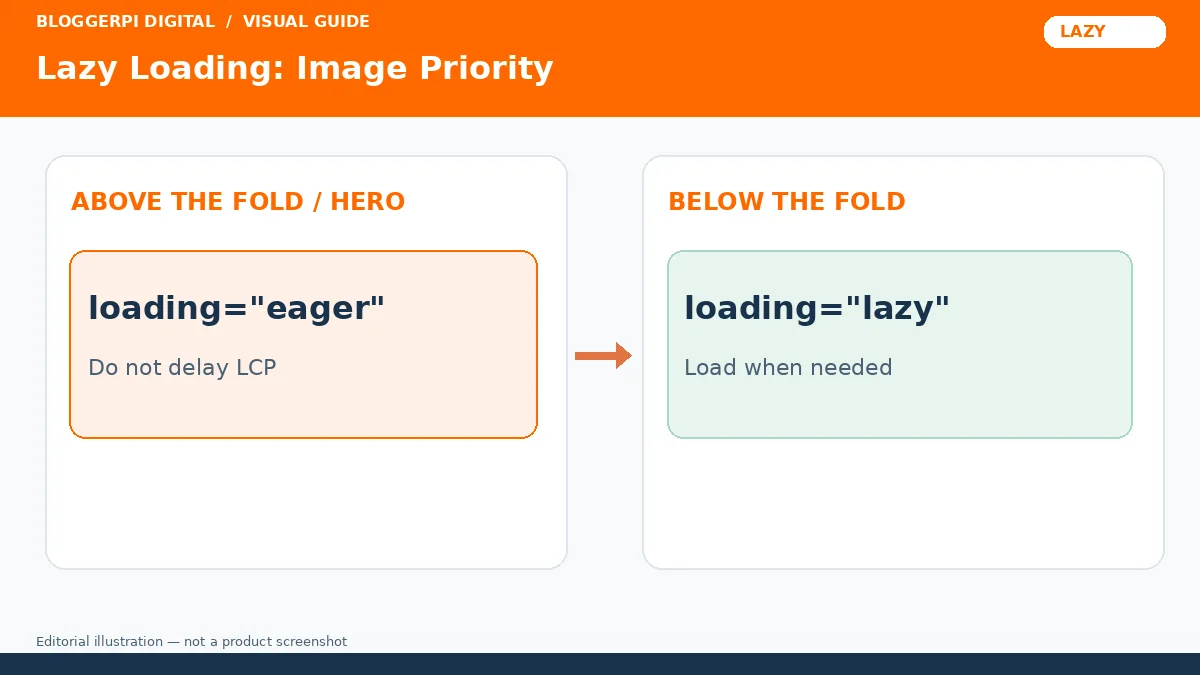
WordPress lazy loading plugins are not automatically necessary for a fast website. Modern WordPress already supports browser-native lazy loading for many images and iframes, with performance heuristics intended to avoid delaying important first-screen content. Installing another plugin may help with special cases, but it can also create conflicting behavior, especially when the main Largest Contentful Paint (LCP) image is deferred. This guide compares WordPress native behavior with a3 Lazy Load, Smush and WP YouTube Lyte, explains which problems each can address, and provides a practical QA approach without inventing benchmark results.
What lazy loading does—and does not—do
Lazy loading delays requests for images or iframes until they become relevant to the viewer, usually as the user approaches them while scrolling. It can reduce unnecessary downloads on long articles, product lists and media-heavy pages. The benefit depends on the resource: deferring a large video embed may have substantial value, while delaying a tiny decorative icon could provide little or no improvement. Extra JavaScript for a custom loader can itself add processing work.
The goal is to download assets at the right time, not to apply loading="lazy" everywhere. Visible critical images should be discovered early, while distant offscreen resources may wait. Review our essential WordPress settings guide for the site configuration context before changing loading behavior across an entire business publication.
Lazy loading already built into WordPress
WordPress introduced native image lazy loading in version 5.5. Subsequent core improvements consider how likely an image is to appear in the initial viewport and whether another loading priority would be more suitable. Content images rendered through standard WordPress functions often receive automatically selected attributes. For that reason, a “must-install lazy load plugin” recommendation from several years ago should not be applied without verifying the current HTML output.
WordPress provides functions such as wp_get_loading_optimization_attributes() to apply the appropriate loading behavior based on context. Featured images, early post content images and later images can therefore differ. Examine the final rendered markup rather than assuming the editor’s image block settings tell the whole story. If you are changing templates, use our safe WordPress theme change guide to protect the public layout and loading order.
Above the fold, LCP and the danger of lazy-loading the hero
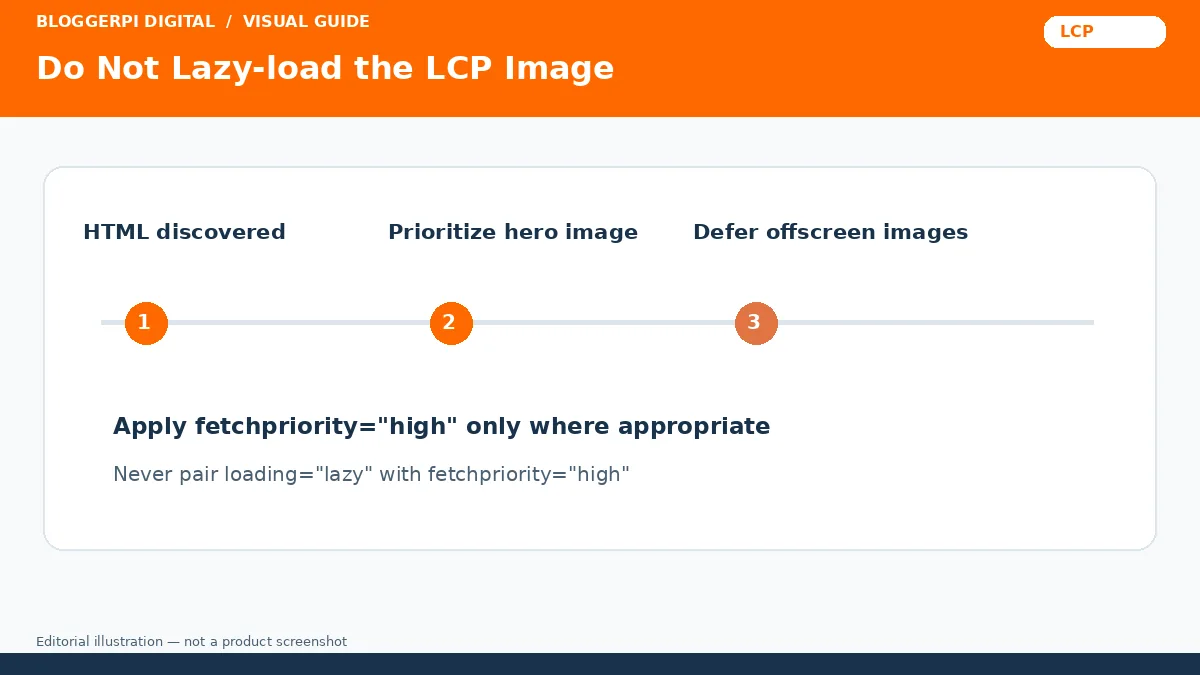
A large image visible on initial load may be the page’s Largest Contentful Paint element. Giving it loading="lazy" can delay discovery and fetch while the browser determines layout, even though the visitor needs that image immediately. A safer approach is to keep critical first-screen resources discoverable and prioritize them, while deferring assets further down the page. The exact fold changes with phone size, zoom and desktop dimensions.
The browser also supports fetchpriority="high" for an appropriately selected critical image. WordPress treats loading="lazy" combined with fetchpriority="high" on the same image as a conflicting anti-pattern. Do not assign high priority to every image or assume that a featured image is always the LCP; check the template and real viewport. Our Google Site Kit setup guide can support monitoring alongside direct browser inspection.
How to inspect WordPress lazy loading in a browser
Open a published page while logged out and inspect its image elements through browser developer tools. Look for loading, fetchpriority, explicit width and height, and responsive image attributes such as srcset and sizes. Use the Network tab to examine whether offscreen assets load later and whether a critical hero starts fetching promptly. A plugin being enabled in the dashboard is not proof that the public page behaves correctly.
Test the homepage, a long article, a category archive and a service landing page. Elementor layouts or custom theme templates may produce different markup from the standard Gutenberg post body. Repeat tests at mobile and desktop widths, noting which element becomes the visible hero. Related layouts such as WordPress navigation menus and sidebar and footer widgets can introduce their own images and embeds.
When do you actually need an additional plugin?
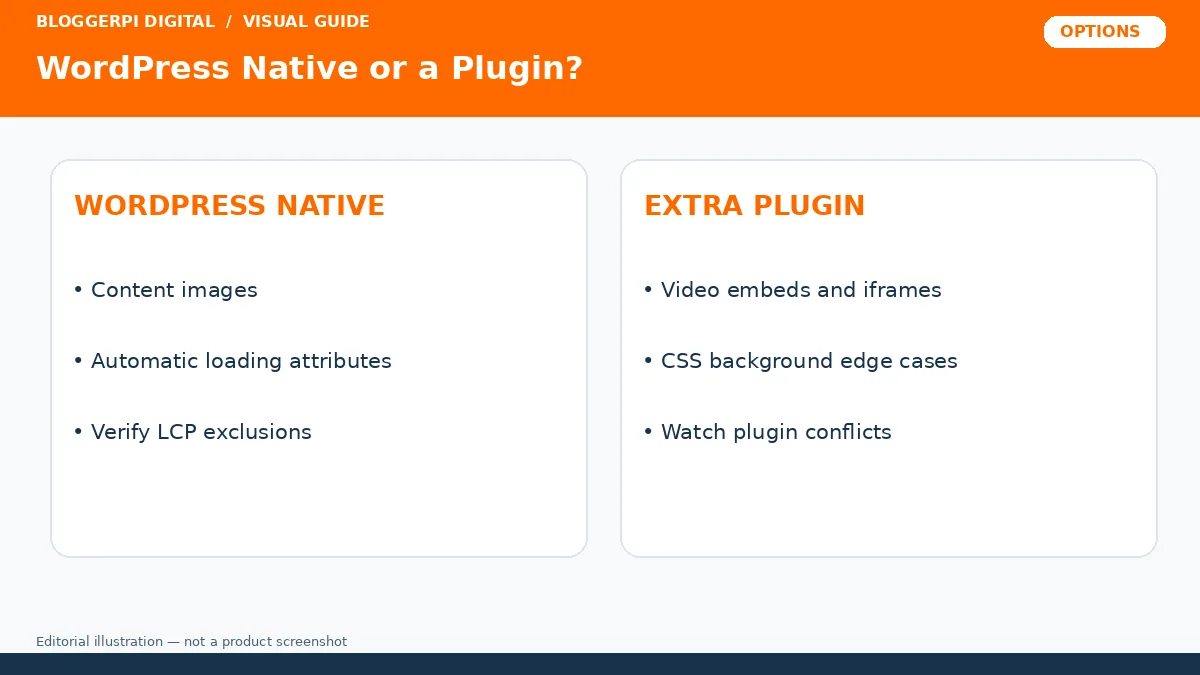
If WordPress native lazy loading already handles the page images well, another plugin may add little value. Identify a problem first: heavy YouTube embeds, unusual CSS background imagery, a complex gallery, or the need for more granular exclusions. Then compare potential tools against that need. Avoid running two JavaScript-based lazy loaders that both rewrite the same image attributes unless their interaction is understood and intentionally tested.
A plugin can provide options for iframes, video click-to-play placeholders and particular source types, but support and package limits change. Start with our WordPress plugin installation tutorial and plugin selection checklist before making production changes. A staging test reduces the risk of conflicts with caching, CDN optimizations and theme-specific image rendering.
a3 Lazy Load: relevant capabilities and limitations
a3 Lazy Load is a WordPress.org plugin that offers controls for lazy loading different types of visual resources, including images, video and iframes. It may help a media-rich website that needs behavior not provided by default. Before installing, verify the current WordPress and PHP requirements, recent plugin updates and support information. The precise settings can differ from screenshots in old articles, so use the plugin version actually running on your site as the reference.
For a gallery or product archive, compare the DOM and Network requests before and after enabling the feature. Watch for duplication with WordPress’s native loading attributes and for visual effects that create layout instability. A feature-rich plugin that does not resolve a measured problem is not necessarily worth maintaining. Keep a restorable configuration snapshot so the experiment can be rolled back.
Smush: compression and lazy loading are separate jobs
Smush is an image optimization plugin that also offers lazy-loading capabilities. A single tool can be convenient for teams handling media compression and load timing, though features may vary by version and subscription. Check whether your CDN or hosting service already resizes or serves modern image formats, such as WebP or AVIF. Running duplicate image transformations can waste work and complicate troubleshooting.
A lazy-loaded image is not automatically a small image. When downloaded, an oversized source still uses unnecessary bandwidth. Improve dimensions, format, responsive sources and compression before treating deferred loading as a cure-all. Then make sure the featured image is not delayed when it is important for LCP. Our comparison of WordPress SEO plugins provides a broader example of auditing overlapping site tools rather than installing everything simultaneously.
WP YouTube Lyte for expensive video embeds
Articles with several YouTube players can load substantial third-party resources. WP YouTube Lyte uses a more lightweight embed approach and documents special handling for YouTube links and player activation. This can be relevant to sites with embedded tutorials, interviews and webinars. Verify its interaction with Gutenberg, consent requirements, captions, keyboard controls and autoplay before replacing all standard embeds.
Do not convert historical shortcodes and embeds in bulk after only a synthetic performance test. Open a representative video page and confirm that the player activates reliably, that subtitles remain usable and that visitors using a keyboard can operate the controls. Saving a little bandwidth is not worthwhile if the user cannot watch the intended video. Keep a rollback path for any incompatible content blocks.
Why an old plugin list is not enough for 2026
A historical draft may name Lazy Load Optimizer or another extension that was recommended years ago. An older WordPress.org link alone does not demonstrate that the plugin is currently maintained, secure or compatible. Check its release history, tested WordPress version, support activity, privacy implications and known problems. If maintenance appears uncertain, native behavior or another well-supported option may be safer.
Separate genuine needs from a shopping list of fashionable plugins. Sites with host-level optimization should verify which functions are already enabled. In particular, Memcached object caching is different from deferring image requests in the browser. Those systems may both affect perceived speed, but they address different layers of the stack and should be tested separately.
Configure lazy loading without damaging usability
Create a backup and test the new behavior in staging when possible. Identify images that should remain eager, including certain logos, above-the-fold heroes and important product visuals. For images well below the fold, use native lazy loading or a compatible specialized plugin. Pay special attention to images inserted dynamically by sliders or client-side scripts, which may require different configuration from static content images.
Inspect map and video iframe placeholders, keyboard navigation, aspect ratios and any privacy consent interaction. A visual resource that stays blank after scrolling is a functional bug, not an optimization. If a sidebar includes third-party embeds, check both its loading behavior and the user experience through our WordPress widget guide. Repeat mobile checks before releasing the change to all templates.
Layout shifts, INP and other performance trade-offs
Lazy loading images without reserving their dimensions can produce a page shift when the asset appears. Use intrinsic width and height or a suitable aspect ratio so the browser can allocate space before download. This protects readers from buttons or paragraphs moving unexpectedly. Additional loading scripts can also affect interaction performance. A smaller initial transfer does not by itself mean the page feels faster or more stable.
Largest Contentful Paint, Cumulative Layout Shift and Interaction to Next Paint measure different aspects of page experience. Compare laboratory measurements with field observations, and record the devices and networks used. Do not claim that a particular plugin improved PageSpeed by an exact amount unless you have a repeatable experiment that supports that number.
A worked example: long article with several images and videos
Imagine a tutorial containing one featured hero, four instructional figures, two videos and a related-post grid. On a phone, the hero may be visible immediately and should generally not be deferred. The fourth tutorial figure and second video may remain offscreen for some time, making them reasonable candidates for lazy loading. Use Network inspection to see whether they are requested before the reader approaches them.
If all images are already marked lazy but LCP is still slow, inspect the hero image, render-blocking CSS, web fonts and server response. The solution may involve the theme or image compression rather than another lazy-loading plugin. Make controlled changes and log the results. Follow our theme testing and rollback process when a template-level change is needed.
Testing changes fairly instead of chasing a single score
A controlled technical comparison begins with a saved configuration, representative test URLs and several measurements under similar conditions. Record the plugin version, viewport, network profile, cache state and whether the correct images loaded. Evaluate ranges or consistent trends rather than cherry-picking the best score. Test both the visible content and the network behavior to understand what caused a change.
Avoid enabling multiple optimization tools in one step. Otherwise it becomes difficult to know whether a result came from image handling, caching or CSS. If CDN and transport settings are involved, coordinate with WordPress HTTPS guidance and document each layer. Prefer the simplest stable configuration that serves the user over the largest collection of enabled performance toggles.
Final lazy-loading QA checklist
For every major template, identify the possible LCP image and inspect its loading attributes. Confirm that offscreen elements wait as intended, images reserve layout space, iframes work, and the page remains navigable by keyboard. Test logged-out desktop and phone sessions. Check that captions, alt text and interactive elements still appear where users expect them.
Also verify that calls to action are not hidden by overlays or delayed media. A page can have fewer initial requests while becoming harder to use. Review its internal navigation with our WordPress internal linking audit and record a repeatable testing procedure. These checks help maintain improvements when themes or plugins change later.
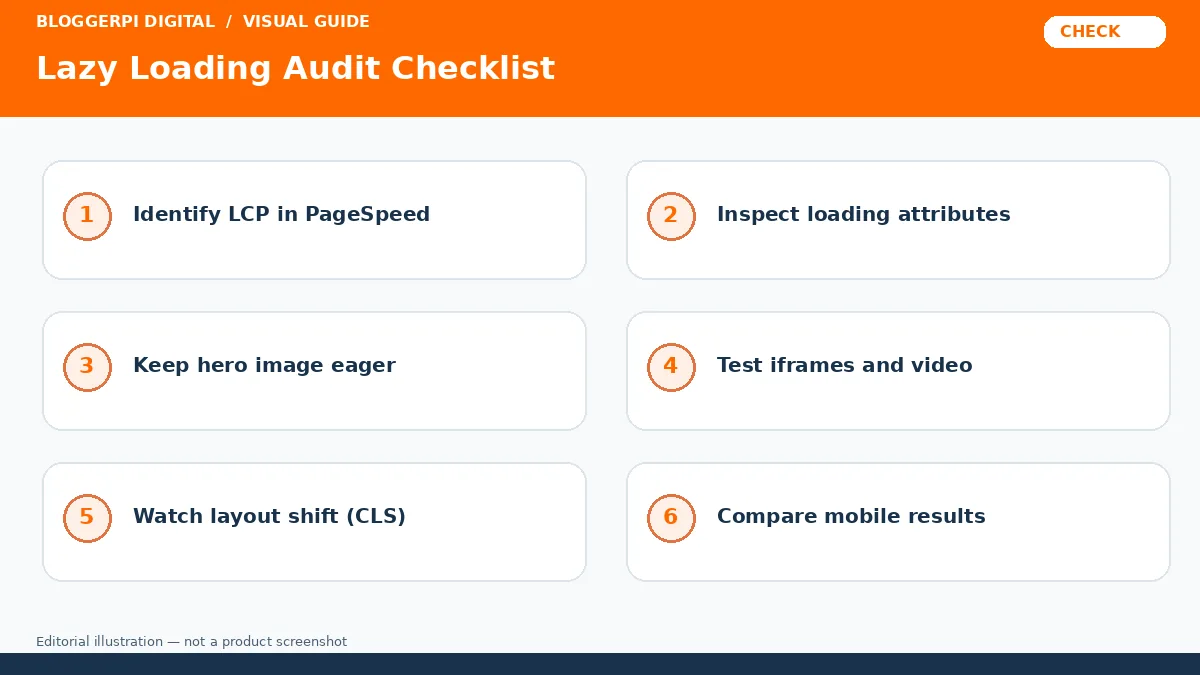
- Identify the element that is most likely to become LCP.
- Inspect final loading and fetchpriority attributes.
- Reserve space with width, height or aspect ratio.
- Test video and iframe access with mouse and keyboard.
- Avoid overlapping loading systems without a clear reason.
- Compare representative URLs under repeatable conditions.
Frequently asked questions
Does WordPress already lazy-load images? Yes; native image lazy loading began in WordPress 5.5 and has been refined. Is a plugin mandatory? No; it is an option when native behavior does not meet a particular need. Should a hero image be lazy? Generally not when it is a visible LCP candidate. Must I install a3, Smush and WP YouTube Lyte together? No. Choose only the tool that solves a verified problem.
Will lazy loading always improve PageSpeed? No. Position, file size, scripts and devices influence the outcome. Why is an image blank after scrolling? Inspect conflicting scripts, markup and delayed source attributes. Does lazy loading compress files? No; compression and request timing are different operations.
Official documentation and references
- WordPress Core — Image Performance Improvements
- WordPress Developer — Loading Optimization Attributes
- Chrome Developers — HTML Image Priority Guidance
- web.dev — Optimize Largest Contentful Paint
- WordPress.org — a3 Lazy Load
- WordPress.org — Smush
- WordPress.org — WP YouTube Lyte
Conclusion: defer resources that visitors do not yet need, but do not delay the main visible image. Start with WordPress native capabilities, use plugins selectively and verify performance alongside accessibility and visual stability. The WordPress AI-assisted SEO guide provides broader context for making these changes within a documented review process rather than relying on a single synthetic score.
