

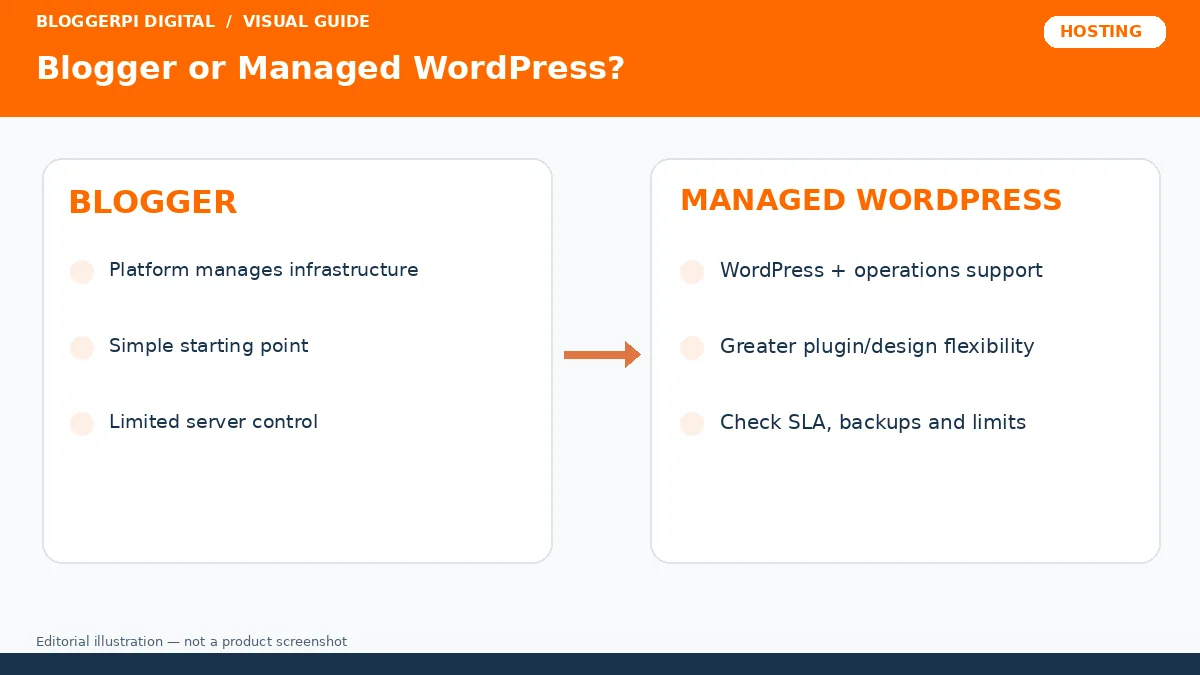
Managed WordPress hosting can reduce the operational work involved in running a business website, but it is not a universally defined package. One provider may include backups, staging and WordPress updates; another may focus narrowly on server maintenance. Blogger is a different hosted publishing platform, while self-managed WordPress puts infrastructure decisions on the site owner. This guide compares those models for entrepreneurs and agencies, explains the contract questions worth asking, and outlines how to move content without making unsupported promises about prices, security, or search rankings.
What managed WordPress hosting actually means
Web hosting stores the application files, database and media required to deliver a website. Self-hosted WordPress can run on a rented server, a shared environment, or a provider-managed platform. Under a managed plan, the provider may perform server patching, security monitoring, routine backups or performance maintenance according to its documented scope. None of this automatically makes the provider responsible for the accuracy of your content, customer data, account permissions or commercial decisions.
Write down which technical tasks you want to delegate before comparing plans. Who helps if an update breaks a plugin? Are PHP configuration, DNS, email, CDN or site-level performance covered? How do you request a backup restoration, and what is excluded from support? New site owners can start with our WordPress roadmap for business websites to understand the underlying tools before buying a service described in technical marketing language.
Blogger, managed WordPress and self-managed WordPress
Blogger is a hosted blogging platform that handles much of the publication infrastructure. You can connect a custom domain and configure HTTPS when Google’s domain and DNS requirements are satisfied. This can suit a straightforward informational blog, particularly when there is no need for custom server integrations. It does not offer the same ability to install WordPress plugins or control PHP and database settings as a self-hosted WordPress installation. That distinction does not prove either platform is always faster.
Managed WordPress combines the WordPress application with some provider responsibility for operations. A self-managed deployment gives the site owner more server flexibility while demanding more technical attention. The right choice depends on required functionality, budgets across renewal periods, recovery requirements, and staff expertise. Avoid choosing from marketing labels alone; ask what the provider will actually do when the site is slow, a plugin conflicts, or a database needs repair.
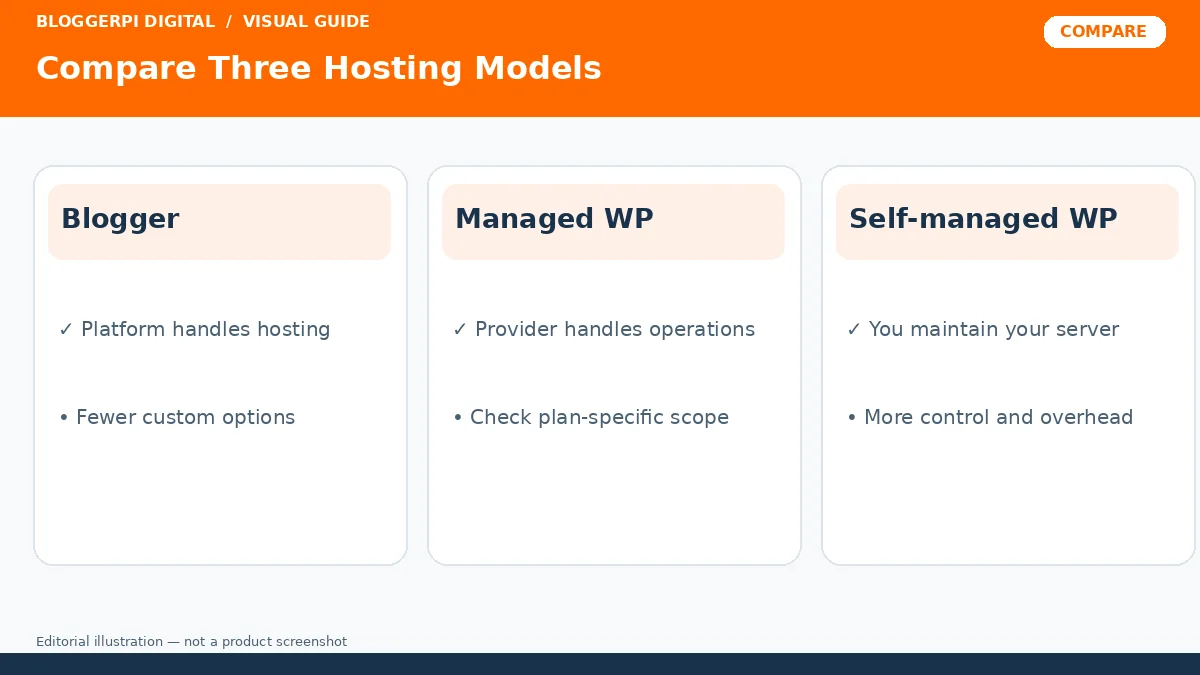
| Factor | Blogger | Managed WP | Self-managed WP |
|---|---|---|---|
| Server operations | Platform | Provider-defined scope | Site team |
| WordPress plugins | Not supported | Usually, with restrictions | With compatibility checks |
| Backups | Platform export tools | Check retention and restore | Must be implemented |
| Staging | Not WordPress staging | Check the plan | Build and maintain it |
| Server control | Limited | Package-dependent | Greater flexibility |
When a growing company should consider managed hosting
A website with lead forms, product catalogs, campaign landing pages, and several editors needs repeatable changes and a credible recovery process. Provider-managed operations may reduce the time staff spend troubleshooting infrastructure. However, managed hosting cannot determine your content strategy, assign safe user permissions, or interpret conversion data for you. Start with the essential WordPress configuration checklist and identify the actual operating constraints that a hosting package needs to solve.
For a personal blog with few integrations, Blogger or ordinary hosting can still be appropriate. A switch to WordPress is not an SEO ranking shortcut. Identify the unmet business requirement first: a necessary CRM integration, advanced template control, custom content types, a multilingual workflow, or costly administration. If none of those applies, improving existing content and navigation may provide more value than launching a platform migration.
Technical support, backups and disaster recovery
Ask for written support hours, escalation routes, response targets, and exclusions. Two hosting services may both advertise support at all times but offer very different help with a broken WordPress plugin. Clarify who handles incidents involving PHP-FPM, plugins, external DNS, TLS certificates and CDN rules. A support promise should describe activities and responsibilities rather than leaving every unexpected problem to a generic sales phrase.
A backup is valuable only when the data can be restored. Review frequency, retention, off-site storage, included media and database tables, and any recovery fee. For active shops, restoring yesterday’s snapshot can discard newer orders or lead submissions, so the recovery procedure must consider changes made after the backup. Arrange a controlled restore rehearsal before relying on the system for an actual outage.
Staging, updates and developer access
Staging provides a place to test core, theme and plugin updates before public users encounter them. Check whether the environment is shielded from search indexing and whether pushing changes back to production risks replacing live transactions or comments. Use our WordPress theme-change safety guide when redesigning an established site, and make sure menus, widget areas and responsive layouts are included in the acceptance test.
Development teams may care about PHP versions, cron, WP-CLI, SSH, SFTP, application logs and deployment controls more than the appearance of the hosting panel. Some managed platforms deliberately restrict access to stabilize shared infrastructure. Evaluate those restrictions according to the work your team performs. Editorial users may never need root access; a heavily customized application may require capabilities that a tightly managed package does not offer.
Hosting speed is not the same as page speed
Page performance depends on origin response, theme templates, JavaScript, fonts, image files, cache policy and third-party scripts. A more powerful server cannot fix every oversized hero image or render-blocking asset. Test real page types such as a long article, service page, product screen and contact form. Compare results using similar devices and network conditions instead of treating one Lighthouse score as a guarantee for every visitor.
Page caches and persistent object caches solve different problems. Sites with particular query patterns may benefit from object caching, while a small editorial blog might see little improvement. Our Memcached and WordPress guide explains one common integration. Do not stack several caching plugins without checking whether the hosting provider already performs the same operations at the server or CDN layer.
Who handles TLS, security and plugin maintenance?
Confirm who issues and renews the HTTPS certificate, how CDN and origin encryption is configured, and who resolves mixed-content errors. Switching a WordPress site address without understanding its server can lock editors out or generate redirect loops. The WordPress HTTPS migration guide describes the technical checks that should accompany a protocol change.
Secure operation also includes limited access privileges, account reviews, updates, backups, brute-force protection and incident records. If an AI or MCP integration accesses WordPress, review its permission scope and auditability. Our WordPress AI administration security guide discusses those responsibilities. No managed service can honestly guarantee that a site will never suffer downtime, unauthorized access, or a provider-side failure.
Calculate total ownership cost, not promotional price
Build a 12- or 24-month estimate including renewal pricing, domain registration, email, extra backups, storage, CDN, plugin licenses, migration work and staff time. Read the provider’s resource and fair-use limits, especially CPU, memory, PHP workers, storage and request restrictions. The word unlimited can still appear beside contractual limits, so compare the conditions behind each package rather than comparing large marketing numbers.
Agencies should also consider the number of sites allowed, staging slots, developer accounts, site isolation and the ability to export a client’s information on departure. Cheap hosting can become expensive if recovery requires many staff hours. Equally, a high subscription price is not evidence that every visitor will receive a faster response. The goal is predictable operation with responsibilities that your organization can realistically maintain.
When Blogger remains a sensible choice
Blogger can remain a practical platform for a simple publication that does not need WordPress-specific functionality. Google documents custom domains and HTTPS arrangements for supported configurations. Moving to WordPress solely because another business uses it creates avoidable work. If the current site reaches its audience and publishing operations are reliable, content relevance and navigation may deserve attention before infrastructure changes.
WordPress becomes attractive when you need custom integrations, more complex taxonomies, specialized form workflows or application-level staging. Build a small prototype of those requirements before committing to a migration. Our WordPress plugin selection guide helps separate genuinely useful extensions from features that only add maintenance obligations.
A controlled migration from Blogger to WordPress
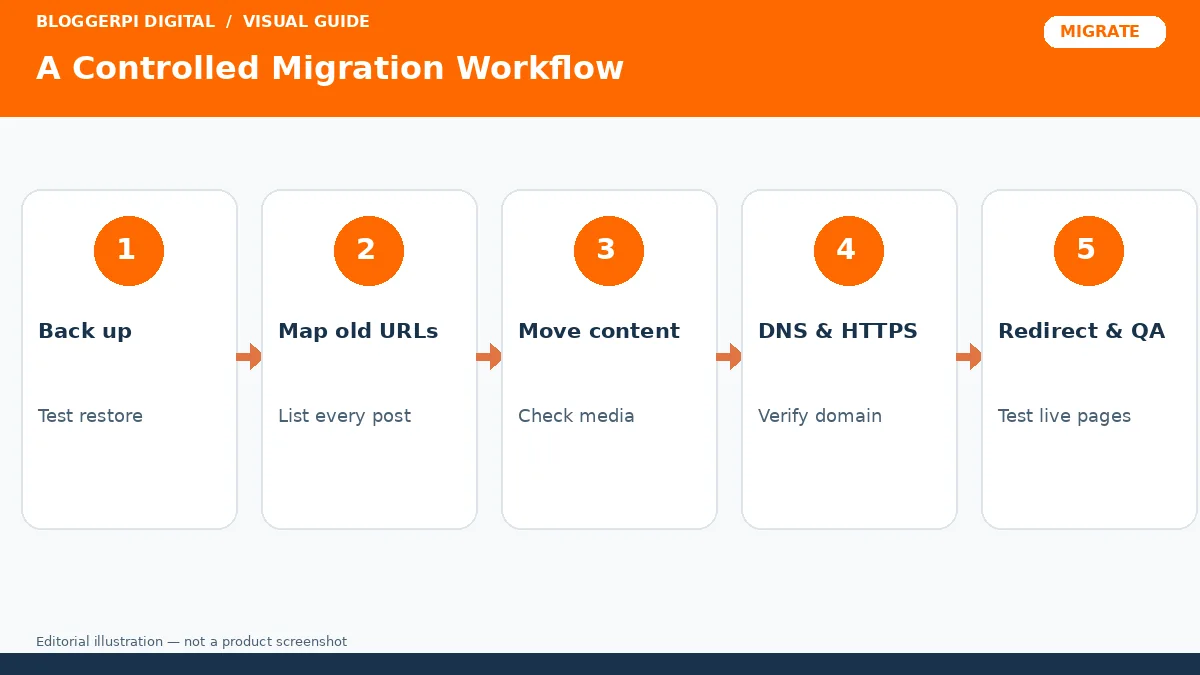
Export and back up the Blogger content before any DNS change. Inventory all important post URLs, custom domain settings, labels, comments, media, and attribution that needs to survive. Import into a prepared WordPress environment and inspect the resulting content. Do not assume that Blogger’s permalink format will map automatically to WordPress slugs. Prepare a destination for every important old URL, with special attention to pages with external links or search traffic.
Verify DNS, HTTPS, XML sitemaps, canonical tags and relevant permanent redirects. Avoid mapping every old page to the homepage, which removes important context for both people and crawlers. The WordPress permalink migration guide and our internal-link audit workflow offer practical checks. Before announcing the new site, test mobile navigation, contact forms, media, translated pages and service content as real visitors would.
Questions to ask before signing a managed hosting agreement
Request a proposal that names the responsible party for WordPress core, PHP, themes, plugins, backups, DNS, email, TLS and incident response. Find out who owns the domain and data, which logs are accessible, and how an independent restore works. Ask about the measurement and exclusions behind the uptime SLA. If several editors access the site, a process for granting and removing roles should also be part of the operating plan.
Create an acceptance list covering the homepage, articles, taxonomy archives, service pages, checkout if present, and every contact form. Verify that WordPress menus and sidebar and footer widgets do not contain outdated links. Keep configuration, redirect maps and test results documented so that future support tickets can identify the failing layer quickly.
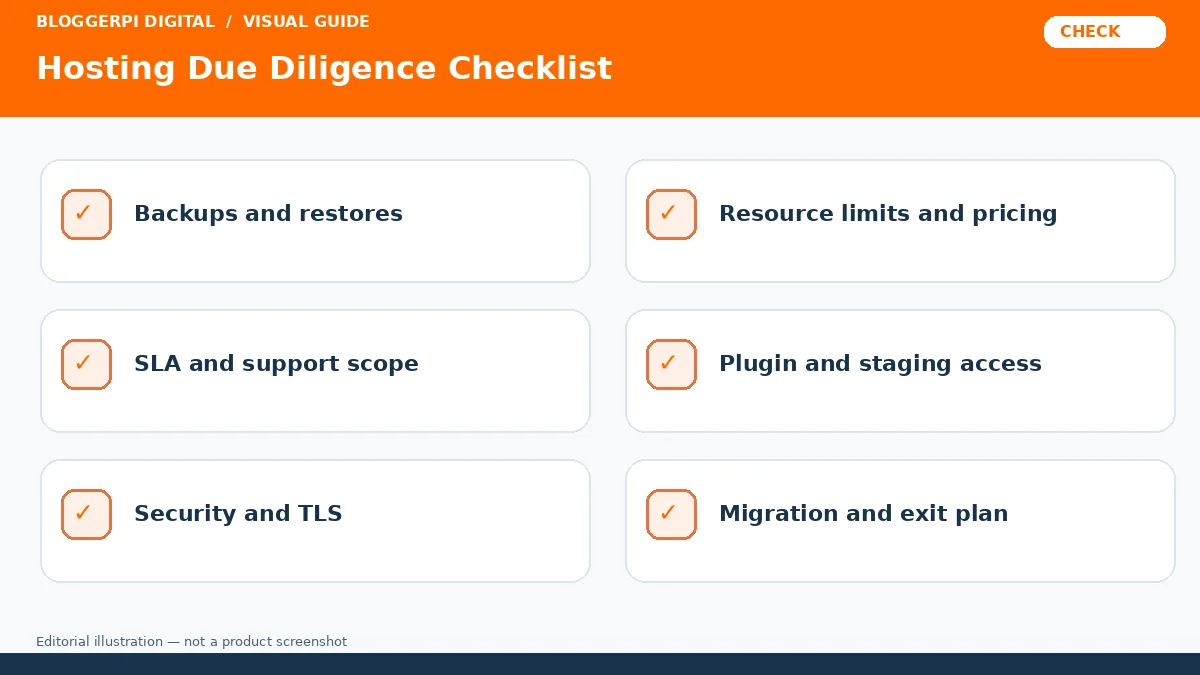
- Backups can be downloaded and restored
- Support scope and escalation are documented
- Staging and update process have been tested
- Resource limits and renewal pricing are clear
- TLS, access control and logs have an owner
- Migration and exit paths are workable
- Analytics and lead forms remain functional
Protect SEO and analytics after changing platforms
Moving a site does not guarantee higher rankings. Verify that public HTML still contains the intended SEO titles, descriptions, canonicals, indexing directives, and appropriate schema. Avoid switching several SEO plugins at the same time as the hosting platform. Use our comparison of WordPress SEO plugins to understand the purpose of those tools rather than chasing interface scores that search engines do not use directly.
Review analytics and Search Console over a suitable comparison period, accounting for seasonal changes and indexing delays. The Google Site Kit setup guide can help centralize monitoring where supported. For multilingual or automated editorial workflows, keep translations, language-specific internal links and categories consistent; the AI-assisted WordPress SEO guide explains why automation still requires review.
Managed hosting FAQ
Is managed hosting the same as a domain? No. A domain is the address; hosting serves the site. Managed describes a contracted operational scope. Does Blogger need WordPress hosting? No, unless the site is actually moved to WordPress. Does every managed package provide staging? No, and its access and limits should be verified before purchase.
Will a host change automatically improve SEO? No. Performance, technical implementation, content and user experience need separate evidence. Does migration always reduce traffic? Not necessarily, but URL and template changes introduce risks that should be managed. What information helps obtain a useful quote? Site count, traffic pattern, data size, essential plugins, audience region, backup needs and support expectations.
Official references
- WordPress.com — Choosing a WordPress Host
- WordPress.com — What Is Managed Hosting?
- WordPress.com — WordPress.com vs Self-hosted WordPress
- Blogger Help — Custom Domain
- Blogger Help — HTTPS
- Blogger Help — Back Up a Blog
- Google Search Central — Site Moves and URL Changes
Conclusion: keep Blogger when a straightforward publishing platform meets your needs. Consider managed WordPress when the contracted operational assistance will meaningfully reduce risk and staff workload. Compare support, recovery, costs, and exit options before buying; do not treat a platform switch as a shortcut to better search results.
